EasyManua.ls Logo

Hitachi VM-E530A - Using Quick Edit; Using the Display Button

Hitachi VM-E530A
56 pages
Print Icon
To Next Page IconTo Next Page
To Previous Page IconTo Previous Page
Loading...
Using
Quick
Edit
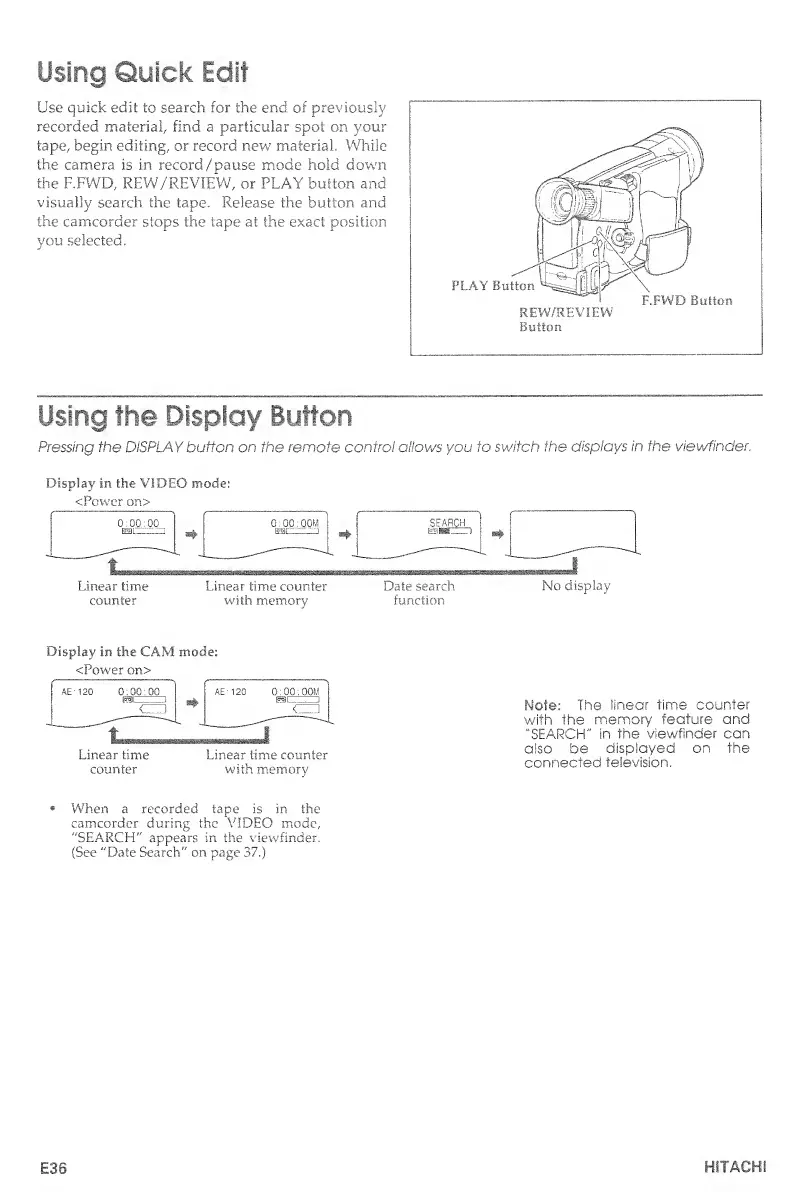
Use
quick
edit
to
search
for
the
end
of
previously
recorded
material/
find
a
particular
spot
on
your
tape,
begin
editing/
or
record
new
material
While
the
camera
is
in
record
/
pause
mode
hold
down
the
F.FWD,
REW/REVIEW,
or
PLAY
button
and
visually
search
the
tape.
Release
the
button
and
the
camcorder
stops
the
tape
at
the
exact
position
you
selected.
Using
the
Display
Button
Pressing
the
DISPLAY
button
on
the
remote
control
allows
you
to
switch
the
displays
in
the
viewfinder.
Display
in
the
VIDEO
mode:
<Power
on>
Linear
time
Linear
time
counter
Date
search
No
display
counter
with
memory
function
Display
in
the
CAM
mode:
<Power
on>
Linear
time
Linear
time
counter
counter
with
memory
Mole:
The
linear
time
counter
with
the
memory
feature
and
"SEARCH"
in
the
viewfinder
can
also
be
displayed
on
the
connected
television.
When
a
recorded
tape
is
in
the
camcorder
during
the
VIDEO
mode,
"SEARCH"
appears
in
the
viewfinder.
(See
"Date
Search"
on
page
37.)
E36
HITACHI

Table of Contents

Related product manuals