EasyManua.ls Logo

Hitachi VM-E530A - Date Search; Using Memory

Hitachi VM-E530A
56 pages
Print Icon
To Next Page IconTo Next Page
To Previous Page IconTo Previous Page
Loading...
Date
Search
ihe
date
search
function
memorizes
the
start
and
end
positions
of
recordings
you
made
on
a
specific
day
so
you
can
easily
locate
those
positions
later
as
long
as
the
cassette
is
left
in
the
camcorder.
Note:
Be
sure
that
the
date
and
time
are
set,
1.
Attach
a
power
source
and
slide
the
CAM/
OFF/VIDEO
switch
to
VIDEO.
2.
Press
the
DATE/DISP.
button
(the
DISPLAY
button
on
the
remote
control)
to
display
''SEARCH"
in
the
viewfinder.
SEARCH
i!Hd]
3.
Press
the
REW/REVIEW
button
to
search
for
the
start
position
from
which
you
last
made
a
recording
or
the
F.FWD
button
to
recording-
end
position.
"
44
SEARCH"
will
appear
while
the
start
position
is
being
searched
for;
"SEARCH
►►
",
while
the
end
position
is
being-
searched
for,
4.
When
the
required
position
is
located,
the
cam¬
corder
enters
the
stop
mode
and
"SEARCH"
disappears
from
the
viewfinder.
Mote:
it
you
have
ejected
the
cassette,
this
tunction
will
not
operate
with
that
cassette,
(When
a
cassette
is
inserted
and
the
recording
is
started,
the
position
is
identified
as
the
recording
start
position
on
that
day,)
Mote:
if
the
ciock
battery
is
not
inserted,
the
date
search
function
does
not
operate
when
the
battery
providing
the
power
to
the
cam¬
corder
is
removed.
Mote:
When
the
cassette
was
recorded
by
another
camcorder,
the
date
search
function
does
not
operate.
Mote:
The
date
search
function
is
released
when
you
press
the
STOP
button
during
date
search
mode,
Mote;
if
the
recorded
time
is
less
than
30
sec¬
onds,
the
date
search
function
may
not
oper¬
ate
normally,
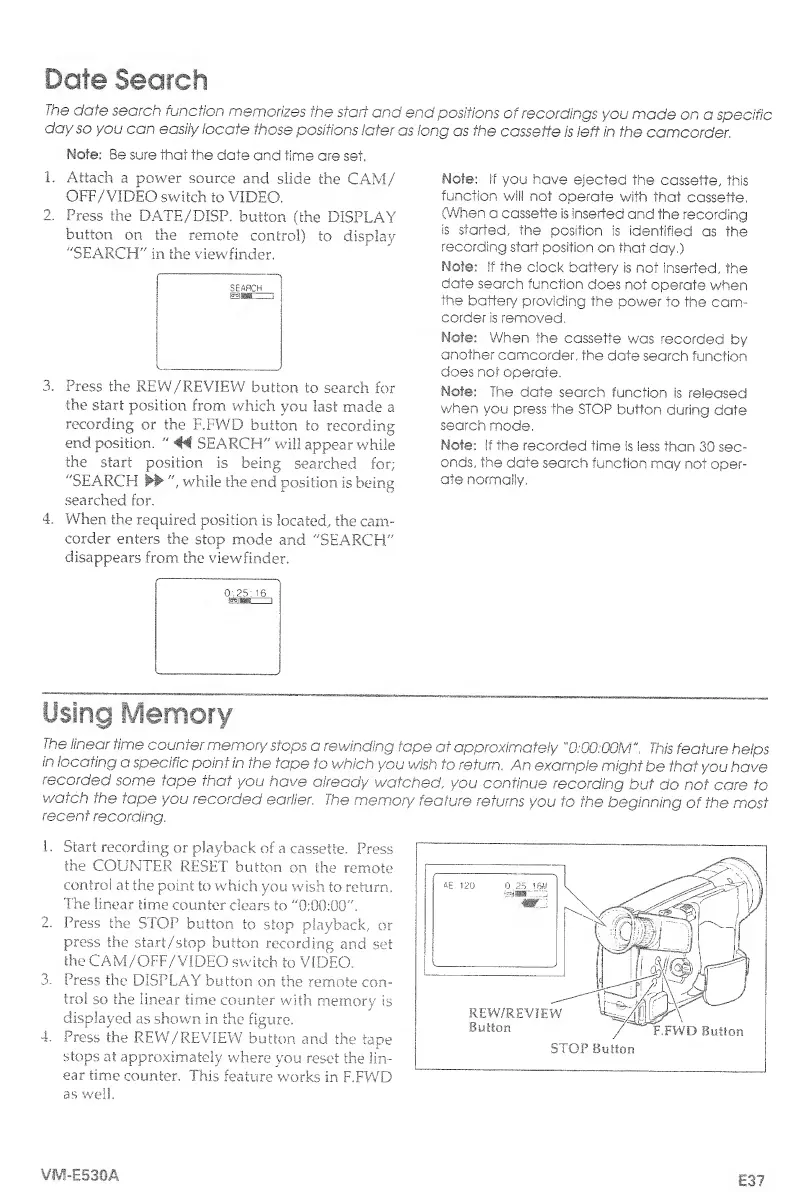
Using
Memory
The
linear
time
counter
memory
stops
a
rewinding
tape
at
approximately
"0:00:00M",
This
feature
helps
in
locating
a
specific
point
in
the
tape
to
which
you
wish
to
return.
An
example
might
be
that
you
have
recorded
some
tape
that
you
have
already
watched
,
you
continue
recording
but
do
not
care
to
watch
the
tape
you
recorded
earlier.
The
memory
feature
returns
you
to
the
beginning
of
the
most
recent
recording.
1.
Start
recording
or
playback
of
a
cassette.
Press
the
COUNTER
RESET
button
on
the
remote
control
at
the
point
to
which
you
wish
to
return.
The
linear
time
counter
clears
to
"0:00:00".
2.
Press
the
STOP
button
to
stop
playback,
or
press
the
start/stop
button
recording
and
set
the
CAM/OFF/VIDEO
switch
to
VIDEO.
3.
Press
the
DISPLAY
button
on
the
remote
con¬
trol
so
the
linear
time
counter
with
memory
is
displayed
as
shown
in
the
figure.
4.
Press
the
REW/REVIEW
button
and
the
tape
Stops
at
approximately
where
you
reset
the
lin¬
ear
time
counter.
This
feature
works
in
F.FWD
as
well.
VM-E530A
E37

Table of Contents

Related product manuals