EasyManua.ls Logo

Hitachi VM-E530A - Playback; Simple Playback; Using Still; Using Forward and Reverse Search

Hitachi VM-E530A
56 pages
Print Icon
To Next Page IconTo Next Page
To Previous Page IconTo Previous Page
Loading...
Playback
Simple
Playback
(Using
the
Electronic
Viewfinder)
1.
Insert
the
cassette
("Inserting
and
Removing
3.
Press
the
PLAY
button
and
enjoy
your
video.
Cassettes,
p!7).
4.
Press
the
STOP
button
when
finished.
2.
Hold
down
the
red
button
on
the
CAM/
OFF/VIDEO
switch
while
sliding
the
switch
to
VIDEO.
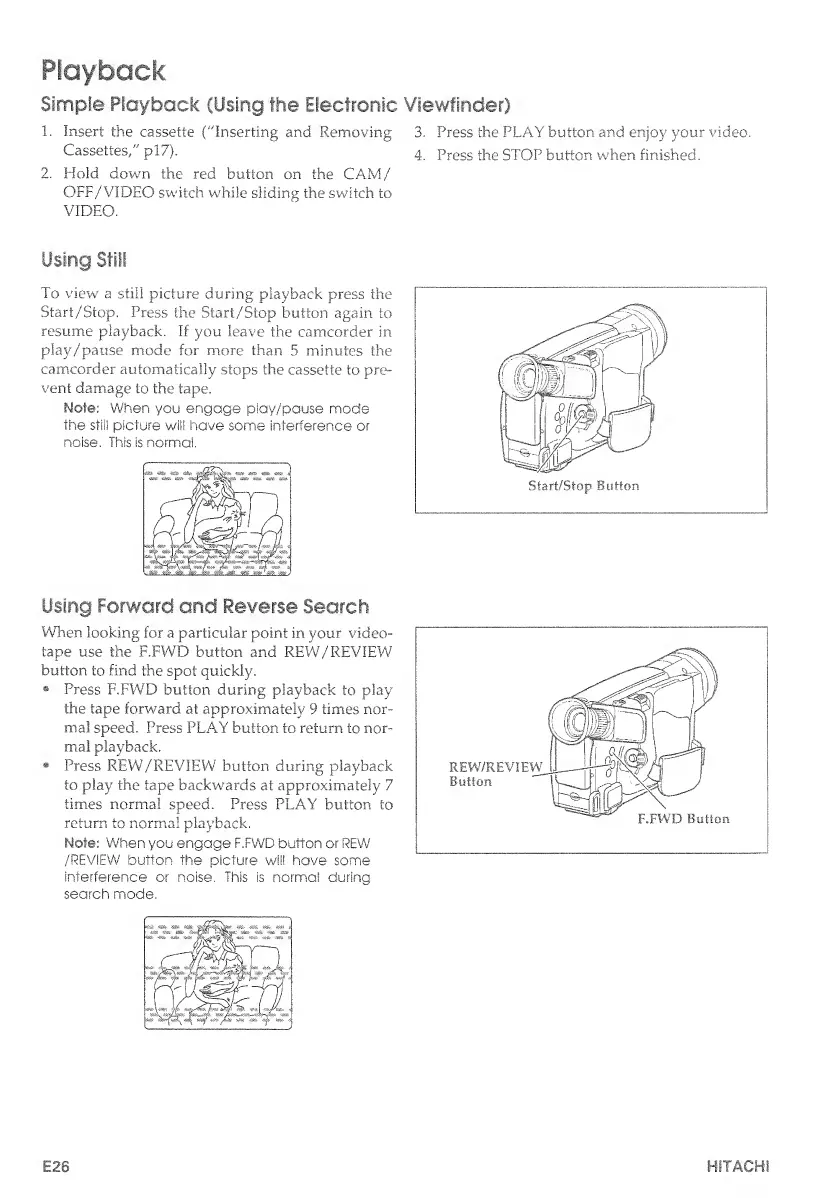
Using
Still
To
view
a
still
picture
during
playback
press
the
Start/Stop.
Press
the
Start/Stop
button
again
to
resume
playback.
If
you
leave
the
camcorder
in
play/pause
mode
for
more
than
5
minutes
the
camcorder
automatically
stops
the
cassette
to
pre¬
vent
damage
to
the
tape.
Note:
When
you
engage
play/pause
mode
the
stli!
picture
will
have
some
interference
or
noise.
This
is
normal.
Using
Forward
and
Reverse
Search
When
looking
for
a
particular
point
in
your
video¬
tape
use
the
F.FWD
button
and
REW/REVIEW
button
to
find
the
spot
quickly.
®
Press
F.FWD
button
during
playback
to
play
the
tape
forward
at
approximately
9
times
nor¬
mal
speed.
Press
PLAY
button
to
return
to
nor¬
mal
playback.
Press
REW/REVIEW
button,
during
playback
to
play
the
tape
backwards
at
approximately
7
times
normal
speed.
Press
PLAY
button
to
return
to
normal
playback.
Note:
When
you
engage
F.FWD
button
or
REW
/REVIEW
button
the
picture
will
have
some
interference
or
noise.
This
is
normal
during
search
mode.
I
E26
HITACHI

Table of Contents

Related product manuals