EasyManua.ls Logo

Hitachi VM-E530A - Date Recording

Hitachi VM-E530A
56 pages
Print Icon
To Next Page IconTo Next Page
To Previous Page IconTo Previous Page
Loading...
Date
Recording
When
the
date
has
been
set
the
camcorder
will
enter
the
automatic
date
recording
mode
auto¬
matically.
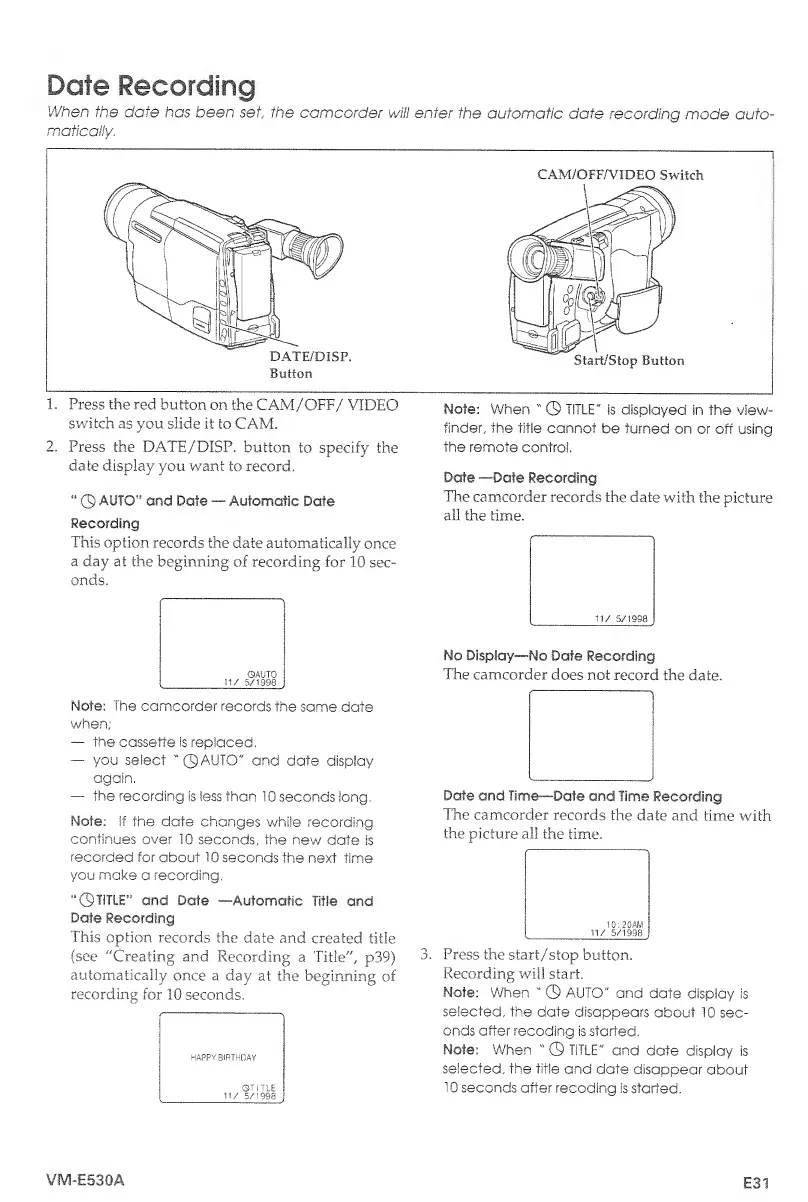
CAM/OFF/VIDEO
Switch
1.
Press
the
red
button
on
the
CAM/OFF/
VIDEO
switch
as
you
slide
it
to
CAM.
2.
Press
the
DATE/DISP.
button
to
specify
the
date
display
you
want
to
record.
©
AUTO”
and
Date
Automatic
Date
Recording
This
option
records
the
date
automatically
once
a
day
at
the
beginning
of
recording
for
10
sec¬
onds.
Note:
The
camcorder
records
the
same
date
when;
the
cassette
is
replaced.
you
select
"©AUTO"
and
date
display
again.
the
recording
is
less
than
10
seconds
iong,
Note:
If
the
date
changes
while
recording
continues
over
10
seconds,
the
new
date
is
recorded
for
about
10
seconds
the
next
time
you
make
a
recording.
“©TITLE”
and
Date
—Automatic
Title
and
Date
Recording
This
option
records
the
date
and
created
title
(see
"Creating
and
Recording
a
Title",
p39)
automatically
once
a
day
at
the
beginning
of
recording
for
10
seconds.
HAPPY
BIRTHDAY
Note:
When
"
©
TITLE"
is
displayed
in
the
view¬
finder,
the
title
cannot
be
turned
on
or
off
using
the
remote
control.
Date
—Date
Recording
The
camcorder
records
the
date
with
the
picture
all
the
time.
No
Display—No
Date
Recording
The
camcorder
does
not
record
the
date.
Date
and
Time—Date
and
Time
Recording
The
camcorder
records
the
date
and
time
with
the
picture
all
the
time.
3.
P
ress
the
start/stop
button.
Recording
will
start.
Note:
When
"
©
AUTO"
and
date
display
is
selected,
the
date
disappears
about
10
sec¬
onds
after
recoding
is
started.
Note:
When
"
©
TITLE"
and
date
display
is
selected,
the
title
and
date
disappear
about
10
seconds
after
recoding
is
started.
VM-E530A
E31

Table of Contents

Related product manuals