EasyManua.ls Logo

Hitachi VM-E530A - Fading in; Fading out; Using the Electronic Linage Stabilizer

Hitachi VM-E530A
56 pages
Print Icon
To Next Page IconTo Next Page
To Previous Page IconTo Previous Page
Loading...
Fading
in
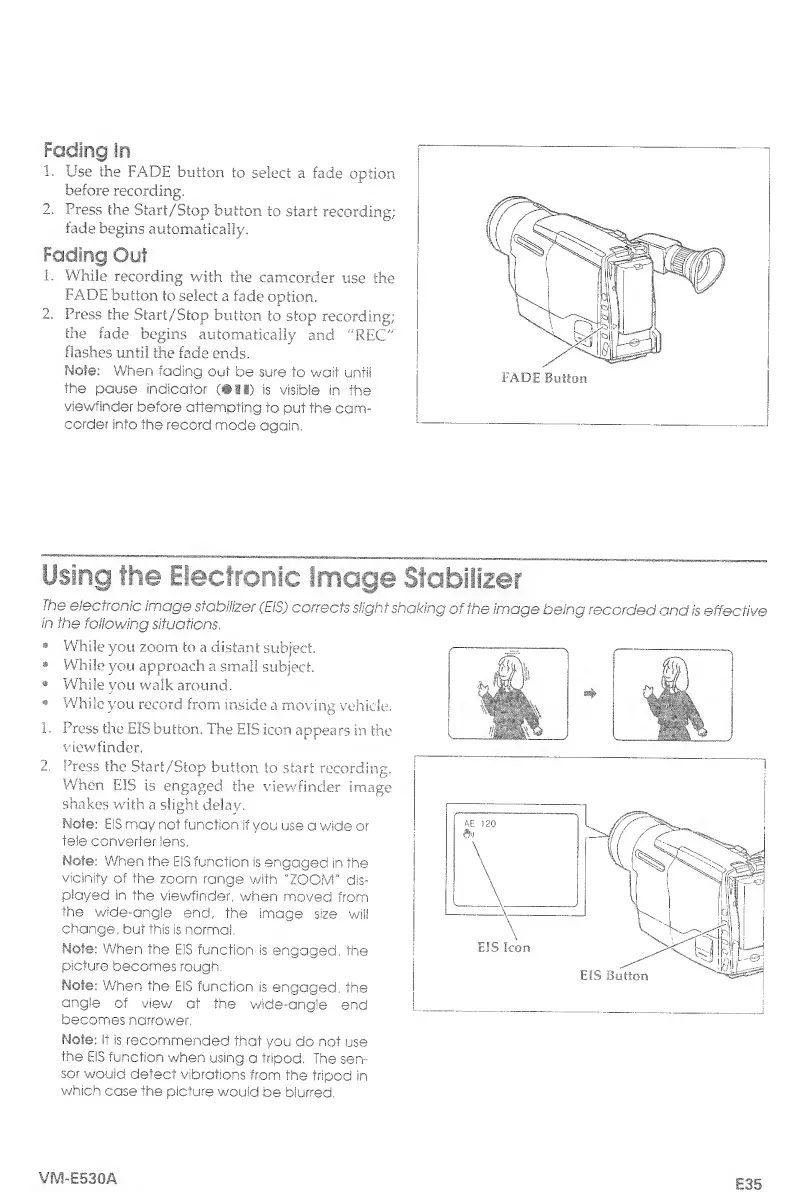
1.
Use
the
FADE
button
to
select
a
fade
option
before
recording,
2,
Press
the
Start/Stop
button
to
start
recording;
fade
begins
automatically.
Fading
Out
1.
While
recording
with
the
camcorder
use
the
FADE
button
to
select
a
fade
option.
2.
Press
the
Start/Stop
button
to
stop
recording;
the
fade
begins
automatically
and
"REC"
flashes
until
the
facie
ends.
Mote:
When
fading
out
be
sure
to
wait
until
the
pause
indicator
(•!!)
is
visible
in
the
viewfinder
before
attempting
to
put
the
cam¬
corder
into
the
record
mode
again,
Using
the
Electronic
Image
Stabilizer
The
electronic
image
sfahiiizer
(EiS)
corrects
slight
shaking
of
the
image
being
recorded
and
is
effective
in
the
following
situations,
While
you
zoom
to
a
distant
subject,
While
you
approach
a
small
subject.
While
you
walk
around.
While
you
record
from
inside
a
moving
vehicle.
1,
Press
the
EIS
button.
The
EIS
icon
appears
in
the
viewfinder.
2.
Press
the
Start/Stop
button
to
start
recording.
When
EIS
is
engaged
the
viewfinder
image
shakes
with
a
slight
delay.
Mot©:
EIS
may
not
function
if
you
use
a
wide
or
tele
converter
lens,
Note:
When
the
EIS
function
is
engaged
in
the
vicinity
of
the
zoom
range
with
"ZOOM"
dis¬
played
in
the
viewfinder,
when
moved
from
the
wide-angle
end,
the
image
size
will
change,
but
this
is
normal,
Note:
When
the
EiS
function
is
engaged,
the
picture
becomes
rough.
Mote:
When
the
EiS
function
is
engaged,
the
angle
of
view
at
the
wide-angle
end
becomes
narrower.
Note:
it
is
recommended
that
you
do
not
use
the
EIS
function
when
using
a
tripod.
The
sen¬
sor
would
detect
vibrations
from
the
tripod
in
which
case
the
picture
wouid
be
blurred,
f}?\
;
h
WU
'
1
1111,
VM-E530A
E35

Table of Contents

Related product manuals