EasyManua.ls Logo

Hitachi VM-E530A - Negative;Positive Recording; X!30 Digital Zoom Recording; Half-Mirror Recording; Mosaic Recording

Hitachi VM-E530A
56 pages
Print Icon
To Next Page IconTo Next Page
To Previous Page IconTo Previous Page
Loading...
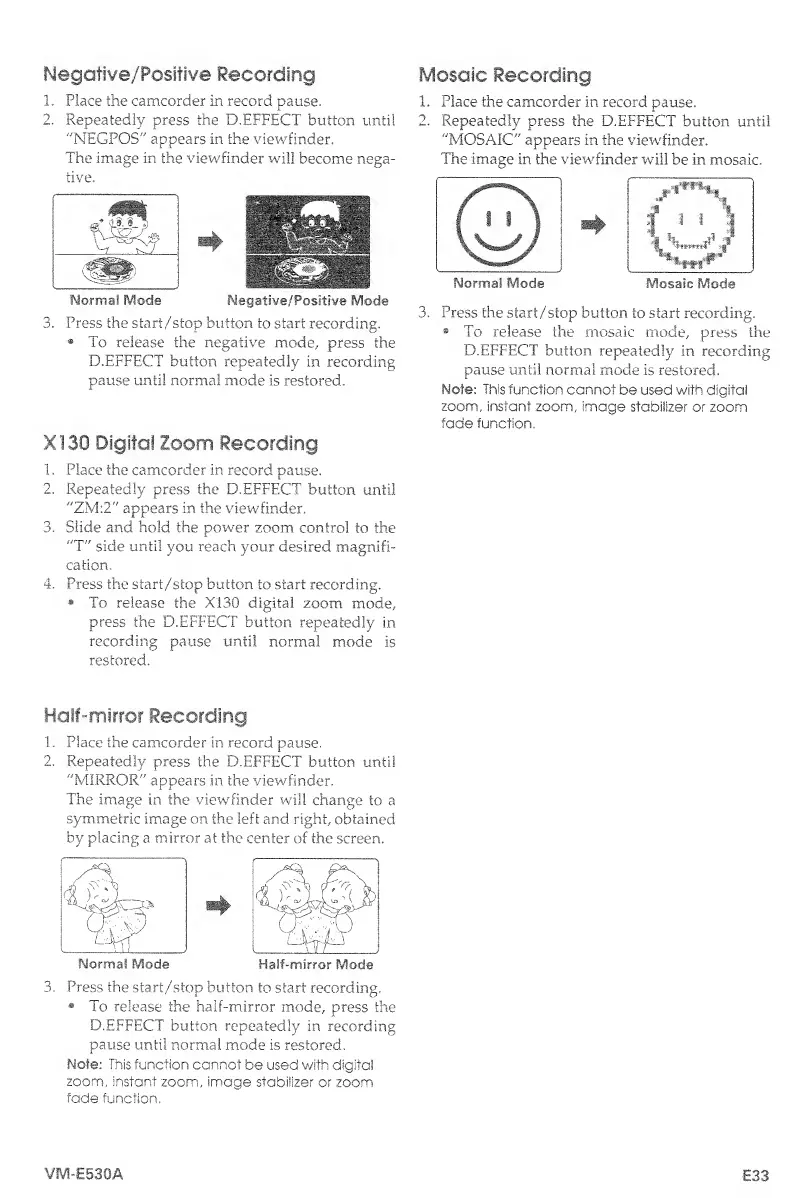
Negative/Positive
Recording
1.
Place
the
camcorder
in
record
pause.
2.
Repeatedly
press
the
D.EFFECT
button
until
"NEGPOS"
appears
in
the
viewfinder.
The
image
in
the
viewfinder
will
become
nega¬
tive.
Normal
Mode
Negative/Positive
Mode
3.
P
ress
the
start/stop
button
to
start
recording.
®
To
release
the
negative
mode,
press
the
D.EFFECT
button
repeatedly
in
recording
pause
until
normal
mode
is
restored,
XI30
Digital
Zoom
Recording
1.
Place
the
camcorder
in
record
pause.
2.
Repeatedly
press
the
D,EFFECT
button
until
"ZM:2"
appears
in
the
viewfinder.
3.
Slide
and
hold
the
power
zoom
control
to
the
"T"
side
until
you
reach
your
desired
magnifi¬
cation,
4.
Press
the
start/stop
button
to
start
recording.
To
release
the
XI30
digital
zoom
mode,
press
the
D.EFFECT
button
repeatedly
in
recording
pause
until
normal
mode
is
restored.
Mosaic
Recording
1.
Place
the
camcorder
in
record
pause.
2,
Repeatedly
press
the
D.EFFECT
button
until
"MOSAIC"
appears
in
the
viewfinder.
The
image
in
the
viewfinder
will
be
in
mosaic.
3.
P
ress
the
start/stop
button
to
start
recording.
To
release
the
mosaic
mode,
press
the
D.EFFECT
button
repeatedly
in
recording
pause
until
normal
mode
is
restored.
Note:
This
function
cannot
be
used
with
digital
zoom,
instant
zoom,
image
stabilizer
or
zoom
fade
function.
Mosaic
Mode
Norma!
Mode
Half-mirror
Recording
1.
Place
the
camcorder
in
record
pause.
2.
Repeatedly
press
the
D.EFFECT
button
until
"MIRROR"
appears
in
the
viewfinder.
The
image
in
the
viewfinder
will
change
to
a
symmetric
image
on
the
left
and
right,
obtained
by
placing
a
mirror
at
the
center
of
the
screen.
/-s
Px
|
TTP''
*
cy/h
|
Normal
Mode
Half-mirror
Mode
3.
P
ress
the
start/stop
button
to
start
recording.
To
release
the
half-mirror
mode,
press
the
D.EFFECT
button
repeatedly
in
recording
pause
until
normal
mode
is
restored.
Note:
This
function
cannot
be
used
with
digital
zoom,
instant
zoom,
image
stabilizer
or
zoom
fade
function.
VM-E530A
£33

Table of Contents

Related product manuals