SECURITY
Version 1.0, 12/2014. Copyright 2012 Hitron Technologies
105
Version 1.0, 12/2014. Copyright 2014 Hitron Technologies
105
Hitron CGNM-2250 User’s Guide
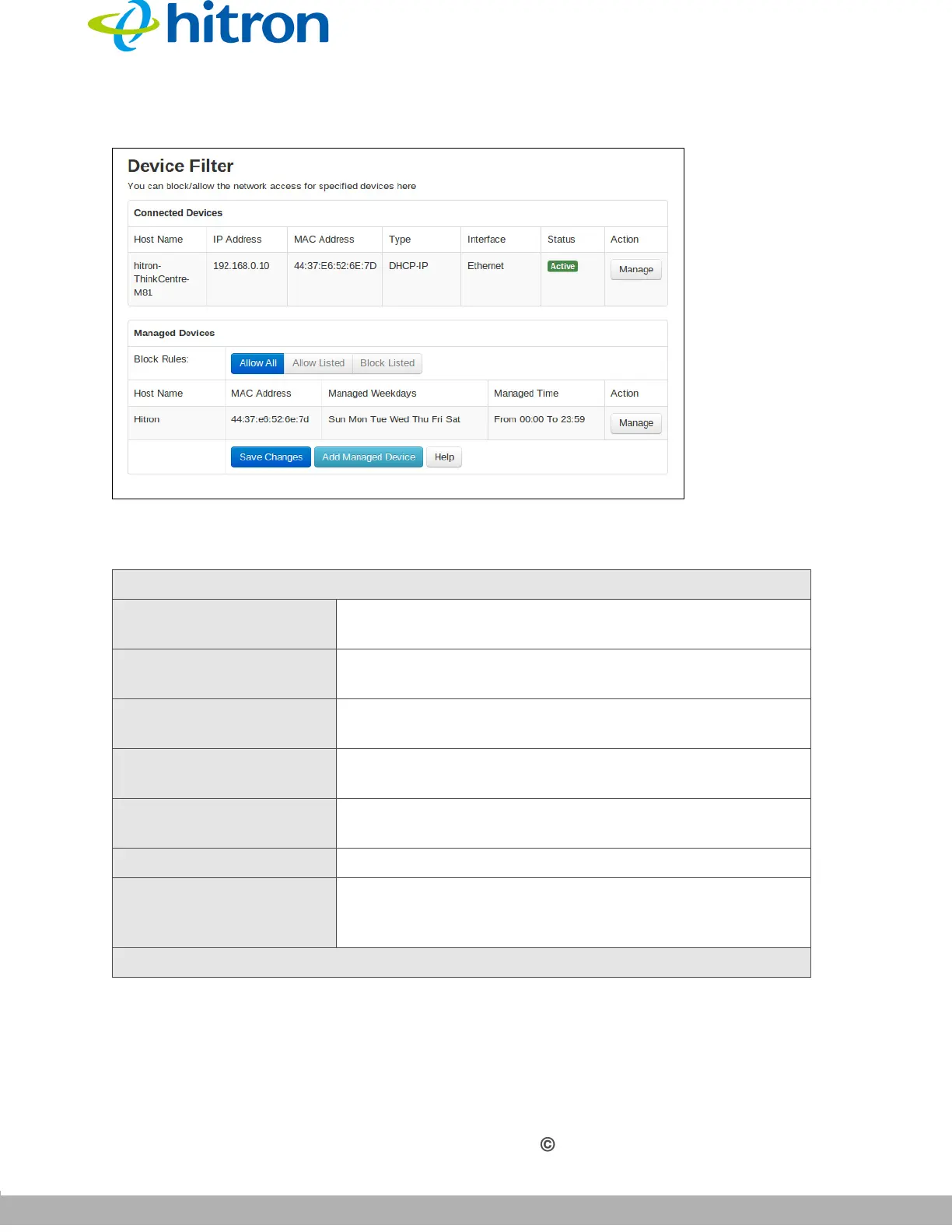
Figure 45: The Security: Device Filter Screen
The following table describes the labels in this screen.
Table 39: The Security: Device Filter Screen
Connected Devices
Host Name This displays the name of each network device
connected on the LAN.
IP Address This displays the IP address of each network device
connected on the LAN.
MAC Address This displays the Media Access Control (MAC) address
of each network device connected on the LAN.
Type This displays whether the device’s IP address was
assigned by DHCP (DHCP-IP), or self-assigned.
Interface This displays the name of the interface on which the
relevant device is connected.
Status This displays if the device filter is active or not.
Action Click Manage to make changes to the device’s filtering
status; see Adding or Editing a Managed Device on
page 106 for information on the screen that displays.
Managed Devices



 To Next Page