WIRELESS
Version 1.0, 12/2014. Copyright 2012 Hitron Technologies
84
Version 1.0, 12/2014. Copyright 2014 Hitron Technologies
84
Hitron CGNM-2250 User’s Guide
5.3 The Access Control Screen
Use this screen to configure Media Access Control (MAC) address filtering on the
wireless network.
NOTE: To configure MAC address filtering on the wired LAN, see The Device Filter
Screen on page 100.
You can set the CGNM-2250 to allow only certain devices to access the CGNM-2250
and the network wirelessly, or to deny certain devices access.
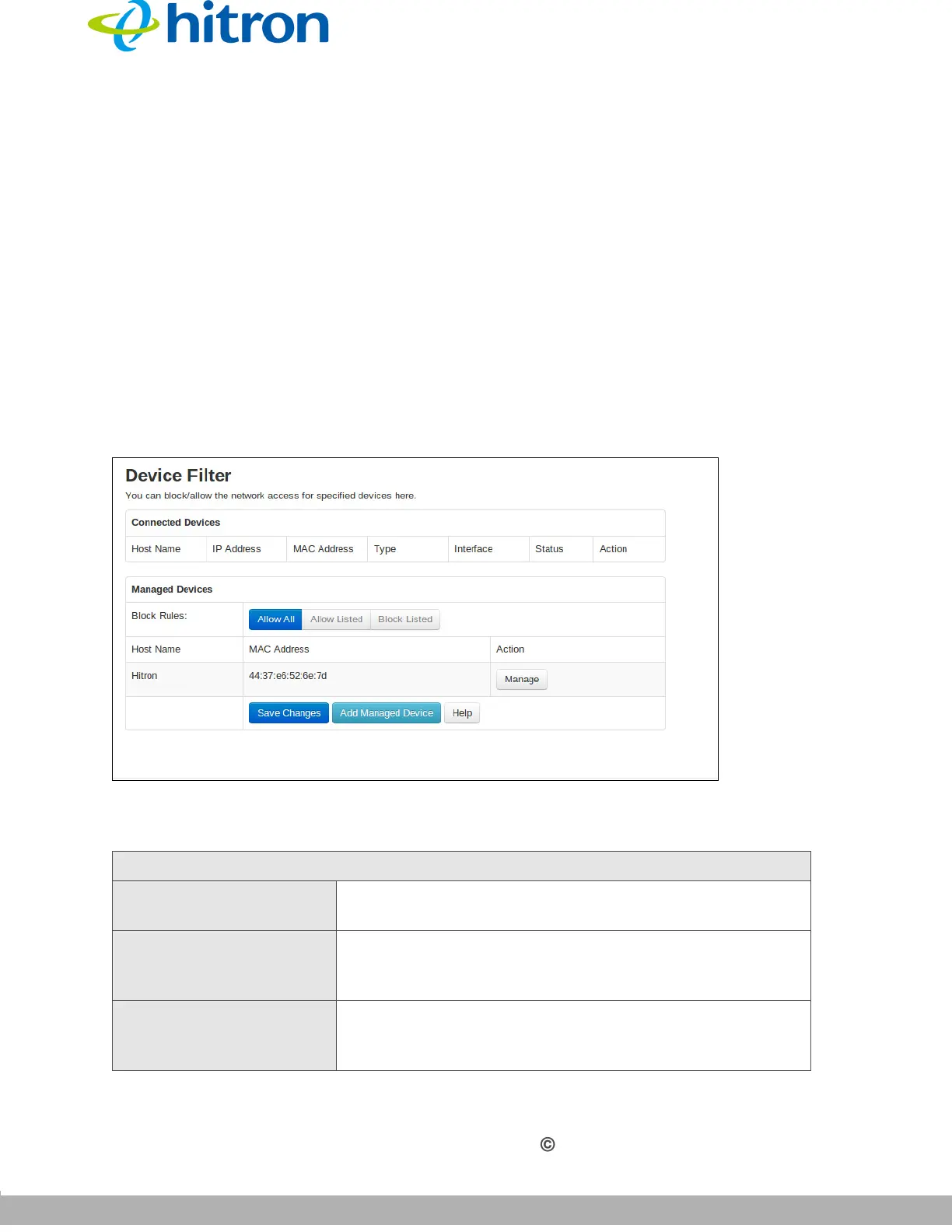
Click Wireless > Access Control. The following screen displays.
Figure 32: The Wireless: Access Control Screen
The following table describes the labels in this screen.
Table 27: The Wireless: Access Control Screen
Connected Devices
Host Name This displays the name of each network device that has
connected to the CGNM-2250 on the wireless network.
IP Address This displays the IP address of each network device that
has connected to the CGNM-2250 on the wireless
network.
MAC Address This displays the MAC address of each network device
that has connected to the CGNM-2250 on the wireless
network.



 To Next Page