ADVANCED
Version 1.0, 12/2014. Copyright 2012 Hitron Technologies
114
Version 1.0, 12/2014. Copyright 2014 Hitron Technologies
114
Hitron CGNM-2250 User’s Guide
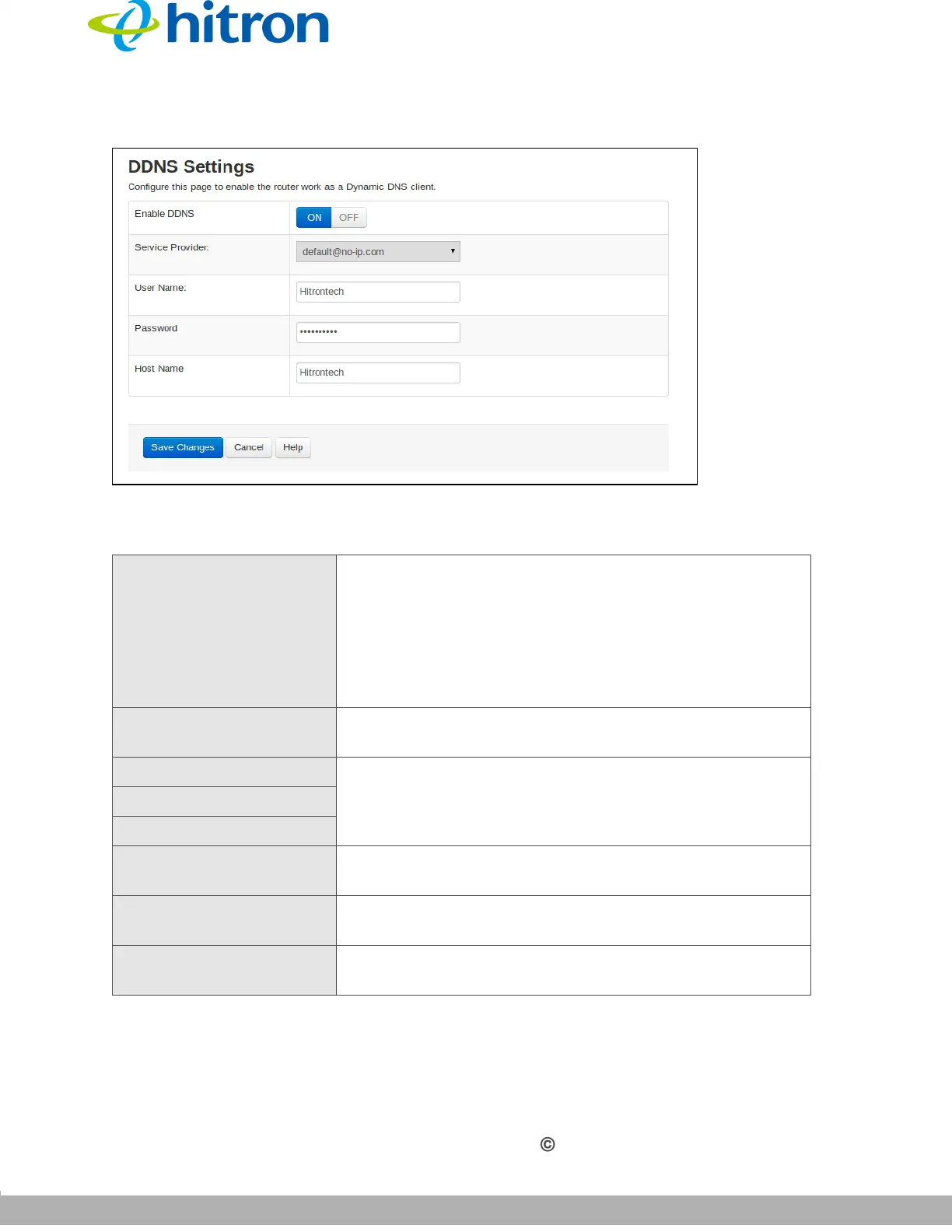
Figure 51: The Advanced > DDNS Screen
The following table describes the labels in this screen.
Table 44: The Advanced > DDNS Screen
Enable DDNS Use this to configure the CGNM-2250’s DDNS function.
Click On to have the CGNM-2250 work as a DDNS
client. The CGNM-2250 receives DDNS information
from the Service Provider you specify.
Click Off to have the CGNM-2250 not work as a
DDNS client.
Service Provider Select the organization from which you wish to receive
DDNS information.
User Name Enter the credentials assigned to you by the selected
Service Provider.
Password
Host Name
Save Changes Click this to save your changes to the settings in this
screen.
Cancel Click this to discard your changes to the settings in this
screen.
Help Click this to see more information about the items in this
screen.



 To Next Page