STATUS
Version 1.0, 12/2014. Copyright 2012 Hitron Technologies
47
Version 1.0, 12/2014. Copyright 2014 Hitron Technologies
47
Hitron CGNM-2250 User’s Guide
Success displays when the CGNM-2250 has completed a connection step.
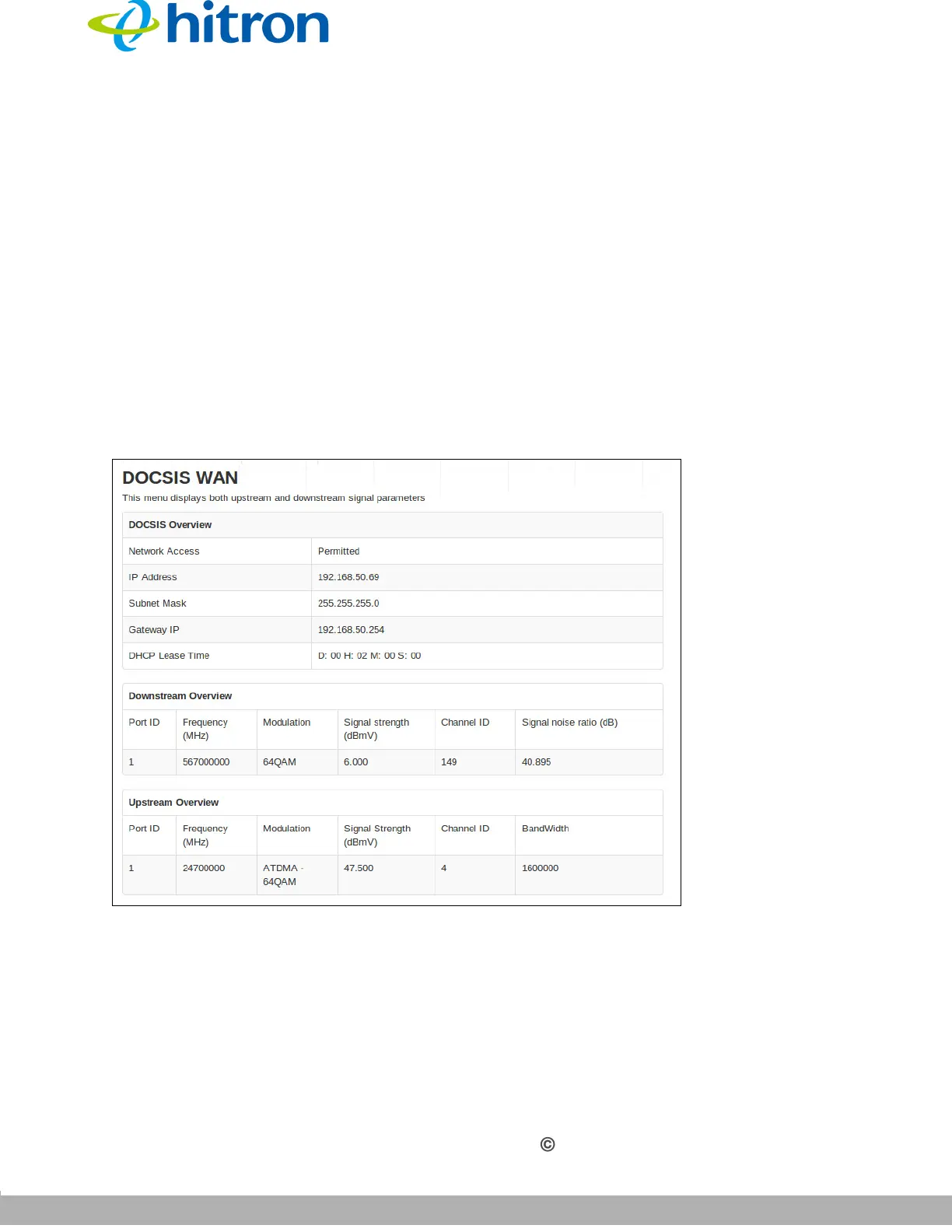
3.5 The DOCSIS WAN Screen
Use this screen to discover information about:
The nature of the upstream and downstream connection between the CGNM-
2250 and the device to which it is connected through the CABLE interface.
IP details of the CGNM-2250’s WAN connection.
Click Status > DOCSIS WAN. The following screen displays.
Figure 16: The Status: DOCSIS WAN Screen



 To Next Page