BASIC
Version 1.0, 12/2014. Copyright 2012 Hitron Technologies
59
Version 1.0, 12/2014. Copyright 2014 Hitron Technologies
59
Hitron CGNM-2250 User’s Guide
4.3 The Gateway Function Screen
Use this screen to configure gateway function. You can turn port triggering on or off
and configure new and existing port triggering rules.
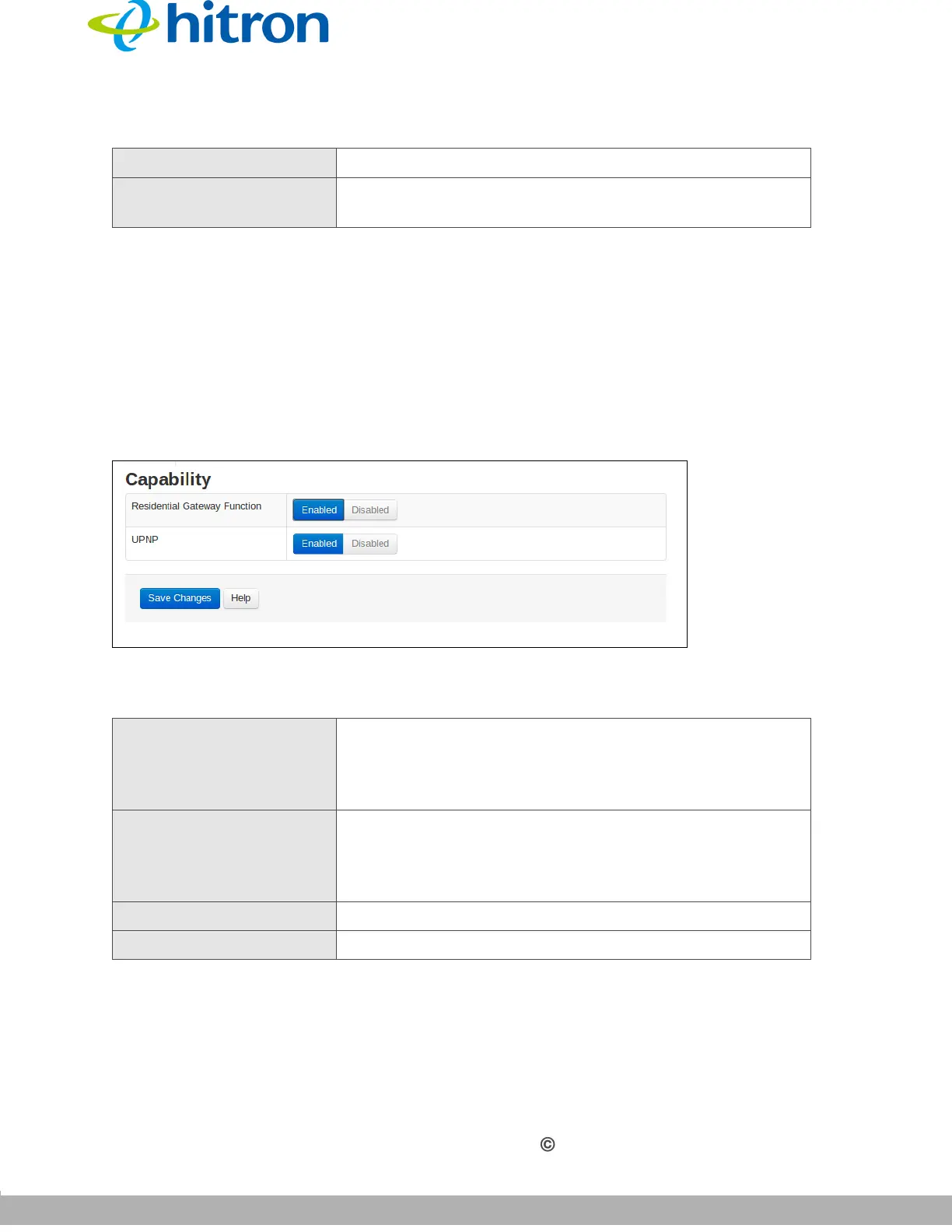
Click Basic > Gateway Function. The following screen displays.
Figure 21: The Basic: Gateway Function Screen
The following table describes the labels in this screen.
Status This displays Active when a device is connected.
Renew Click this to obtain the connected device’s information
again.
Table 17: The Basic: Gateway Function Screen
Residential Gateway
Function
Use this field to turn gateway function on or off.
Select Enabled to turn gateway function on.
Select Disabled to turn gateway function off.
UPNP Use this field to turn UPNP on or off.
Select Enabled to turn UPNP on.
Select Disabled to turn UPNP off.
Save Changes Click this to save your changes to the fields in this screen.
Help Click this to see information about the fields in this screen.
Table 16: The Basic: LAN Setup Screen (continued)



 To Next Page