BASIC
Version 1.0, 12/2014. Copyright 2012 Hitron Technologies
66
Version 1.0, 12/2014. Copyright 2014 Hitron Technologies
66
Hitron CGNM-2250 User’s Guide
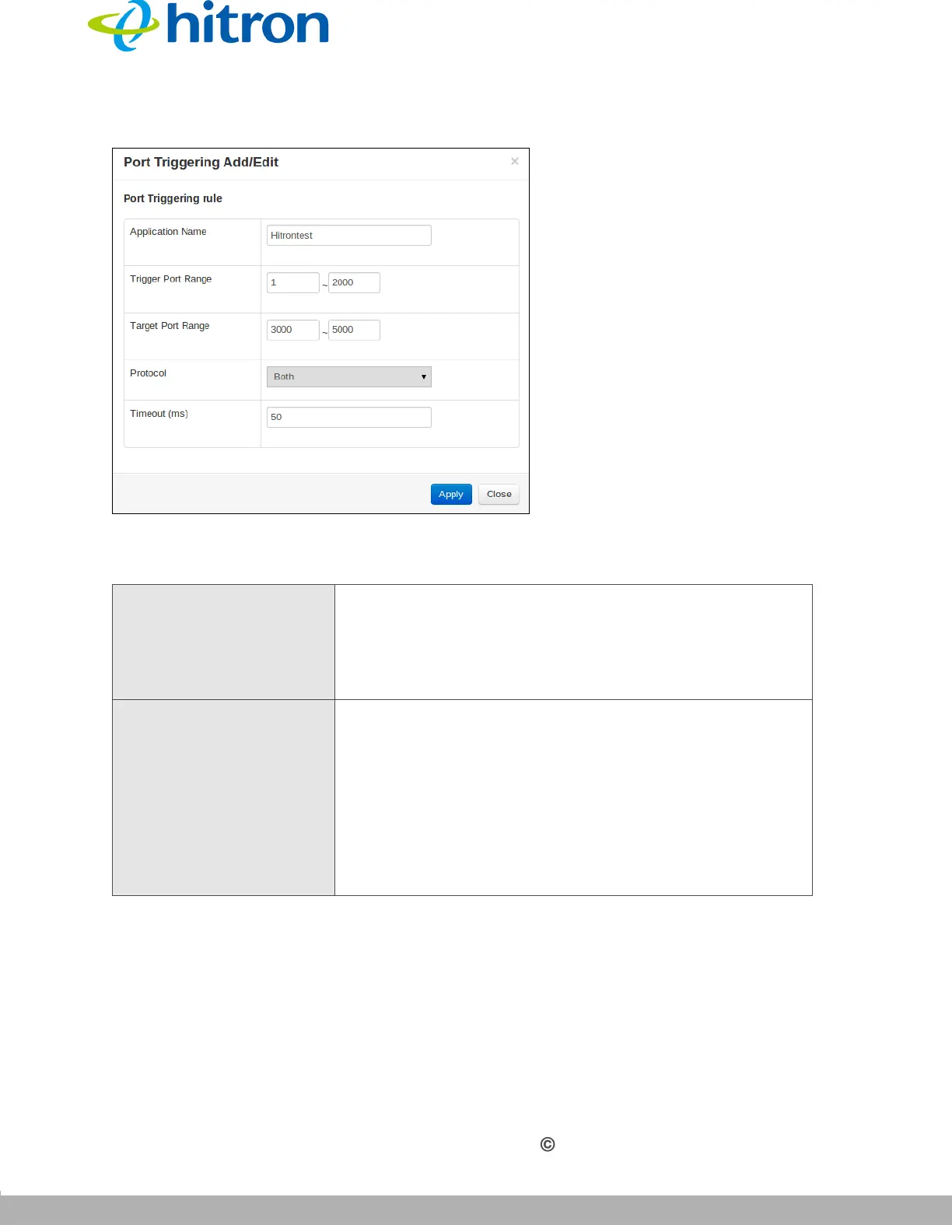
Figure 25: The Basic: Port Triggering Add/Edit Screen
The following table describes the labels in this screen.
Table 21: The Basic: Port Triggering Add/Edit Screen
Application Name Enter a name for the application for which you want to
create the rule.
NOTE: This name is arbitrary, and does not affect
functionality in any way.
Trigger Port Range Use these fields to specify the trigger ports. When the
CGNM-2250 detects activity on any of these ports
originating from a computer on the LAN, it automatically
opens the Target ports in expectation of incoming traffic.
Enter the start port number in the first field, and the end
port number in the second field.
To specify only a single port, enter its number in both
fields.



 To Next Page