SECURITY
Version 1.0, 12/2014. Copyright 2012 Hitron Technologies
107
Version 1.0, 12/2014. Copyright 2014 Hitron Technologies
107
Hitron CGNM-2250 User’s Guide
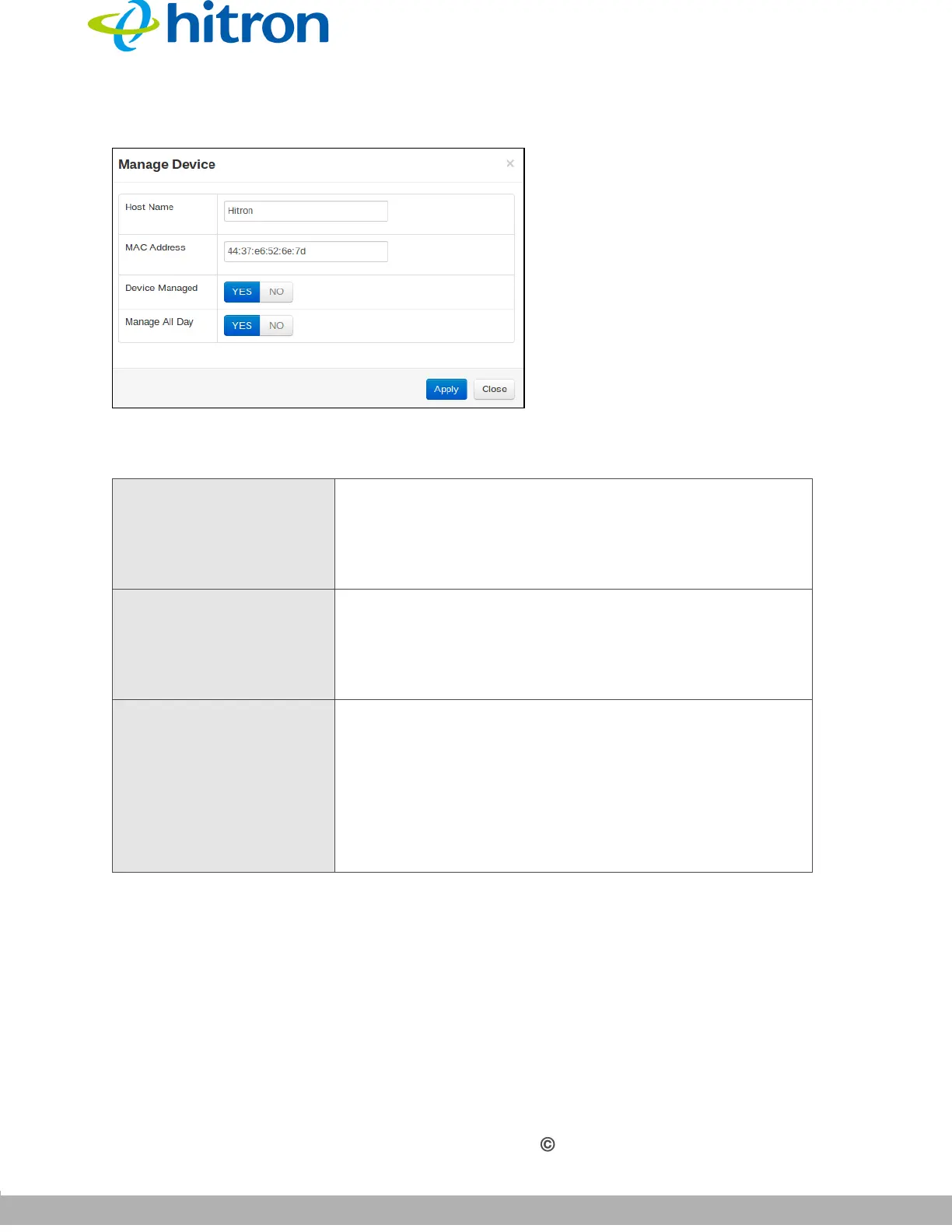
Figure 46: The Security: Device Filter Add/Edit Screen
The following table describes the labels in this screen.
Table 40: The Security: Device Filter Add/Edit Screen
Host Name If you are managing a device that already connected via
the LAN, this field displays the device’s name.
Alternatively, if you are managing a device that is not
connected via the LAN, you can enter its name here if
you know it.
MAC Address If you are managing a device that already connected via
the LAN, this field displays the device’s MAC (Media
Access Control) address. Alternatively, if you are
managing a device that is not connected via the LAN,
you can enter its MAC address here if you know it.
Device Managed Use this field to define whether the device should have
its access privileges filtered or not.
Click Yes to filter the device’s access privileges.
Click No not to filter the device’s access privileges.
When a device is not being managed, the Manage All
Day field, and related fields, do not display.



 To Next Page