46 User Manual Compact Crane C10
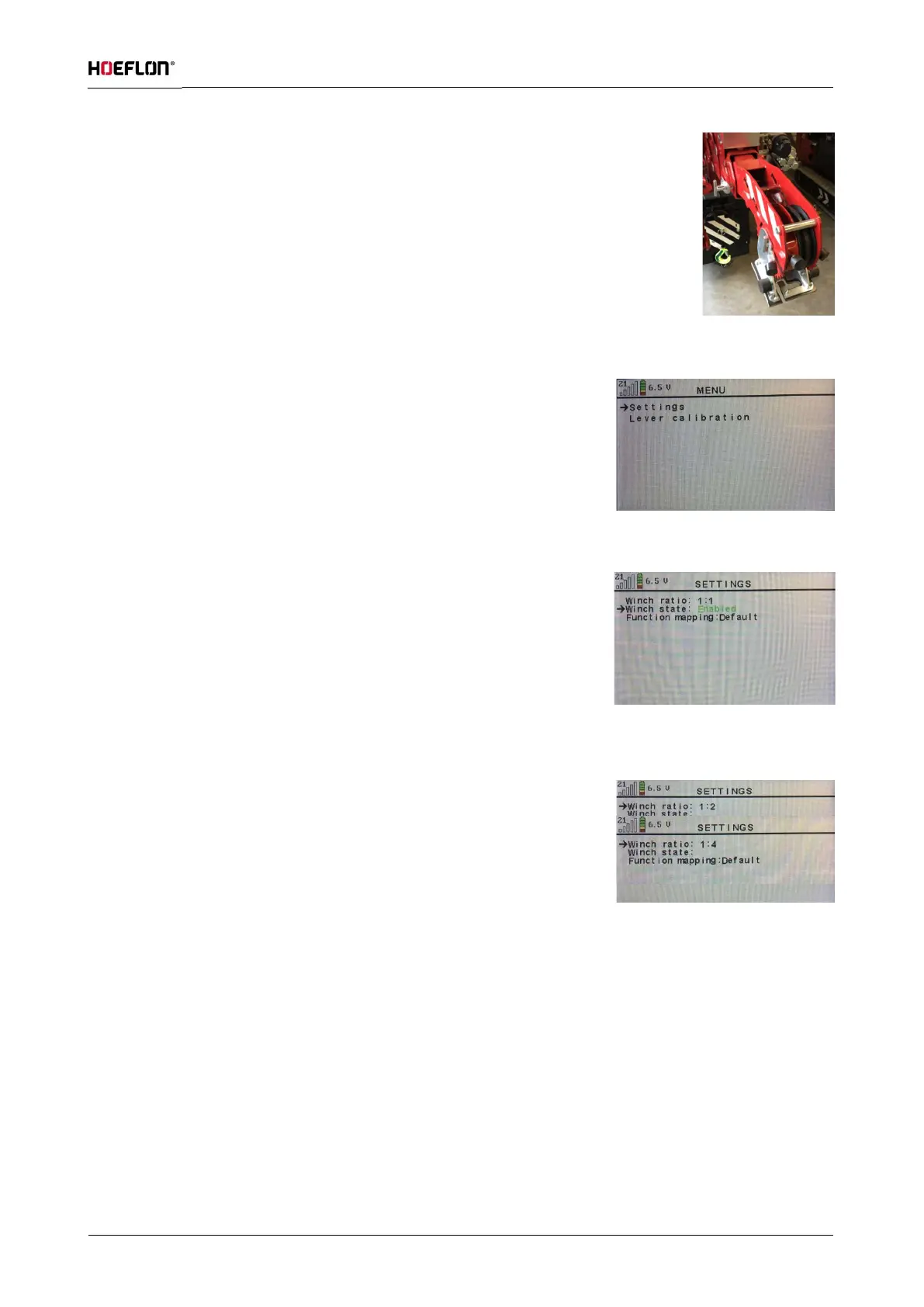
Connect the winch head with the boom adapter to the boom with the locking pin.
Secure the pin (see figure 55).
Activating winch operation
Activate the winch control by pressing the ✓ button on the remote
control (see figure 56).
Then open settings by pressing the ✓ button. Now move the arrow on
the screen to winch state with the button. Then press the button to
set the Winch state to Enabled (see figure 57).
For the correct current load indication on the display while using the
winch, the winch state must be set properly. For standard lifting with a
single cable this should be set to 1:1. It should be set to 1:2 for single
reeving and 1:4 for double reeving (see figure 58).
After activating and setting the winch, return to the main display by
pressing the button.
Step-for-step
Activate the transmitter as described in section 6.4 and start the drive system.
Check that the outriggers are extended and that the compact crane is level (see section 6.5).
Check whether the winch plate is between the indicator points. If not, contact your dealer or Hoeflon
International B.V.
Turn the key switch on the electrical cabinet to the ‘crane’ position (see figure 26).
Erect the crane by raising the cylinders of boom 1 and the jib in succession, using the corresponding levers
on the transmitter (see section 6.2.1). Then the boom and jib can be extended. Roll out the winch cable as
described below.
Figure: 55
Figure: 56
Figure: 57
Figure: 58



 To Next Page