Selenia User Guide
Chapter 3—System Components and Controls
MAN-03270 Revision 003 25
3.4.2 Keypads
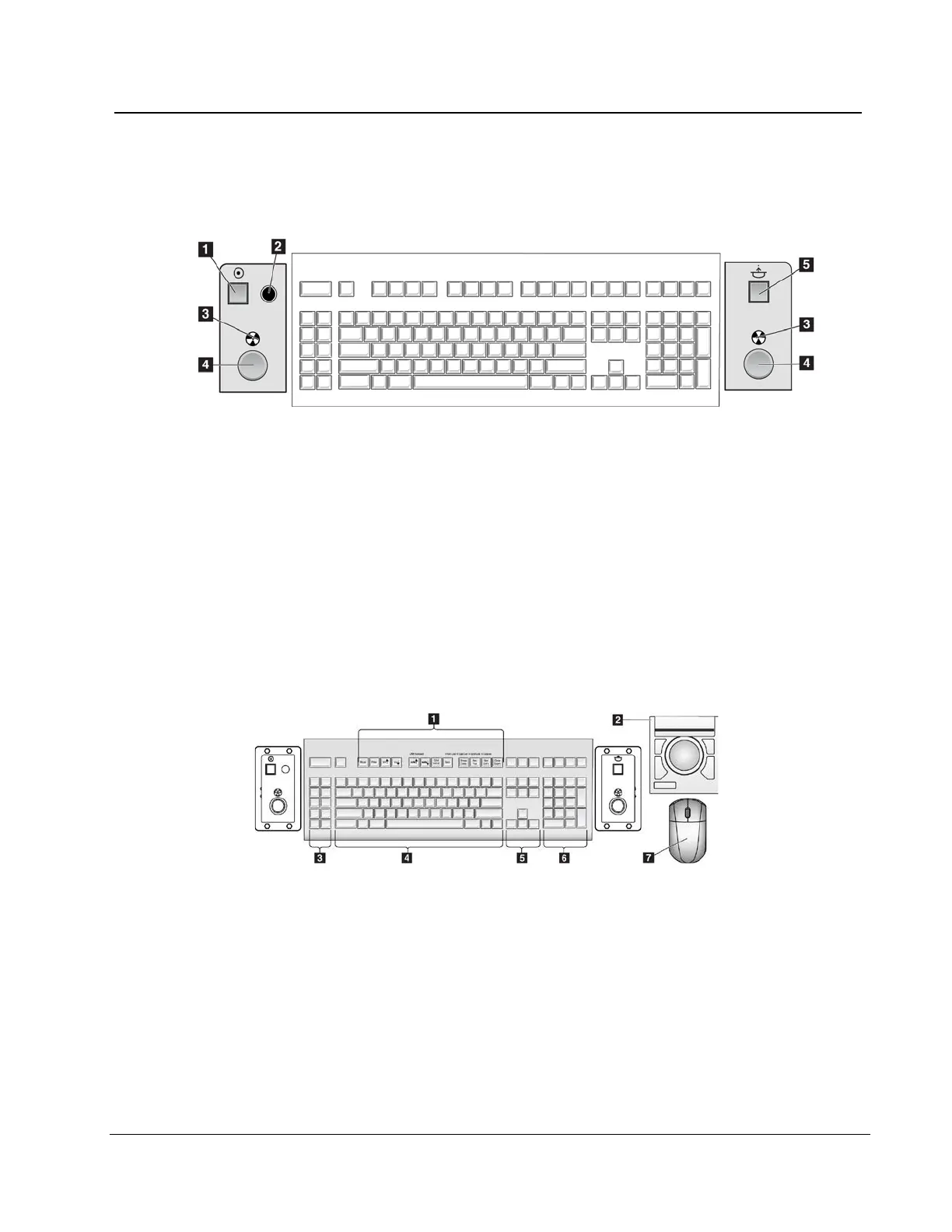
The Keypads provide Power On, X-ray, and Compression Release functions.
Figure 12: Keypad Controls
Figure Legend
1. Power On button
2. Power On indicator light
3. X-ray Indicator lights on both panels
4. X-ray buttons, one on each side of the keyboard. Press both at the
same time to begin an x-ray exposure and hold until the tone stops.
5. Compression Release button
3.4.3 Keyboard and Trackball or Mouse
Figure 13: Selenia Keyboard
Figure Legend
1. Selenia Function keys
2. Trackball (Acquisition Workstation)
3. (Future Use)
4. Standard keyboard keys
5. Standard arrow keys
6. Standard number keypad
7. Mouse (Value Console)












 To Next Page