Selenia User Guide
Chapter 6—The User Interface
54 MAN-03270 Revision 003
6.2 Select a Patient Screen
6.2.1 Introduction
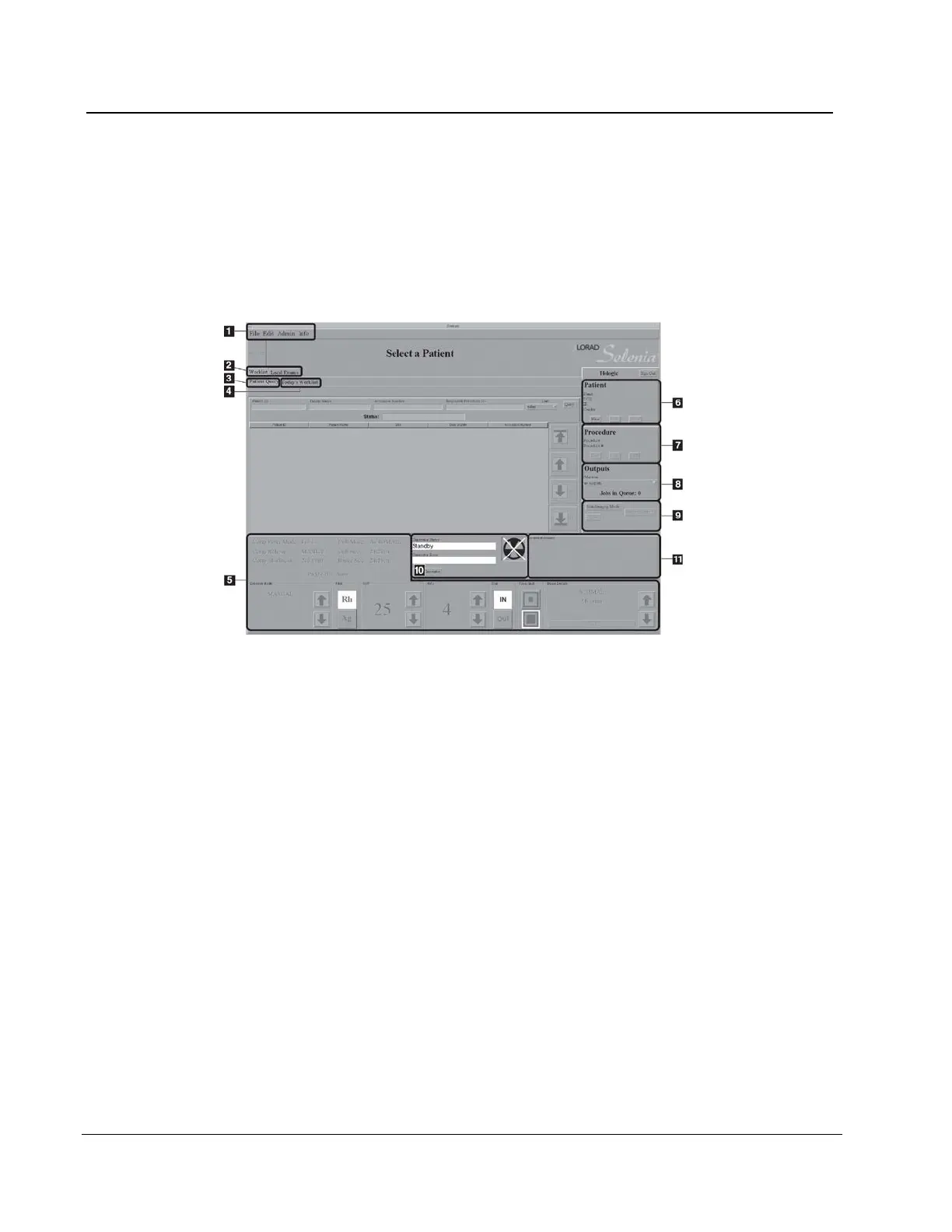
The Select a Patient screen appears when the system application loads. This screen allows
you to locate a patient and to access non-routine Acquisition Workstation options with no
patient selected.
Figure 37: The Select a Patient Screen
Figure Legend
1. Menu Bar - Menu Bar on page 66
2. Search for a Patient - Select a Patient on page 54
3. Patient Query - How to Search the Acquisition Workstation Database (Local
Exams) on page 55
4. Today’s Worklist - More Information about Searches on page 55
5. Exposure Techniques - Exposure Information on page 60
6. Add/Edit the Patient Information - How to Add a New Patient on page 56
7. Add/Edit a Procedure - New, Edit, Add a Procedure on page 58
8. Outputs - Image Output on page 60
9. Special Modes - Special Modes Buttons on page 81
10. Generator Status - Generator Status on page 82
11. System Message - System Messages on page 82












 To Next Page