Selenia User Guide
Chapter 5—The Selenia Accessories
MAN-03270 Revision 003 45
5.2.4 Smart Paddle System
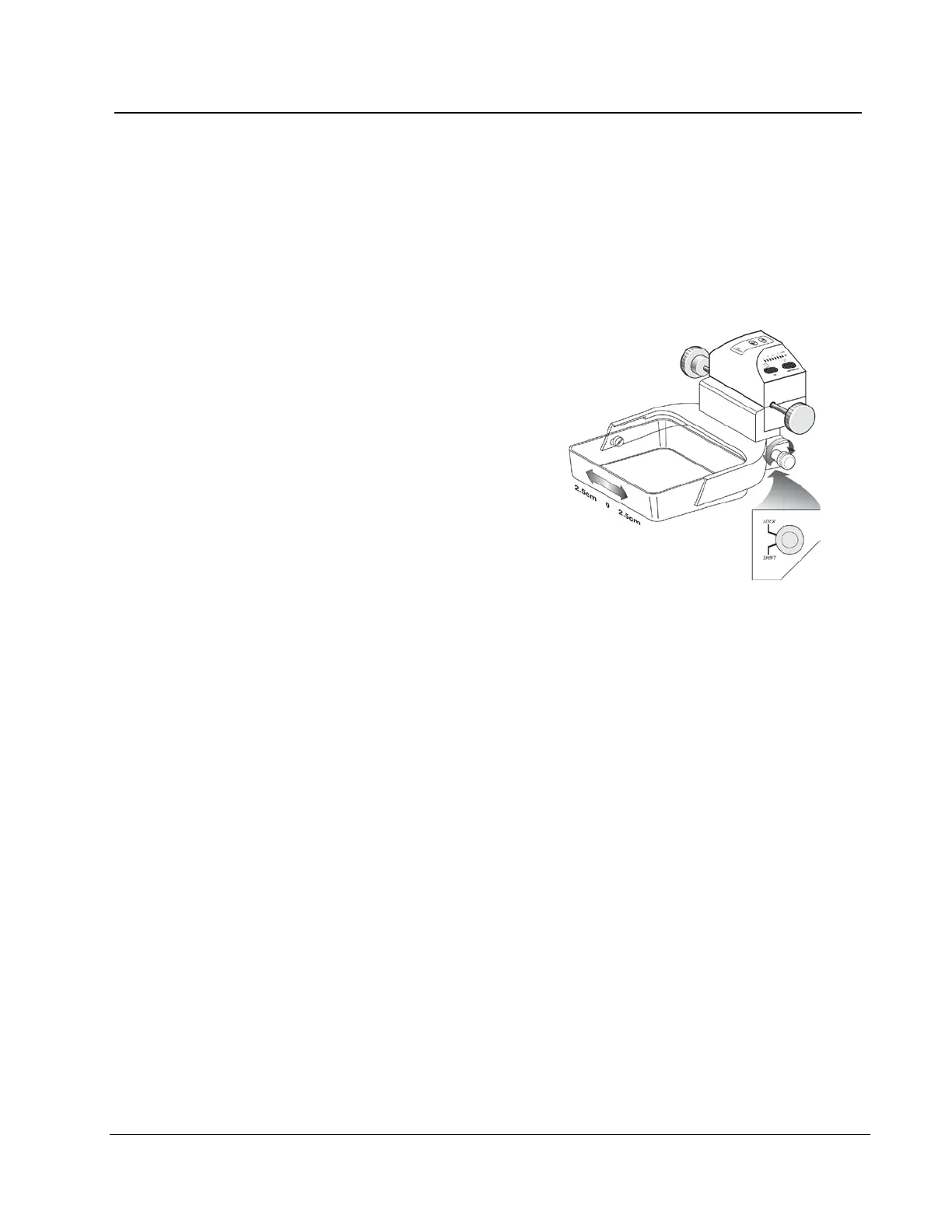
A release knob on each side of the Smart Paddle allows it to move from one side of the
image detector to the other. This enables the Technologist to optimize the breast position
and imaging within the active area of the Image Receptor, especially when Lateral Views
of a small breast are required.
To shift a Smart paddle:
1. Select a View on the Acquisition
Workstation.
4. Rotate the release knob on the side
of the paddle from the lock to the
shift position.
5. While you hold the knob in the
shift position, move the paddle to
match the View. The paddle locks
into position on a detent.
6. Release the knob to lock it in
position.
7. Confirm the paddle is locked into
position.
8. Activate the light field lamp and
confirm the collimator matches the
paddle position.
Figure 29: Shifting Compression Paddle
5.2.5 FAST Paddle Use
The Fully Automatic Self-adjusting Tilt (FAST) Paddle is for use when the composition of
the breast tissue does not allow uniform compression across the complete breast with a
flat compression paddle. For these patients, not enough compression can cause an image
to appear to be out of focus at the anterior region from both involuntary motion and not
enough compression.
The FAST paddle use with this type of breast provides these features:
• Reduced motion artifacts, because the compression is more effective.
• The compression is more uniform from the chest wall to the nipple.
• Maximum patient comfort, because over compression at the chest wall is prevented.
The FAST paddle automatically tilts when the compression is applied. The paddle is in a
flat position until a compression force of approximately 20 pounds (88 Newtons) is
applied. The paddle then tilts until its maximum angle is reached at a force of
approximately 30 pounds (132 Newtons).












 To Next Page