Selenia User Guide
Chapter 4—Startup, Functional Tests, and Shutdown
MAN-03270 Revision 003 39
4.4.3 How to Turn On or Reset the Uninterruptible Power Supply (UPS)
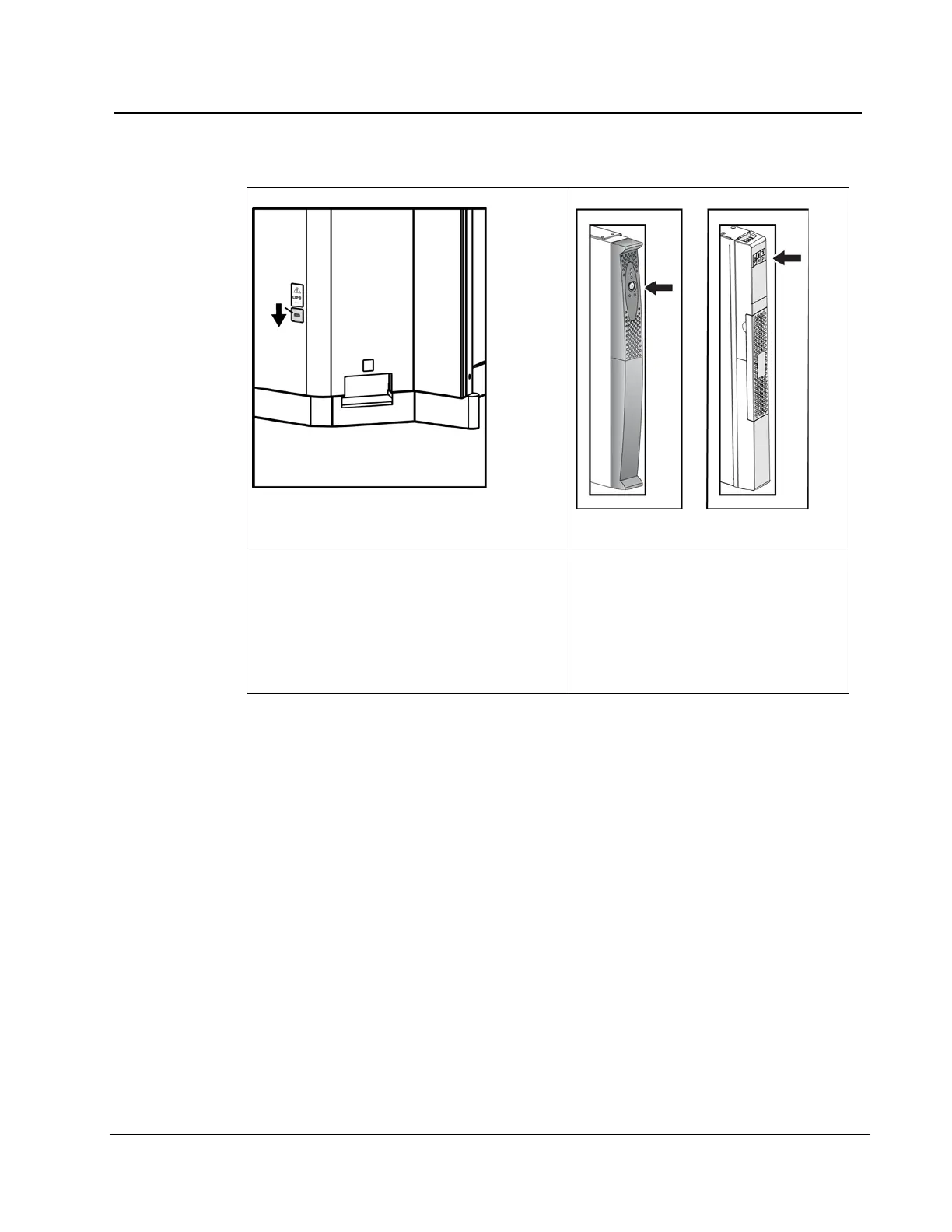
Figure 23: The Acquisition Workstation UPS
Switch Lever
Figure 24: Value Console UPS Switch
1. Find the Acquisition Workstation UPS
switch lever on the lower, right of the
back panel.
2. Press the switch lever down and hold for
two seconds or until the UPS beeps.
3. Start the Acquisition Workstation.
4. Find the Value Console UPS
switch, on the front of the UPS.
5. Press and hold the UPS switch for
two seconds or until the UPS
beeps.
6. Start the Console.
4.4.4 How to Turn Off the UPS
1. Make sure that the Acquisition Workstation or the Value Console are off. The UPS
system begins to beep repeatedly and can now be shut down.
2. Find the UPS switch. (See the previous figures.)
3. For the Acquisition Workstation, press and hold the switch lever down for two or
three seconds or until the UPS beeps. For the Value Console, press and hold the UPS
switch for two or three seconds or until the UPS beeps.
4. When the power is restored, press the UPS switch one time to turn on the UPS.












 To Next Page