Selenia User Guide
Chapter 5—The Selenia Accessories
MAN-03270 Revision 003 51
5.4 The Localization Crosshair Device
The Localization Crosshair device, used with a localization paddle enables the location of
a specified spot on the breast.
5.4.1 How to Install the Crosshair Device
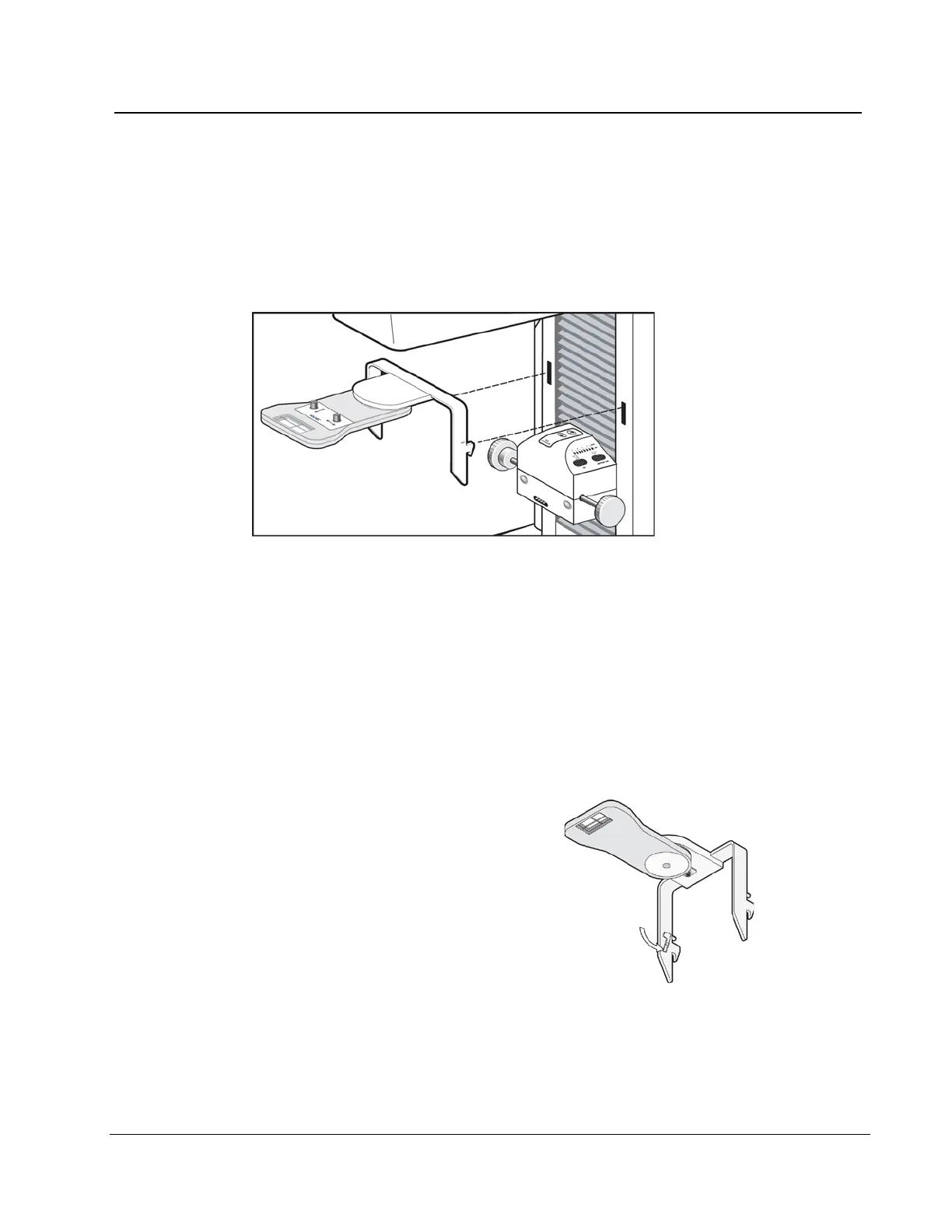
Figure 33: Installation of the Crosshair Device
1. Remove the Face Shield from the tubehead.
2. Move the Compression Device below the C-arm mounting slots.
3. Hold the Crosshair device by the support brackets and slide the hooks into the C-arm
slots.
4. Push the device down to the locked position.
5. Install the Localization paddle on the Compression Device.
5.4.2 How to Remove the Crosshair Device
1.
Rotate the Crosshair device to the left or
right.
2. Press the two locking levers inside each
mounting arm.
3. Lift the device up and from the C-arm.
Be careful. The device is top heavy.
4. Install the Face Shield.
Figure 34: Crosshair Locking Levers












 To Next Page