USER INTERFACE
3.34
ThinPrep
®
Integrated Imager Operator’s Manual
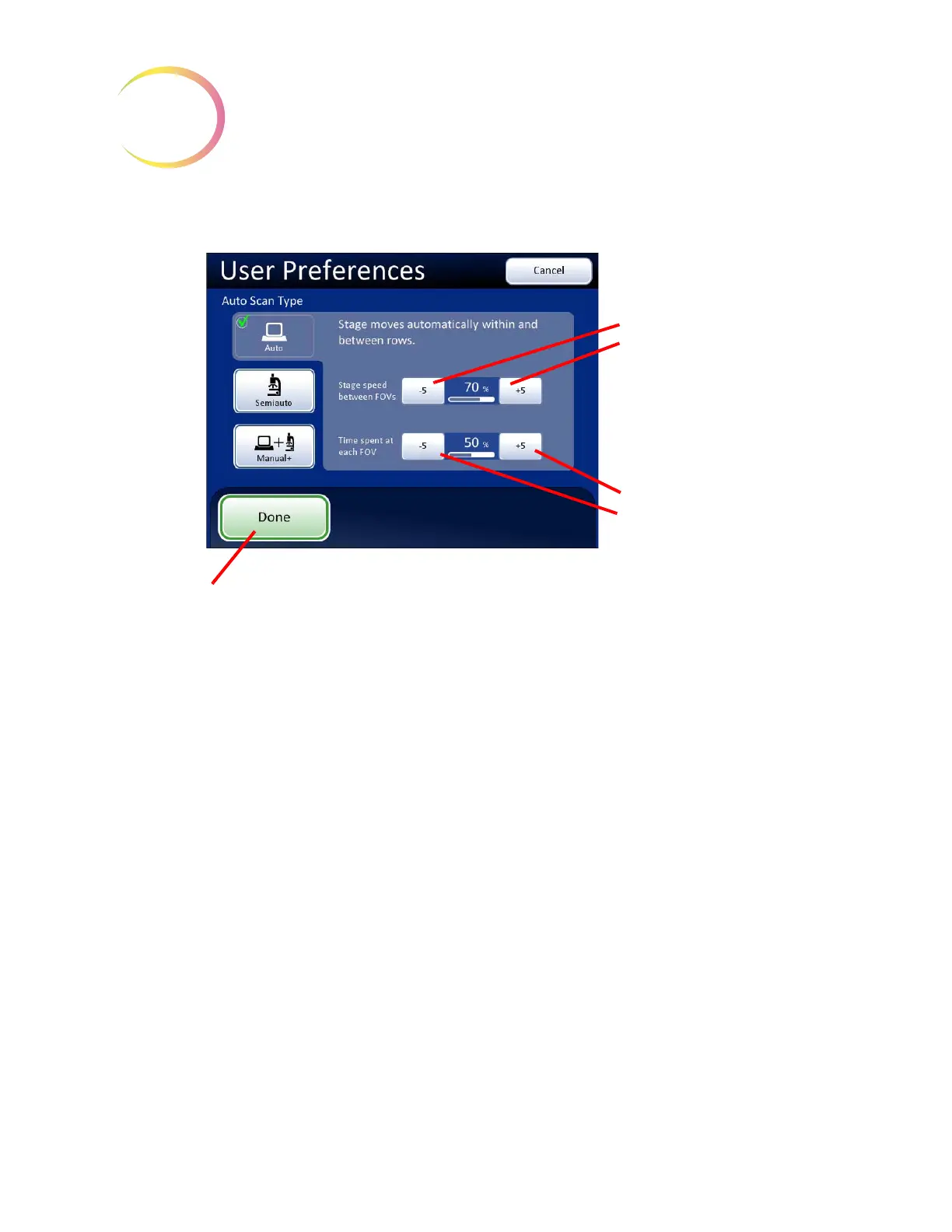
Auto Scan - Automatic Start/Stop
Figure 3-53 Select Auto Start/Stop Scan
Scan motion is initiated by the Integrated Imager and consists of a series of discrete, overlapping
fields of view, including a pause at each view.
The movement of the stage speed from field of view (FOV) to field of view may be adjusted faster or
slower by repeatedly pressing the
-5
or
+5
buttons to slow or increase the speed. (Figure 3-53.)
The length of pause at the field of view may be adjusted to be shorter or longer by repeatedly
pressing the
-5
or
+5
buttons to define the pause. (Figure 3-53.)
To preview the setting, press the
Done
button and then press the
Preview
button on the User
Preferences screen.
To view the selection through the eyepieces, load a slide in the slide holder for reference, ensure the
10X objective is in position, and press the
Preview
button. Observe the stage movement.
To pause the scan, scroll the review control forward or press the
Pause
button on the touch screen.
Scroll forward again to resume scanning. Also, changing the magnification will cause the scan to
pause. To resume the scan, scroll the review control forward again or press the
Resume
button on the
touch screen.
During scan pause, the X, Y axis stage controls are available to move the view about the cell spot.
Upon resuming, the area of review will return to the part of the cell spot where you left off and
continue to present the rest of the cell spot. The display on the touch screen is shown below.
Press the
Cancel Scan
button on the touch screen to stop the preview.
Stage speed
Slower
Faster
Pause at field of
view
Longer
Shorter
Done
. Save setting adjustments and
return to User Preferences screen.



 To Next Page