ThinPrep
®
Integrated Imager Operator’s Manual
4.17
OPERATION
•
Automatic Start/Stop
: the stage moves and pauses automatically. To enforce a pause to view
an object longer or to manually maneuver about the cell spot, scroll the review control for
-
ward to pause, and forward again to resume. To make an electronic mark, pause the scan, and
press the review control.
•
Semiautomatic Start/Stop
: the stage only moves to the next field of view by operator prompt.
Move the scroll wheel forward for each movement of the stage. Scroll the review control back
to move to a previous view. Press the review control to make an electronic mark.
•
Manual
+
: The operator moves along the length of each row by using the stage control knob.
You are constrained to that row until the end has been reached, and then the instrument auto
-
matically moves over to the next row. To manually maneuver to an object during Auto Scan,
scroll the review control forward to pause Auto Scan. Scroll the review control forward again,
to resume Auto Scan. To make an electronic mark, pause the scan, and press the review con
-
trol.
Note:
The
Pause
,
Resume
and
Mark
functions are also available as buttons on the touch screen.
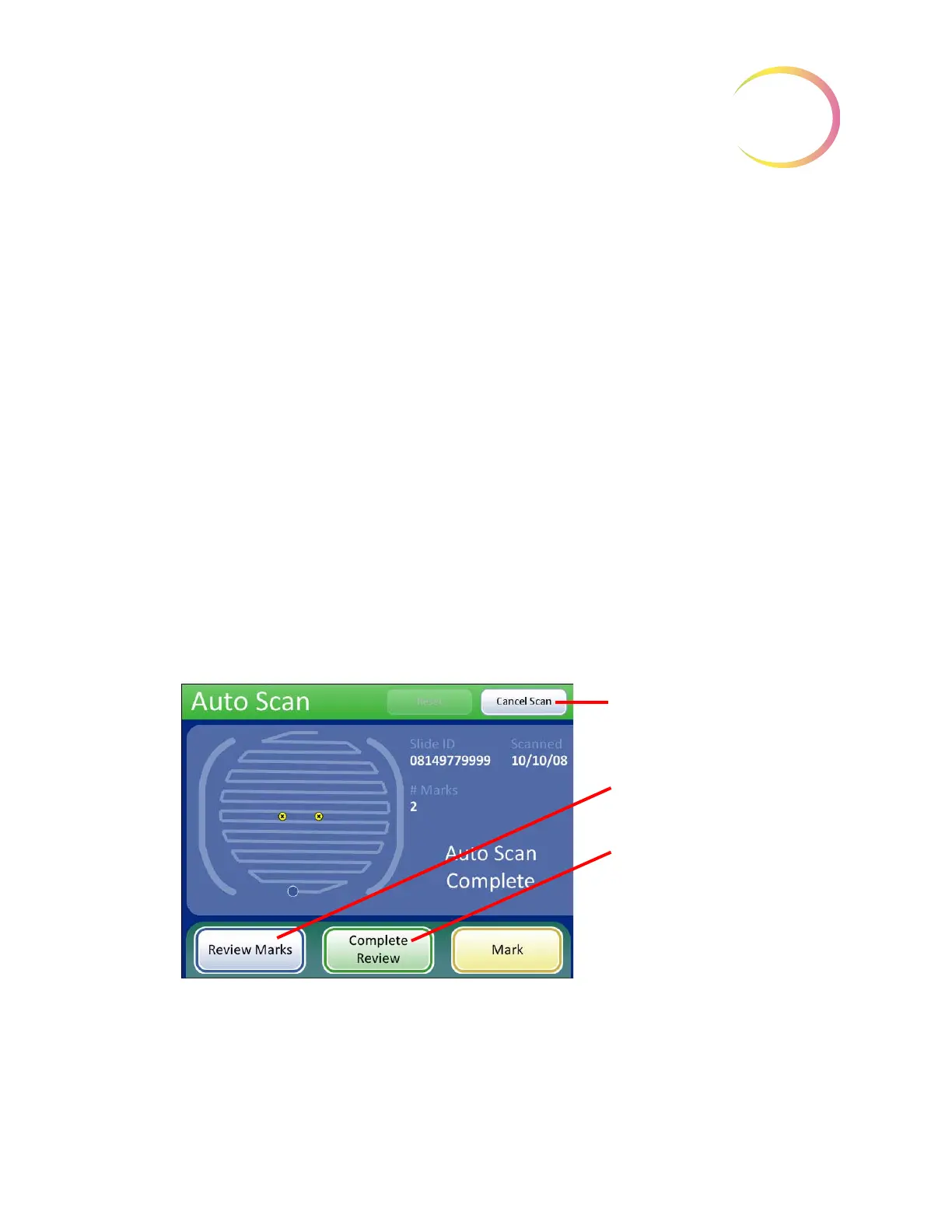
When the entire cell spot has been scanned, an audible beep will sound. To finish the review, touch
the
Complete Review
button on the touch screen. See Figure 4-18.
Note:
Do not remove the slide from the stage during Auto Scan. To end Auto Scan before finishing,
press the
Cancel Scan
button.
The user interface returns to the Auto Locate Complete screen.
Figure 4-18 Auto Scan Complete
The operator may:
• press
Review Marks
to see the electronically marked locations again
• manually mark the slide
Cancel Scan
button, to quit Auto
Scan and return to Auto Locate
screen.
Review Marks
button, to review
electronic marks that have been
made
Complete Review
- the system
does functional checks, verifies
the slide ID and writes slide data
to the database. See page 4.18.



 To Next Page