TROUBLESHOOTING
6.4
ThinPrep
®
Integrated Imager Operator’s Manual
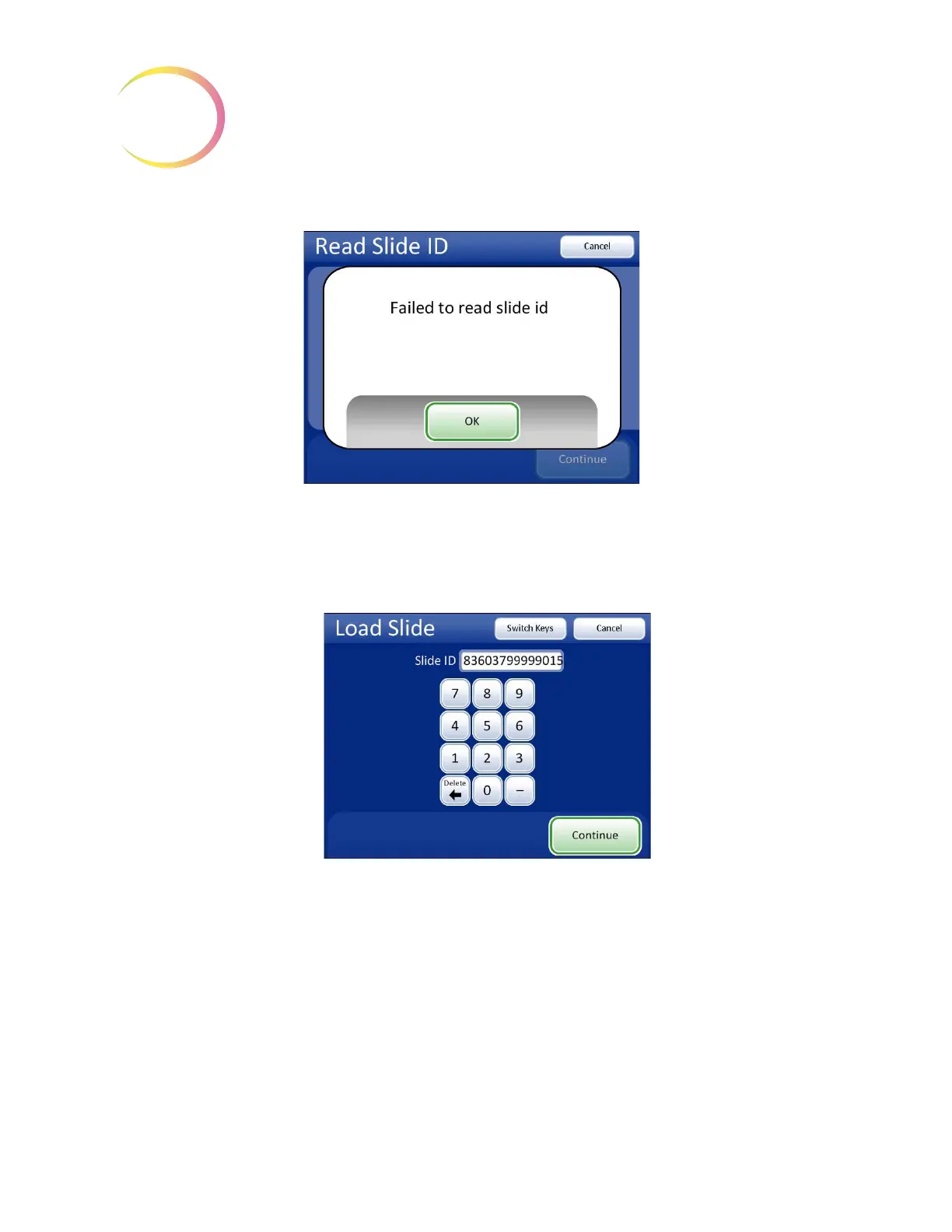
Figure 6-3 Failed to Read Slide ID
Press the
OK
button. The system will present a keypad for manual entry of a valid slide ID.
Using the keypad, enter the entire slide ID. Use the
Switch Keys
button to use a keyboard if the slide
ID contains alpha characters. Press the
Continue
button when done. See Figure 6-4.
Figure 6-4 Manually Enter the Slide ID
Note:
The slide ID must be in a valid format for use on the Integrated Imager. Refer to “Label for-
mat” on page 3.14.
If the slide ID is new to the database, the system will begin imaging the slide. If the slide ID is already
in the database, the Read Slide ID screen is displayed with a “slide already imaged” message. (See
Figure 4-8.)
Continue to review the slide as usual. At the end of slide review, when the system would normally
scan the ID to confirm identity of the slide, a message prompts the user to confirm the slide ID.
Use the keypad to
enter the Slide ID.



 To Next Page