USER INTERFACE
3.14
ThinPrep
®
Integrated Imager Operator’s Manual
Label format
Figure 3-21 Label Format Button
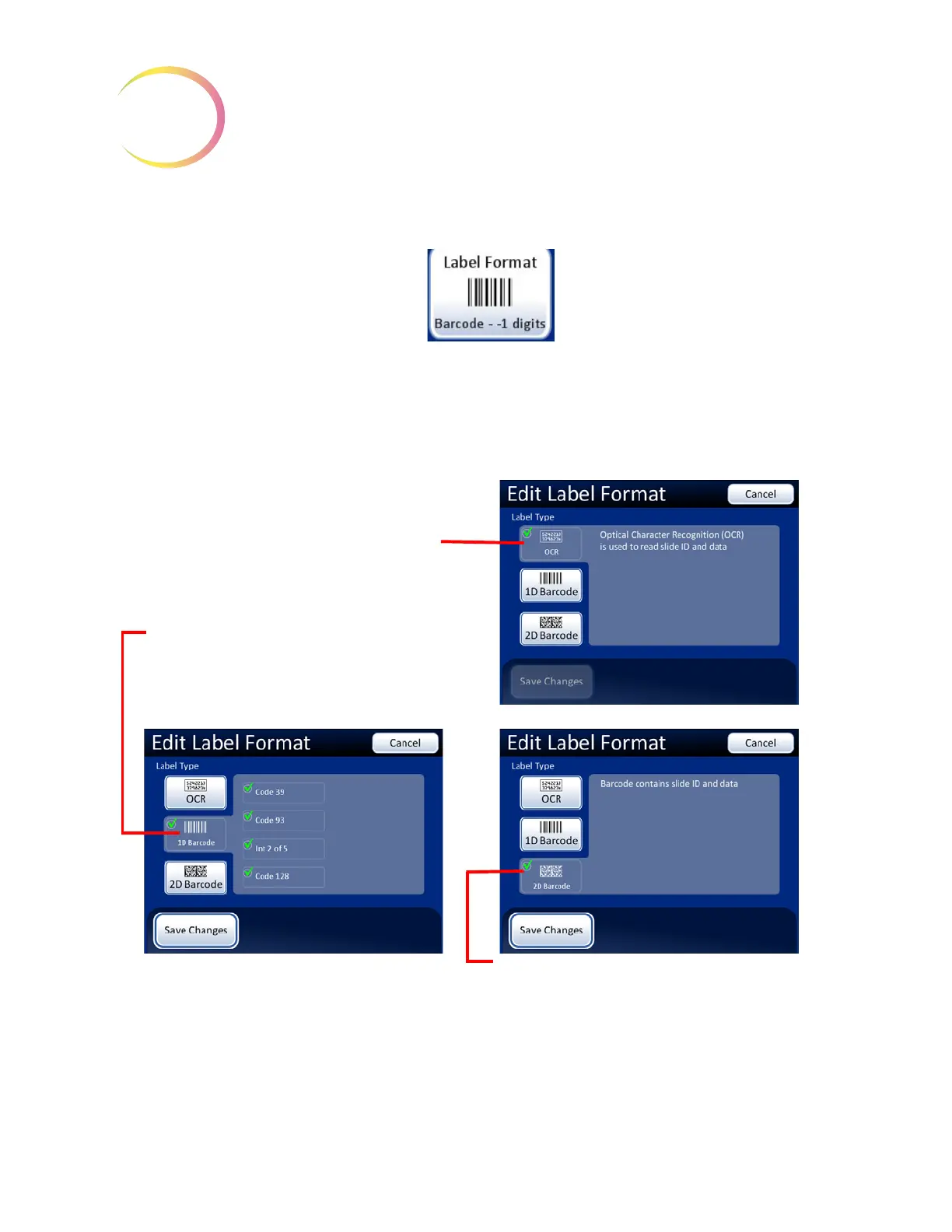
The camera that scans the slide label accession ID recognizes 1-dimensional or 2-dimensional
barcode format (1-D or 2-D) or OCR (optical character recognition) format. It cannot use more than
one format at the same time. Select the format for scanning labels and press the
Save Changes
button
when done. See
Figure 3-22.
Figure 3-22 Edit Label Format Screens
The Label Format button
shows the current setting.
(1-D barcode in this example).
Select
2D Barcode
label format.
Select
OCR
label format. The format is
always 14 characters long (not adjustable).
See Table 3.1, “Slide Restrictions Based on Barcode Symbology Used,” on page 3.15 for more
information.
Select
1D Barcode
label format.
For the 1D barcode label format, select the
1D barcode type(s) used in your facility



 To Next Page