ThinPrep
®
Integrated Imager Operator’s Manual
3.13
USER INTERFACE
Instrument name
Figure 3-19 Instrument Name Button
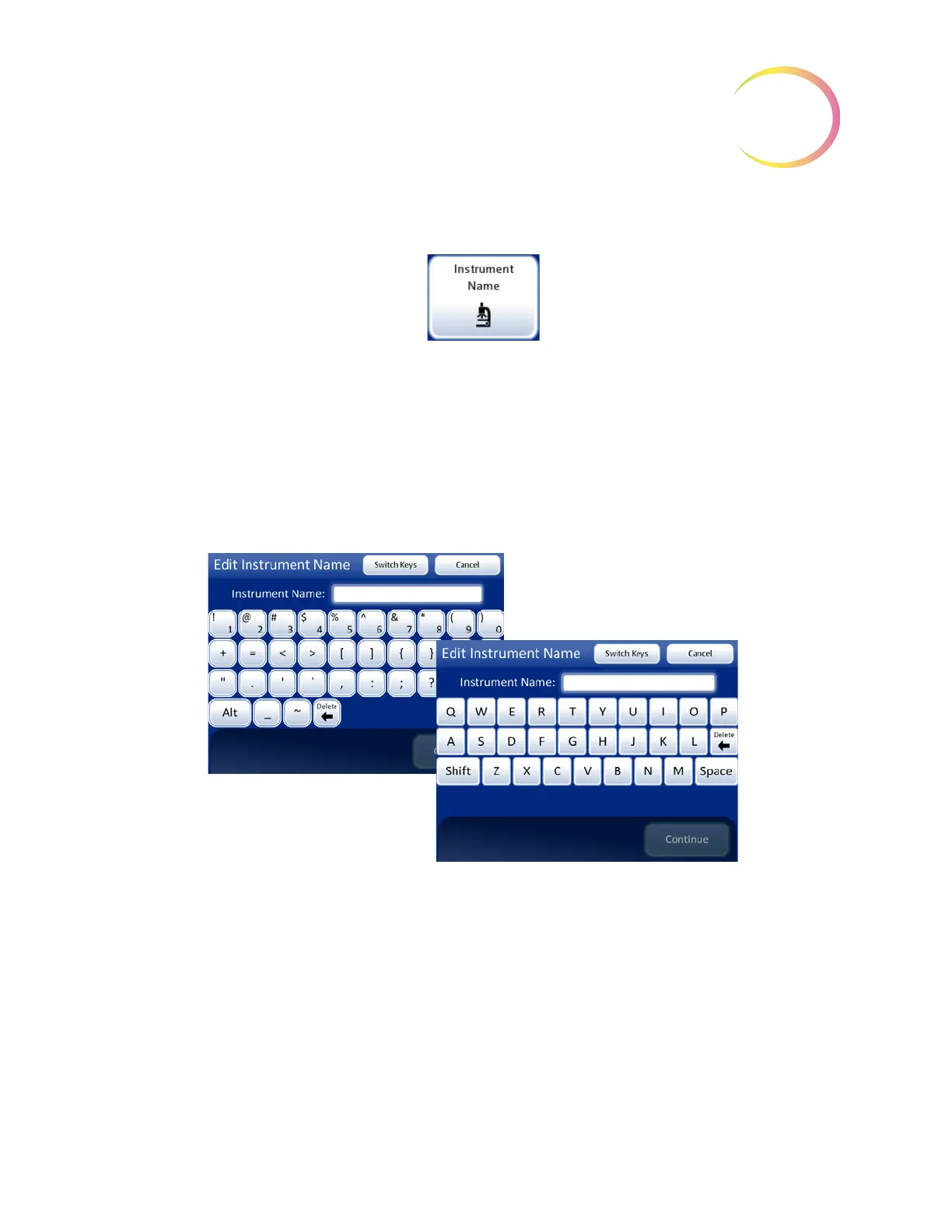
To enter or edit a name for the Integrated Imager, press the
Instrument Name
button. Press the letter
buttons to enter a name, up to 20 characters long. See
Figure 3-20. To create a capital letter, press the
Shift
button and then press the letter. With the next letter, the system reverts to lowercase. Use the
Space
button for a space and the
Delete
button to remove entered letters.
Press the
Switch Keys
button to display a keypad screen to enter numbers. Switch between
keyboard and keypad as often as desired before saving changes.
Press the
Continue
button to save and return to the System Settings screen.
Figure 3-20 Edit Instrument Name Screen



 To Next Page