800-13897 - A - 01/2013
Alarm Settings | 73
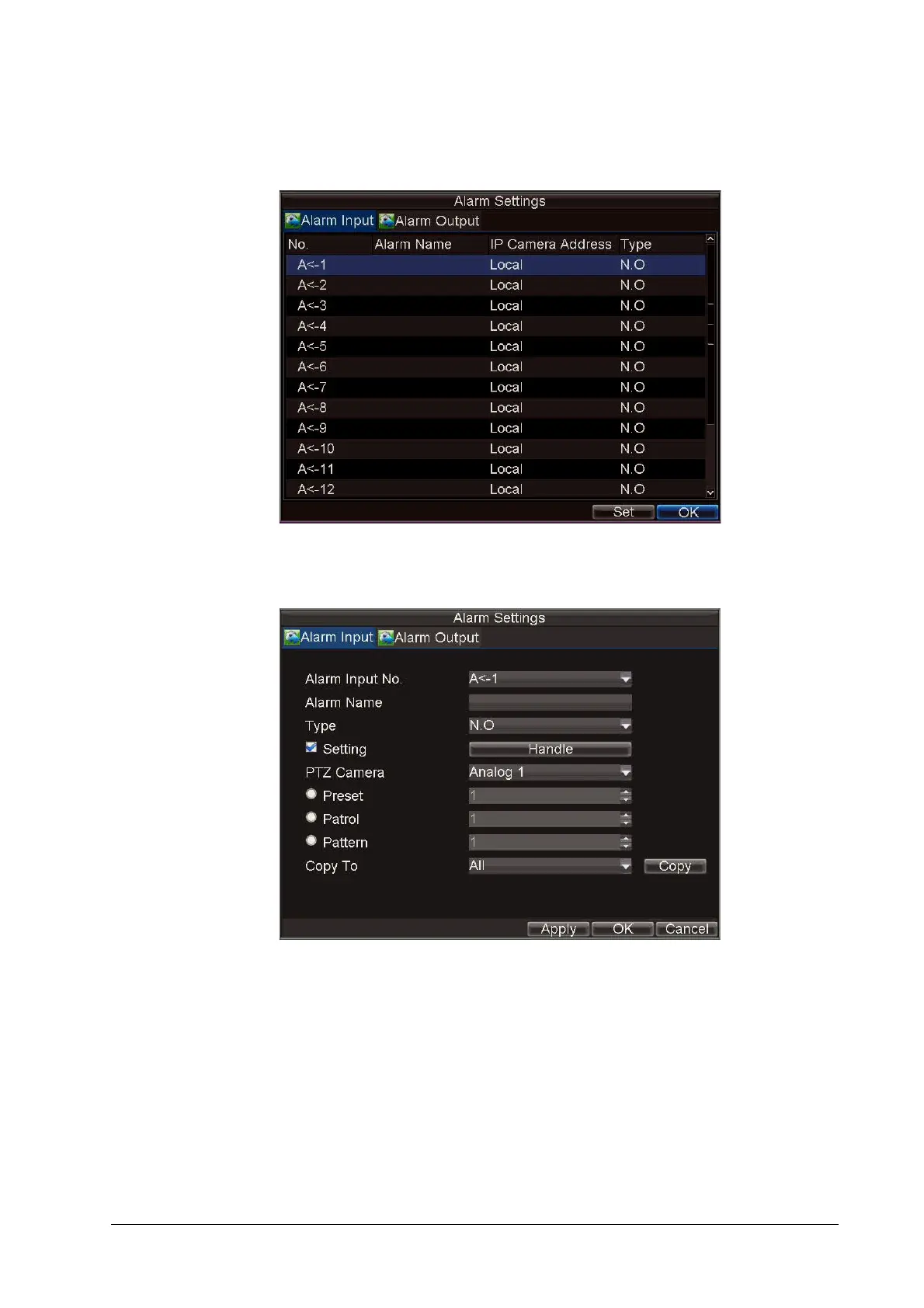
1. Click Menu Settings Alarm to enter the Alarm Settings menu (see Figure 7-8).
Figure 7-8 Alarm Settings Menu
2. Select the Alarm Input Number, and then click Set to enter the Alarm Input Settings menu
(see Figure 7-9).
Figure 7-9 Alarm Input Settings Menu
3. Set Type to Normally Opened (N.O) or Normally Closed (N.C).
4. Select the Setting check box, and then click Handle to enter the Alarm Input Handle menu
(see Figure 7-10).



 To Next Page
 Loading...


