EasyManua.ls Logo

Honeywell NETAXS NX4L1 - User Manual

Honeywell NETAXS NX4L1
86 pages
Print Icon
To Next Page IconTo Next Page
Loading...
July 2016 © 2016 Honeywell. All rights reserved. 7-901099V3
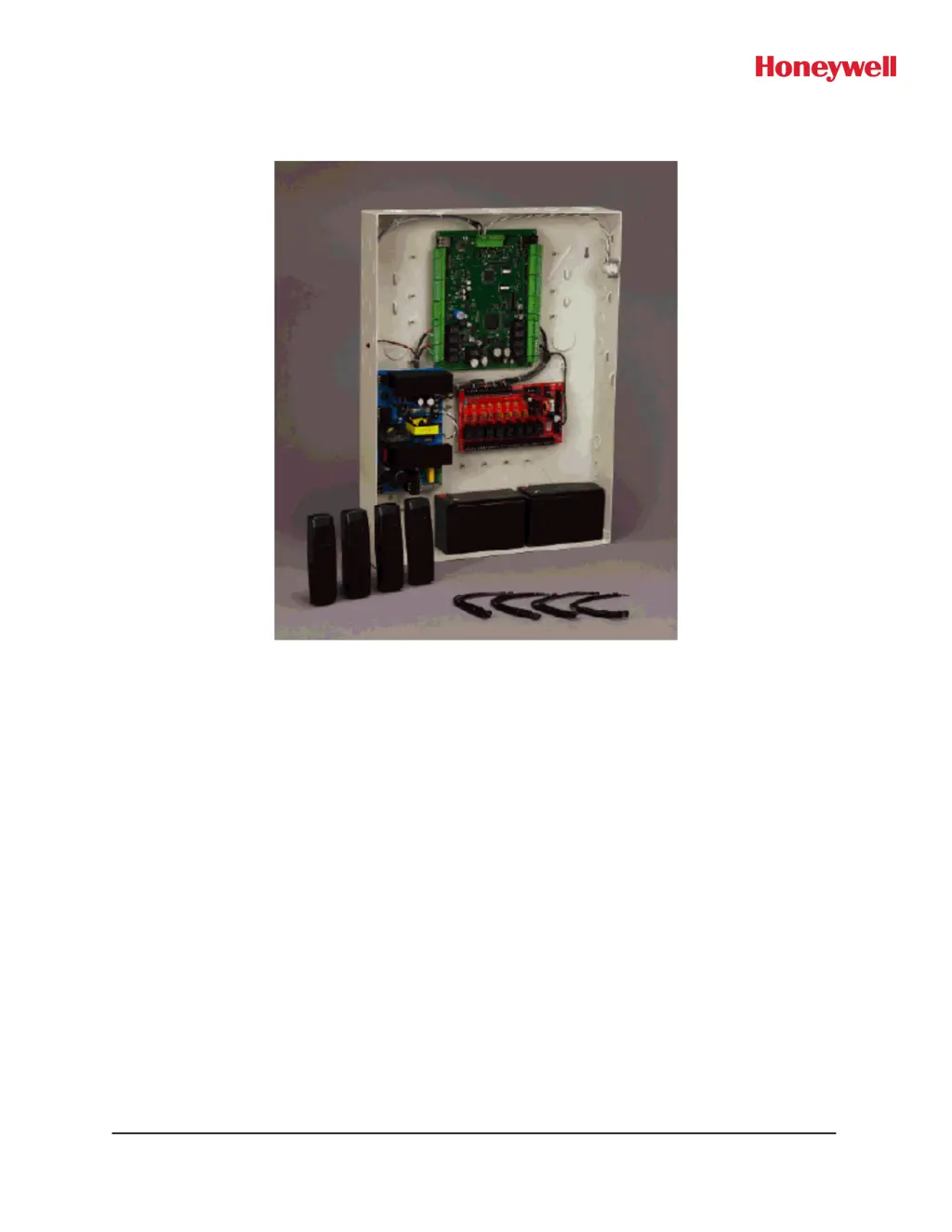
Honeywell NetAXS™
NX4L1
Access Control Unit
Installation Guide

Table of Contents

Questions and Answers

  • K
    Kendra SchmidtAug 14, 2025
    Why is the BAD CRC counter incrementing every minute on my Honeywell Security System?
    • M
      Monica HudsonAug 14, 2025
      If the BAD CRC counter is incrementing every minute on your Honeywell Security System, it means that two or more panels on the Multidrop Bus have the same panel address. To resolve this, verify that each panel has a unique address setting on DIP switch positions 1-5.
  • S
    susan69Aug 17, 2025
    Why does my Honeywell Security System have no communications with the Ethernet port?
    • A
      Ashley LewisAug 17, 2025
      If there are no communications with the Ethernet port on your Honeywell Security System, only a panel set to be a Gateway (DIP switch 6 = ON) will have communications on the Ethernet port. If you need to use that port to access the panel, turn off the power (including the battery), change the switch setting, and reapply the power. Note that if the panel is normally not a Gateway on a Multidrop communication bus, then the Host RS-485 connection (TB7) should also be disconnected while DIP switch 6 is ON. After completion of the Ethernet session, turn off the power (including the battery), change the switch setting, re-connect the Host RS-485 terminal block, and re-apply the power.
  • R
    Ronald DavidsonAug 20, 2025
    What to do if Honeywell Security System panel powers up but does not respond?
    • W
      Wesley DayAug 20, 2025
      If your Honeywell Security System panel powers up but doesn't respond to communication, card reads, or input activation, ensure that the Address DIP switches are set to a value other than zero. Turn off the power (including battery), change the settings, and re-apply the power.
  • B
    Bradley RosalesAug 25, 2025
    Why are the N1000 panels on the Multidrop bus not reporting on my Honeywell Security System?
    • M
      morrisbrianAug 25, 2025
      If the N1000 panels on the Multidrop bus do not report on your Honeywell Security System, it is because N1000 panels will not communicate to a NetAXS™ panel that is configured as a Gateway. Replace all of the N1000 panels with NetAXS™, or replace the Gateway panel with an N-485-PCI-2 device.
  • Q
    qsmithAug 27, 2025
    What to do if a dropline panel in standalone mode unexpectedly fills its buffer on my Honeywell Security System?
    • M
      meganmooreAug 27, 2025
      If a dropline panel in standalone mode using RS-232 unexpectedly fills its buffer in your Honeywell Security System, the preferred solution is to configure the standalone panel through the Web server as a Gateway and use the board PCI and AckNak communications. This also gives the user a more secure and reliable communications line. Another solution is to execute a new command that will allow the user to turn the Tesla flow control off: _U=_D (disable flow control). To turn the Tesla flow control back on: _U=_E (enable flow control)
  • E
    Emily PenningtonAug 31, 2025
    Why does the BAD CRC counter increment every minute on my Honeywell Control Unit?
    • L
      Lynn CooperAug 31, 2025
      The BAD CRC counter increments every minute because two or more panels on the Multidrop Bus have the same panel address. To resolve this, verify that each panel has a unique address setting on DIP switch positions 1-5.
  • C
    chasemathewSep 3, 2025
    How to enable communications on the Ethernet port of my Honeywell NETAXS NX4L1?
    • S
      Seth MillerSep 3, 2025
      Only a panel set to be a Gateway (DIP switch 6 = ON) will have communications on the Ethernet port. If you need to use that port to access the panel, turn off the power (including the battery), change the switch setting, and reapply the power. Note that if the panel is normally not a Gateway on a Multidrop communication bus, then the Host RS-485 connection (TB7) should also be disconnected while DIP switch 6 is ON. After completion of the Ethernet session, turn off the power (including the battery), change the switch setting, re-connect the Host RS-485 terminal block, and re-apply the power.
  • H
    Heather HensleySep 6, 2025
    How to prevent a Honeywell Control Unit drop line panel in standalone mode from filling its buffer?
    • K
      Kathleen HarrisSep 6, 2025
      The preferred solution is to configure the standalone panel through the web server as a Gateway and use the board PCI and AckNak communications. This also gives the user a more secure and reliable communications line. Another solution is to execute a new command that will allow the user to turn the Tesla flow control off: _U=_D (disable flow control). This prevents the panels from inadvertently filling their buffers. To turn the Tesla flow control back on: _U=_E (enable flow control).
  • A
    Anna Hughes DDSSep 9, 2025
    Why N1000 panels on the Multidrop bus do not report to my Honeywell Control Unit?
    • J
      Julie MatthewsSep 9, 2025
      N1000 panels will not communicate to a NetAXS panel that is configured as a Gateway. Replace all of the N1000 panels with NetAXS, or replace the Gateway panel with an N-485-PCI-2 device.

Summary

Notices and Compliance

1.1 Safety and Liability Warnings

Safety and liability notices regarding fire safety, system testing, grounding, and power connections.

1.3 Limited Warranty Terms

Details the warranty terms, conditions, and exclusions for HAS products.

1.4 FCC and Industry Canada Compliance

Equipment compliance with FCC Part 15 Class B digital device requirements.

Introduction to NetAXS

2.1 Access Control System Overview

General explanation of access control systems and their functions.

3.0 Panel Components and Descriptions

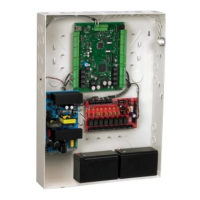
Detailed description of NetAXS panel components, including power and enclosure.

Installation Procedures

4.1 Optional AC Inlet Installation

Instructions for installing the optional AC inlet kit (part number 100-00049).

4.2 NX4 L1 Cabinet Field Wiring

Diagram illustrating how to route and tie field wiring within the NX4L1 cabinet.

4.3 Cabinet Mounting Views

Diagrams showing dimensions and knockout placement for cabinet mounting.

4.4 Reader and Input;Output Wiring

Details on reader wiring, supervised inputs, control outputs, and downstream I/O.

4.7 Communications and Network Configurations

Overview of communication methods including RS-232, RS-485, Ethernet, and network setups.

4.8 DIP Switch and Jumper Settings

Location and function of DIP switches and jumpers for panel configuration.

System Configuration and Standalone Operation

5.0 System Configuration Diagrams

Wiring diagrams for various system configurations including RS-485, RS-232, and Ethernet.

6.0 NetAXS Startup and LED Status

Information on panel startup sequence and the meaning of LED indicators.

7.0 Hardware Specifications

Technical specifications for relays, reader interface, output loading, mechanicals, and environment.

8.0 Maintenance Procedures

Instructions for routine maintenance tasks like battery replacement and fuse checks.

9.0 Troubleshooting Guide

Table listing common problems and their solutions for the NetAXS system.

NetAXS Standalone Operation

Details on basic standalone operations, settings, and commands for the NetAXS panel.

Recommended RS-485 Wiring

3.0 RS-485 Wiring for NetAXS-4 Loop

Specific wiring instructions for RS-485 loops using NetAXS-4 controllers.

4.0 RS-485 Wiring for a Mixed Loop

Instructions for RS-485 wiring in mixed loops with NetAXS-123 and NetAXS-4.

5.0 End of Line Termination

Instructions for terminating RS-485 bus controllers (NetAXS-123 and NetAXIS).

Honeywell NETAXS NX4L1 Specifications

General IconGeneral
ModelNETAXS NX4L1
TypeControl Unit
ManufacturerHoneywell
Number of Doors Supported4
Power Supply12V DC
CommunicationRS-485, TCP/IP
Input Voltage12 VDC
Operating Temperature0°C to +50°C (32°F to +122°F)
CertificationsCE, FCC, UL294

Related product manuals