Shenzhen Hpmont Technology Co., Ltd. Chapter 5 Operation Instructions
HD3N Series User Manual V1.1 - 41 -
5.3 Display Status
Parameter display status at stop/run
When HD3N is in stop/run status, the keypad will display stop or run status and its parameters, as
shown in Figure 5-2.
Other parameters (F18.08 - F18.13) or F18.02 - F18.07 can be displayed by pressing .
Figure 5-2 Display status of stop (left) and run (right)
Fault alarming status
If HD3N detects a fault signal, keypad will enter fault alarm status and display the fault code, as shown
in Figure 5-3.
Fault history can be checked by Group F20 (F20.21 - F20.37) .
To reset the fault, press button ( ), or use external fault reset terminal or communication
reset command.
Figure 5-3 Fault alarming status
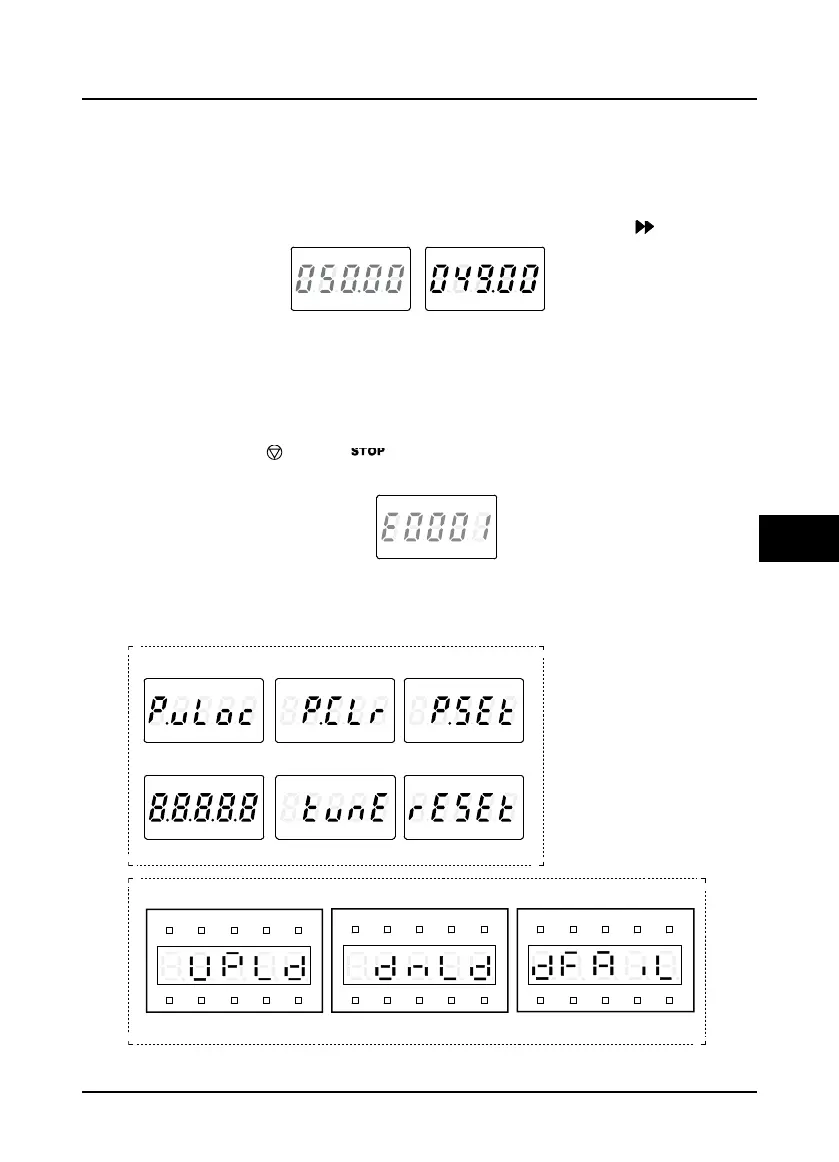
Other display status
Refer to Figure 5-4 for other display status.
Figure 5-4 Other display status
FWD
H
z
A V
RPM
LO/R E
%
LOCKREV
ALM
FWD
H
z
A V
RPM
LO/R E
%
LOCKREV
ALM
FWD
Hz A V
RPM
LO/R E
%
LOCKREV
ALM
PW set successfullyPW has been clearedUnlock success
ResetParameter auto-tuningInitializing
Hz
A V RPM %
REVFWD ALM LO/ RE LOCK
Copy para. to keypad
Hz
A V RPM %
REVFWD ALM LO/ RE LOCK
Copy para. to MCB
Hz
A V RPM %
REVFWD ALM LO/ RE LOCK
Failed to copy para
LED keypad
LCD keypad
FWD
Hz A V
RPM
LO/R E
%
LOCKREV
ALM
FWD
Hz A V
RPM
LO/R E
%
LOCKREV
ALM
FWD
Hz A V
RPM
LO/R E
%
LOCKREV
ALM
FWD
Hz A V
RPM
LO/R E
%
LOCKREV
ALM
FWD
Hz A V
RPM
LO/R E
%
LOCKREV
ALM
FWD
Hz A V
RPM
LO/R E
%
LOCKREV
ALM


 To Next Page
 Loading...