Procedure
Step 1 Prepare the PGND cable and equi-potential cable.
1. Prepare the cable of proper length based on the actual cable route.
2. Add OT terminals to both ends of the cable. For details, see Assembling the OT Terminal
and the Power Cable.
Step 2 Install the PGND cable.
1. Connect one end of the PGND cable to the grounding bar on the inner panel of the RFC,
and then use spring washers and screws to fix the OT terminals of the PGND cable, as
shown in Figure 10-2.
NOTE
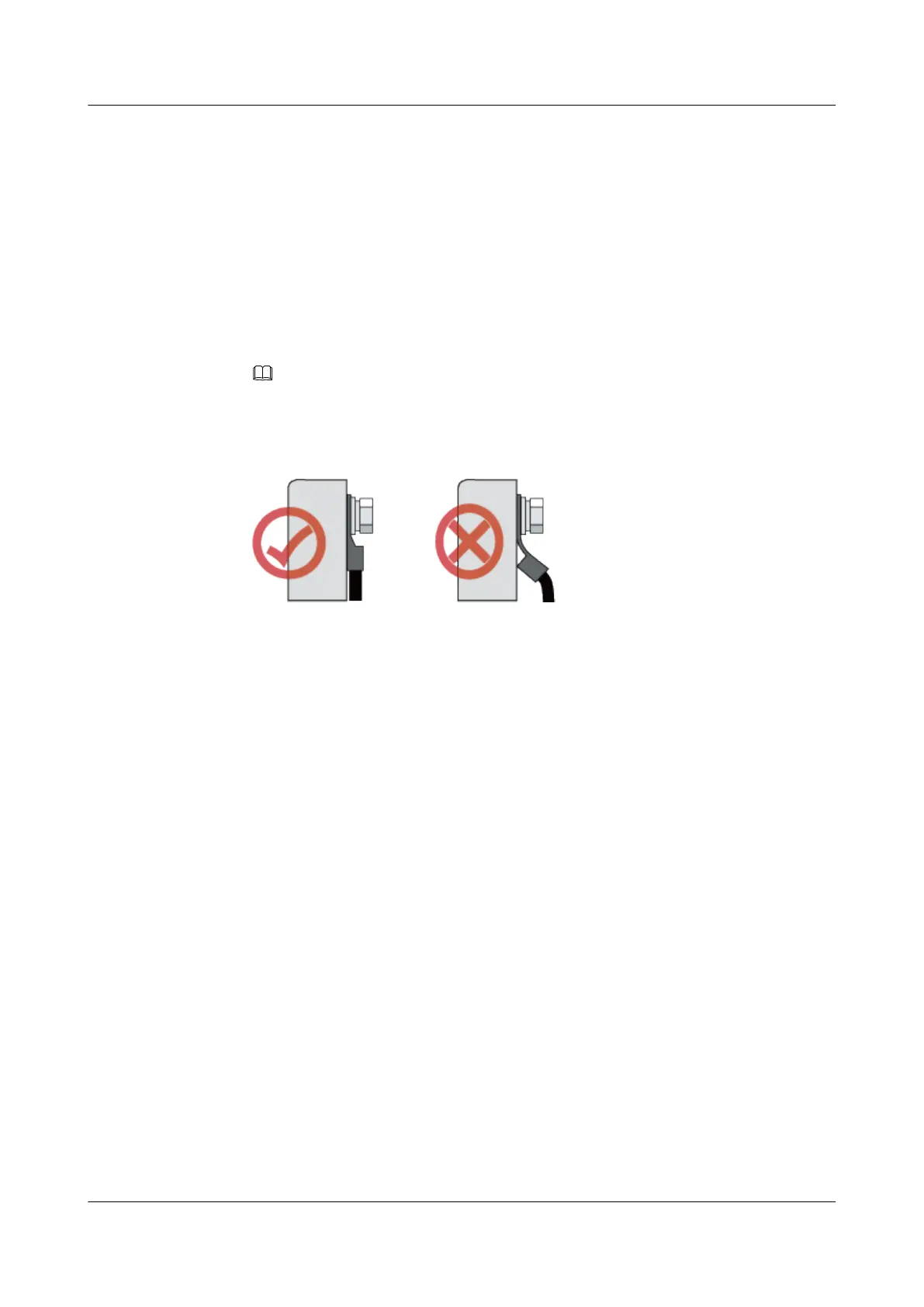
When installing the PGND cable, keep the crimping tube of the OT terminal in the direction shown in
Figure 10-1.
Figure 10-1 Installing the OT terminal in the correct manner
2. Connect the other end of the PGND cable to the external grounding copper bar, as shown
in Figure 10-2.
BTS3900A(Ver.B)
Installation Guide 10 Installing the PGND Cable and Equi-potential Cable
Issue 01 (2011-10-25) Huawei Proprietary and Confidential
Copyright © Huawei Technologies Co., Ltd.
54












 To Next Page