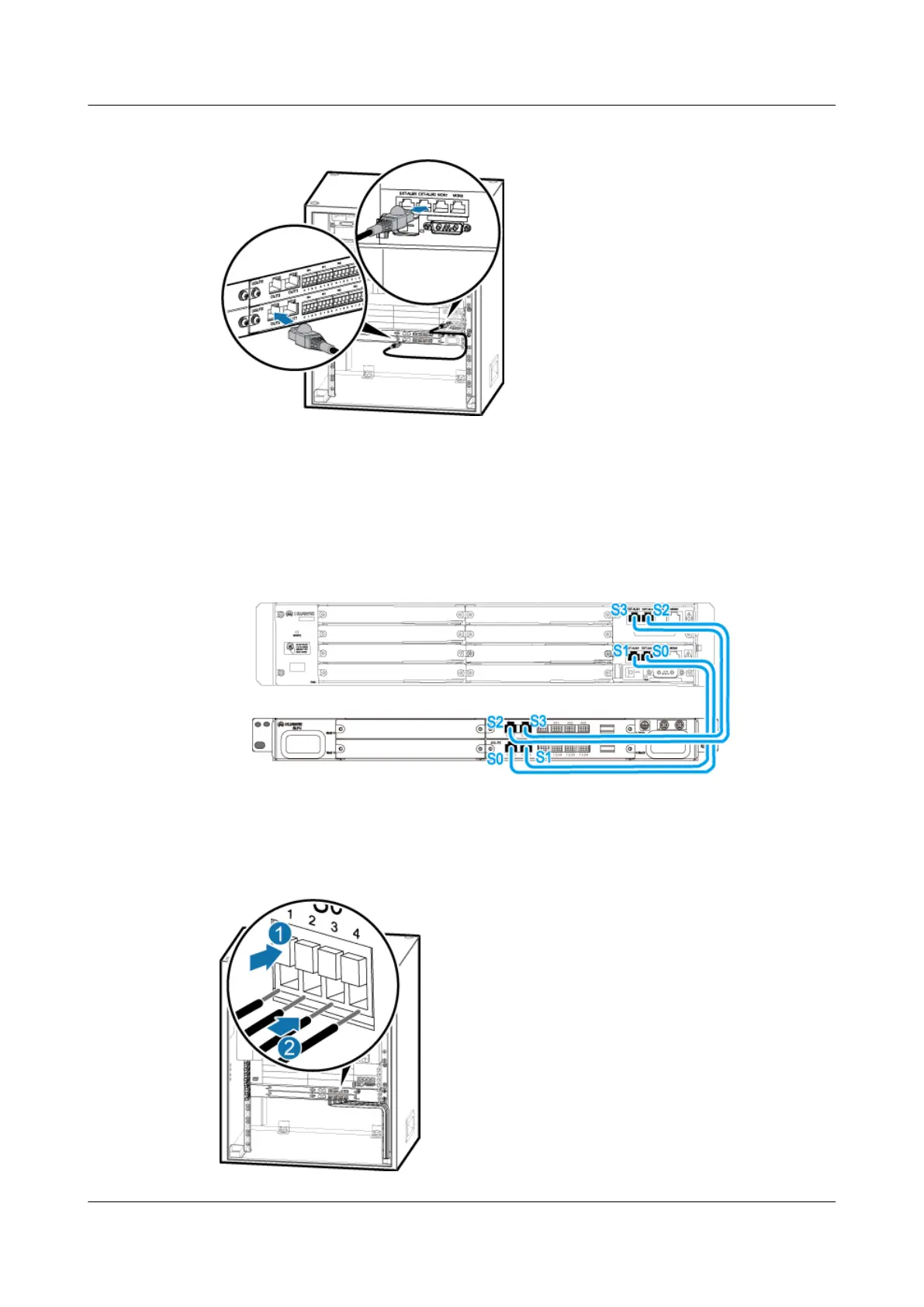
Figure 11-5 Installing the surge protection transfer cable for monitoring signals
1. Connect one end of the cable to the OUT0 port on the USLP2 in slot 3 of the SLPU.
2. Connect the other end of the cable to the EXT_ALM0 port on the UPEU in the BBU.
3. Connect the other three surge protection transfer cables for monitoring signals by referring
to Figure 11-6.
Figure 11-6 Connections of surge protection cables for monitoring signals
Step 4 Install the external dry-contact monitoring signal cables, as shown in Figure 11-7.
Figure 11-7 External dry-contact monitoring signal cables
BTS3900A(Ver.B)
Installation Guide 11 Installing Optional Modules
Issue 01 (2011-10-25) Huawei Proprietary and Confidential
Copyright © Huawei Technologies Co., Ltd.
61












 To Next Page