Context
NOTE
Only a dual-satellite receiver needs to be installed onsite.
Procedure
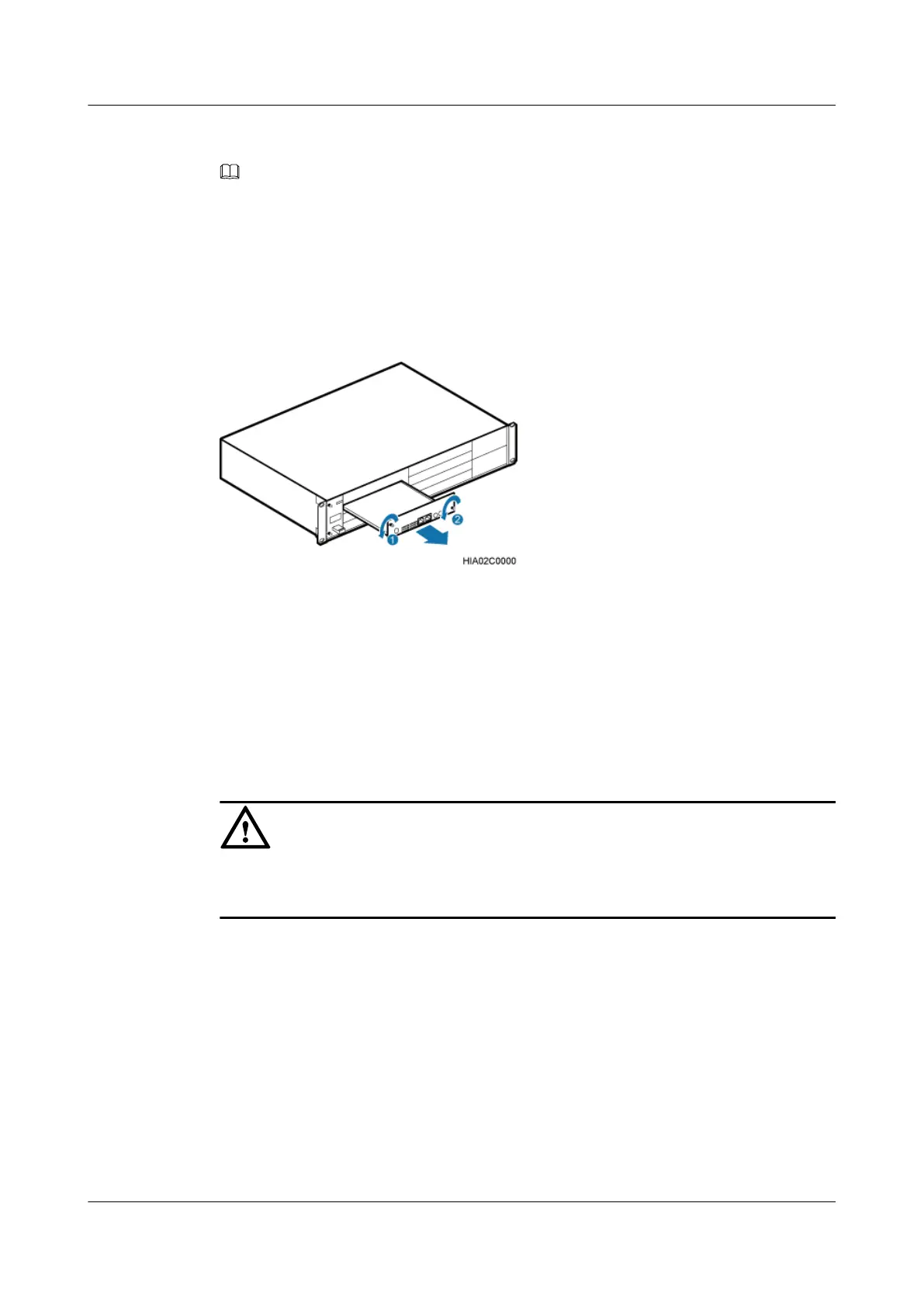
Step 1 Remove the two M3 screws on the panel, and then pull out the USCU, as shown in Figure
11-19.
Figure 11-19 Removing the USCU.
Step 2 Install a satellite receiver on the USCU, as shown in Figure 11-20.
1. Remove the three M1.6 screws from the USCU.
2. Align the mounting holes on the satellite receiver with the bolts on the USCU.
3. Tighten the three M1.6 screws that were removed in Step 2.1 to 0.1 N·m.
4. Connect one end of the RF jumper to the RF port on the satellite receiver and the other end
to the GPS port on the USCU.
CAUTION
There are six mounting holes on the satellite receiver. You need to install only three screws on
the receiver, as shown in Figure 11-20
BTS3900A(Ver.B)
Installation Guide 11 Installing Optional Modules
Issue 01 (2011-10-25) Huawei Proprietary and Confidential
Copyright © Huawei Technologies Co., Ltd.
69












 To Next Page