NOTE
l When the TMC11H or APM30H is stacked on the RFC, the installation of the cable module in the
TMC11H or APM30H is not required.
l When two IBBS200Ds or two IBBS200Ts are stacked, the installation of the cable module in the upper
cabinet is not required.
Procedure
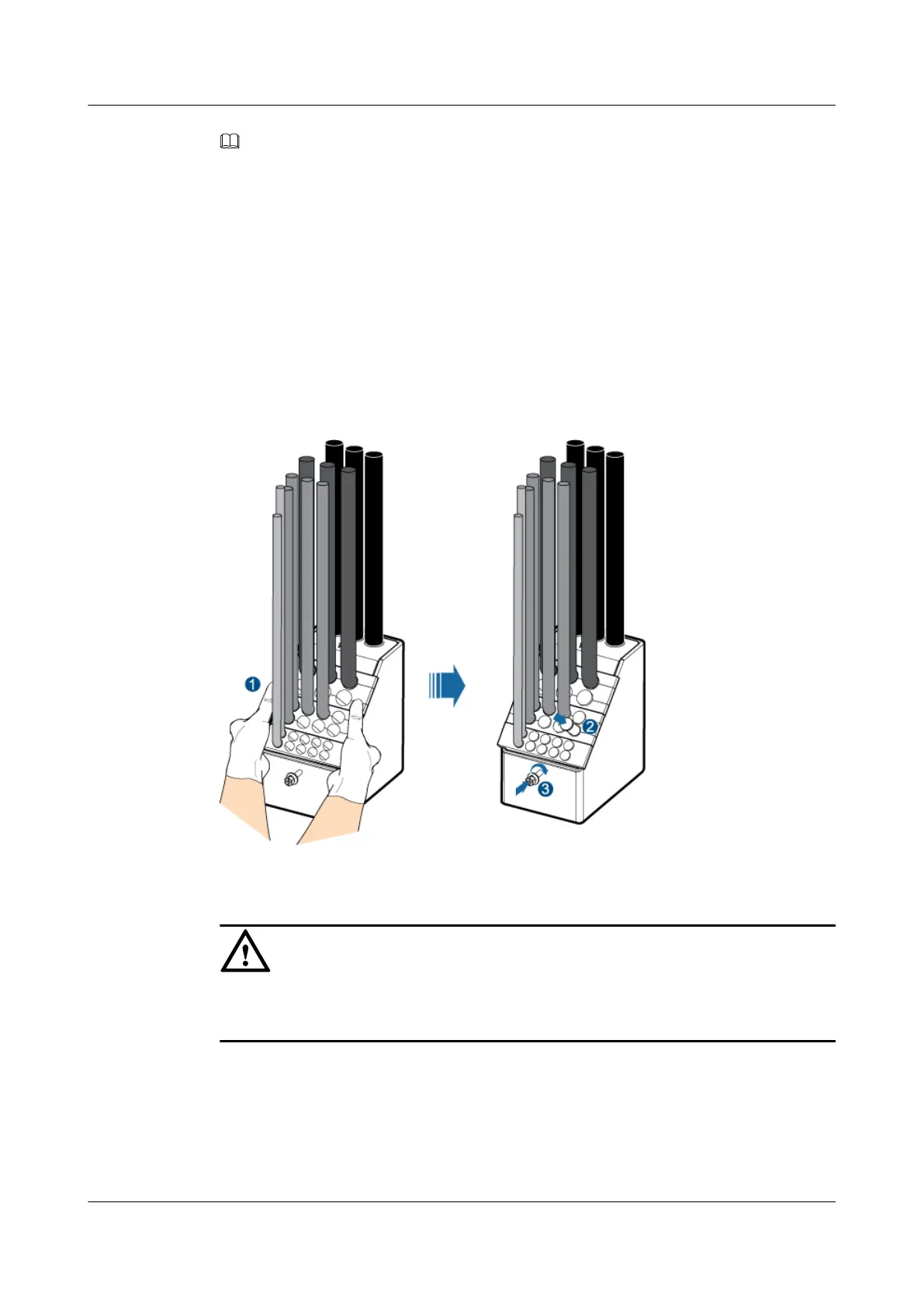
Step 1 Lead cables with different cross-section areas through the holes of the cable module based on
the aperture, and then insert the cable module into the cable hole of the cabinet.
The following description is based on the installation of the cable outlet module for the RFC, as
shown in Figure 12-5.
Figure 12-5 Installing the cable module of RFC
CAUTION
Lead the cable through the cable hole with an aperture matching the cross-sectional area of the
cable in order that the sealing is effective, as shown in Figure 12-6.
BTS3900A(Ver.B)
Installation Guide 12 Installing the Cables
Issue 01 (2011-10-25) Huawei Proprietary and Confidential
Copyright © Huawei Technologies Co., Ltd.
86












 To Next Page