NetCol5000-A(025, 035) In-row Air Cooled Smart
Cooling Product
User Manual (600 mm)
Copyright © Huawei Technologies Co., Ltd.
Cold aisle HT alarm threshold + 5°C ≤ Return-air HT alarm threshold
Supply-air LT alarm threshold + 5°C ≤ Return-air LT alarm threshold
Supply-air LT alarm threshold + 5°C ≤ Hot aisle LT alarm threshold
Cold aisle LT alarm threshold + 5°C ≤ Hot aisle LT alarm threshold
Cold aisle LT alarm threshold + 5°C ≤ Return-air LT alarm threshold
Context
The content described in this section is optional. To set whether to report an alarm, or set
the time delay duration or threshold, follow the instructions in this section. The enabling
functions include the following three choices:
− Allow
Alarms are reported to the EMS. Active alarms are displayed on the LCD and the
system performs related protection actions.
− Block
New alarms are not reported to the EMS. The EMS can detect alarms that are
generated before the blocking. Active alarms are displayed on the LCD and the
system performs related protection actions.
− Disallow
Alarms are not generated and no protection actions are performed.
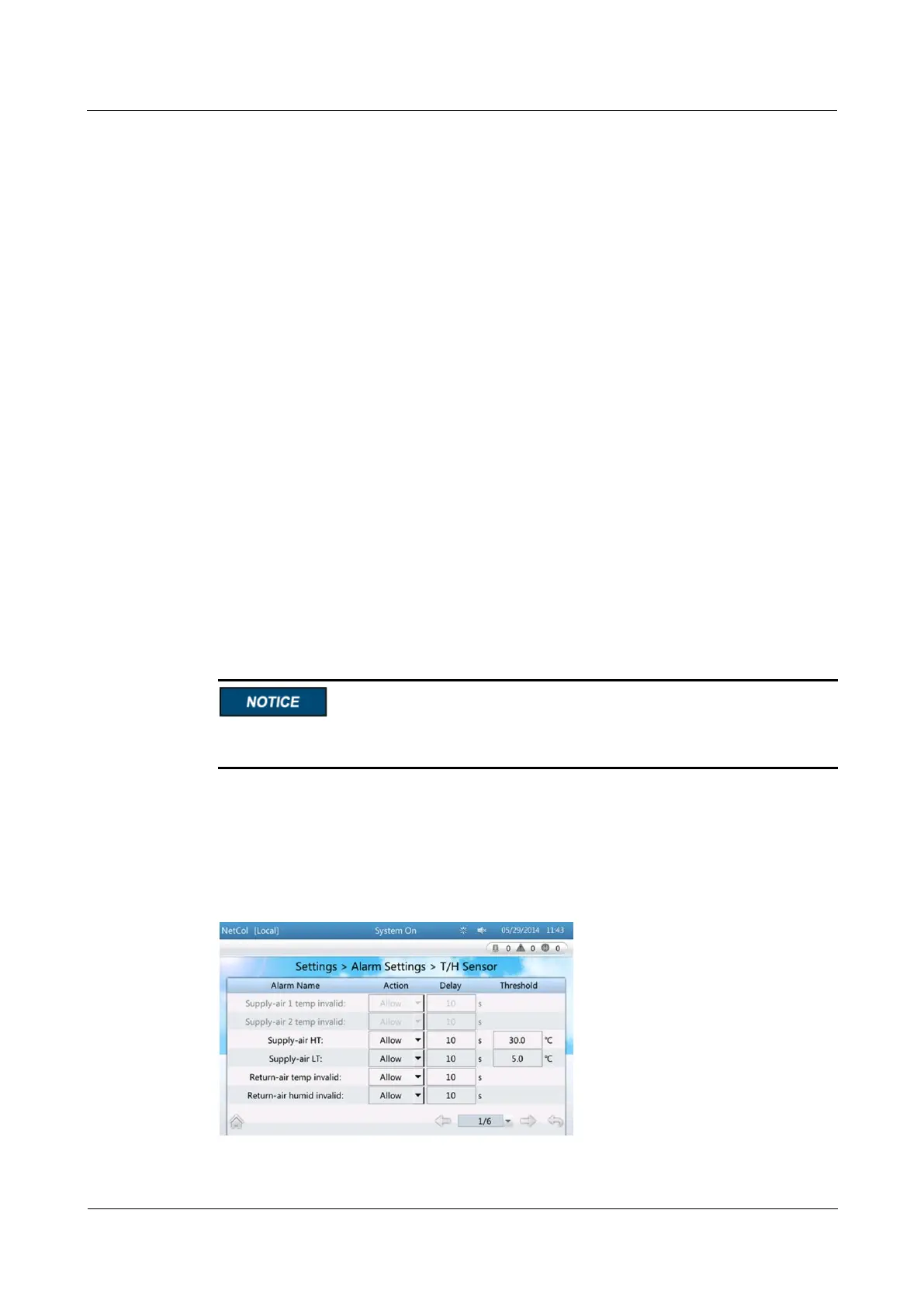
The method for setting each alarm is the same. This section describes how to set Delay
of Supply-air HT to 5.
If you need to change alarm settings, log in as the Admin or Engineer user.
Be careful when configuring alarms. Only professional maintenance personnel can change
alarm settings.
Procedure
Step 1 Choose Settings > Alarm Settings > T/H Sensor on the home screen. Figure 4-22 is
displayed.
Figure 4-22 Setting alarm parameter 1



 To Next Page