NetCol5000-A(025, 035) In-row Air Cooled Smart
Cooling Product
User Manual (600 mm)
Copyright © Huawei Technologies Co., Ltd.
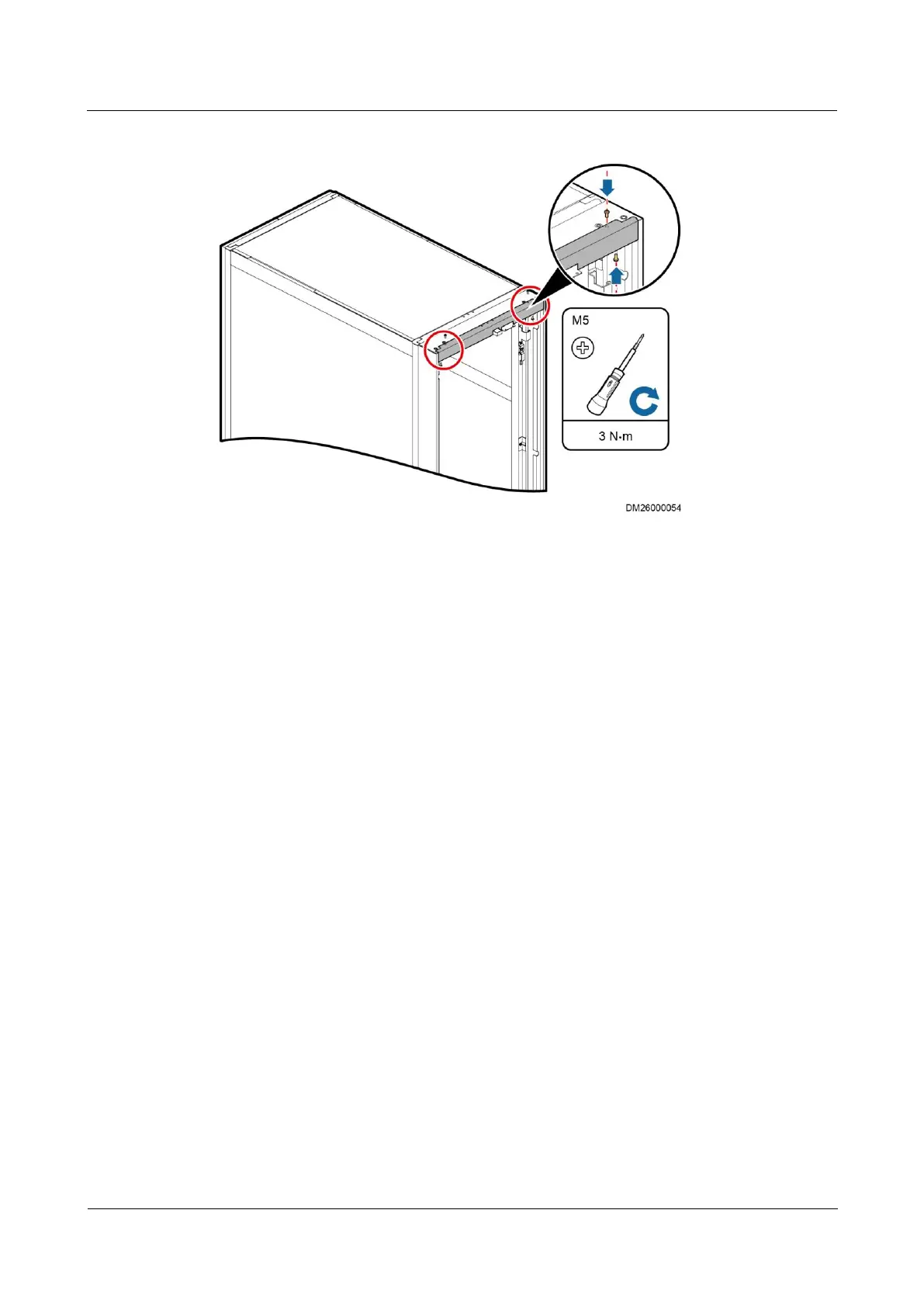
Figure 3-35 Installing the top sealing plate
Step 6 Install the hinges and connecting plates removed in Step 2 on the corresponding positions on
the enclosure frame.
Step 7 Install the cabinet front door on the enclosure frame.
Step 8 Install the power cable for the display screen. Connect the ground cable under the front door
to the enclosure frame according to the label on the enclosure frame.
Step 9 After installing the enclosure frame, the power cable for the display screen may be not long
enough to open the door completely. Cut off the cable ties, which fastening the power cable,
to make sure the front door can rotate smoothly.
----End
3.10.2 (Optional) Installing the Top Frame
Bottom Pipe Routing
Step 1 Remove the two M5x10 tapping screws that secure the front door sealing plate on the top of
the cabinet, as shown by (1) in Figure 3-36.



 To Next Page