NetCol5000-A(025, 035) In-row Air Cooled Smart
Cooling Product
User Manual (600 mm)
Copyright © Huawei Technologies Co., Ltd.
3.2 Unpacking
Procedure
Step 1 Inspect the outer packing for signs of damage. If any damage is found, contact the shipping
company immediately.
Step 2 Unpack the product.
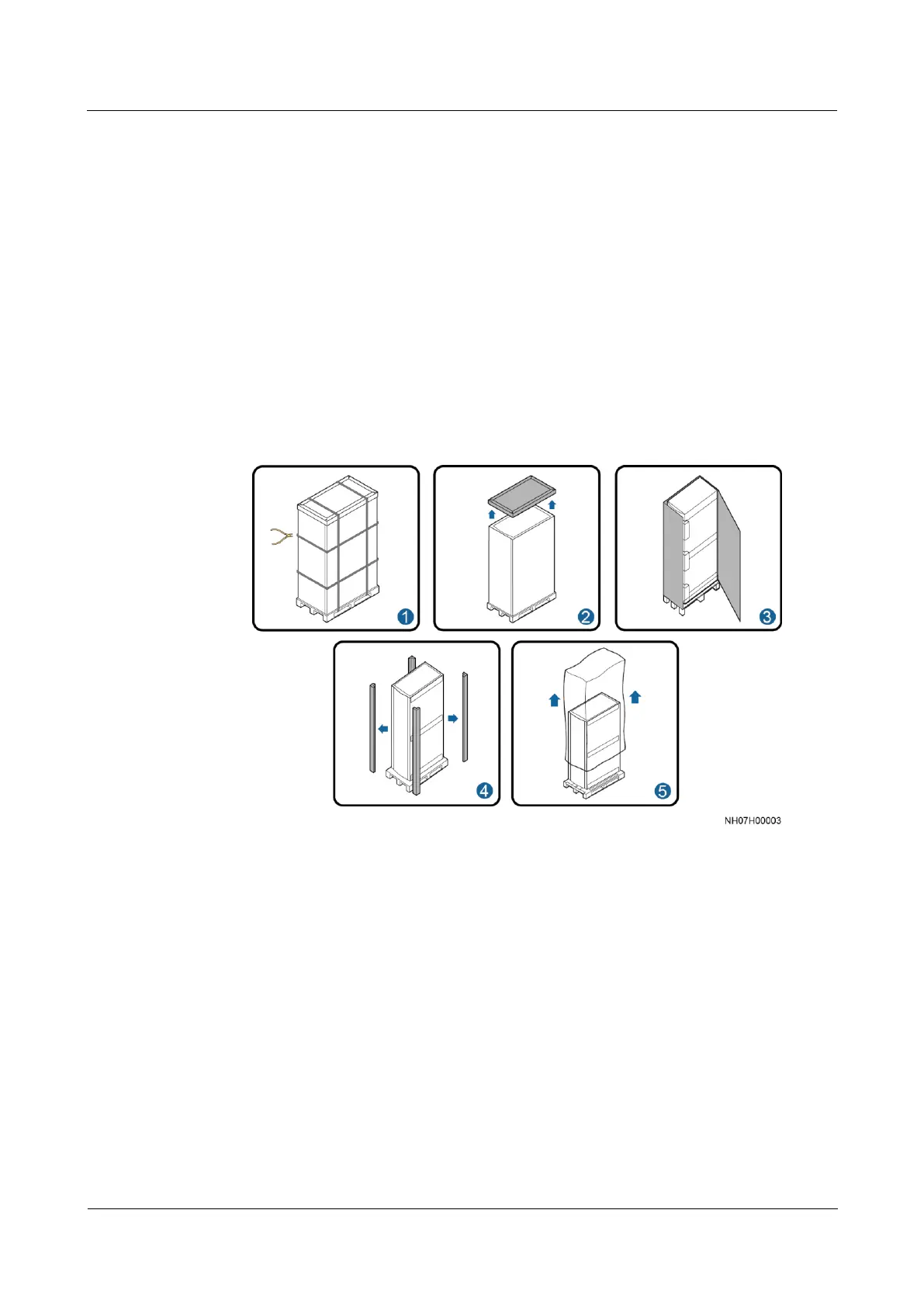
1. Remove the straps, top cover, outer packing, cushioning materials, and then plastic film,
as shown in Figure 3-8.
Figure 3-8 Unpacking
2. Inspect the cabinet exterior for signs of collision or scratches. If any damage is found,
contact the shipping company immediately.
Step 3 Check the type and quantity of fittings against the packing list. If fittings are missing or
inconsistent with those in the packing list, record the information and contact your local
Huawei office immediately.
----End
3.3 Checking the Air Pressure
Procedure
Step 1 Open the rear door.



 To Next Page