NetCol5000-A(025, 035) In-row Air Cooled Smart
Cooling Product
User Manual (600 mm)
Copyright © Huawei Technologies Co., Ltd.
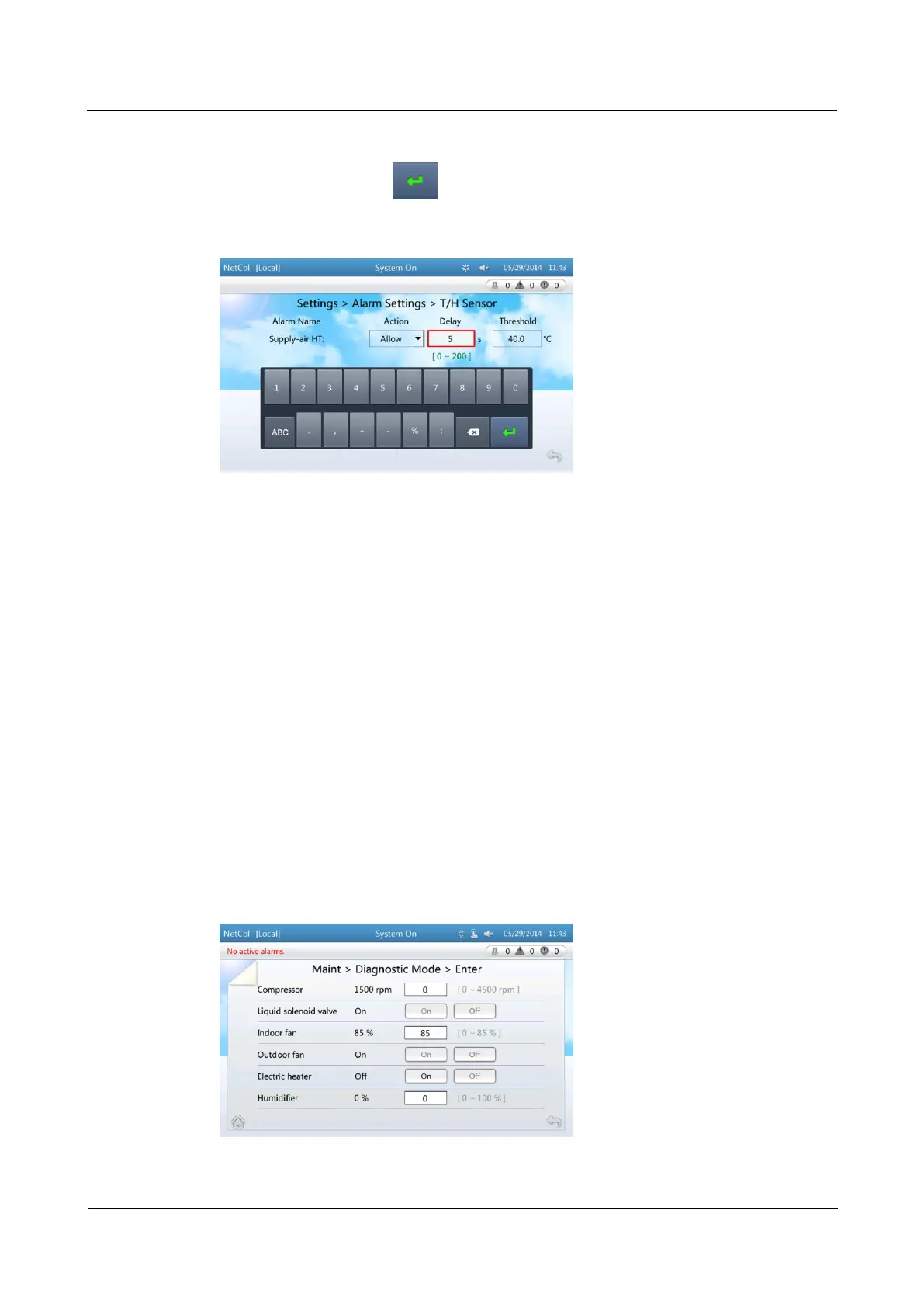
Step 2 Tap Delay following Supply-air HT.
Step 3 Set the value to 5 and tap , as shown in Figure 4-23.
Figure 4-23 Setting alarm parameter 2
----End
4.3.3 Commissioning Guide
4.3.3.1 Entering Diagnostic Mode
Context
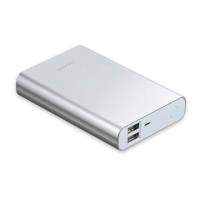
On the diagnostic mode screen, you can turn on or off components, and control their
output ratio.
If you need to manually turn on or off system components in diagnostic mode, log in as
the Admin or Engineer user. Ensure that the smart cooling product is started before
operation.
Procedure
Step 1 Choose Maint > Diagnostic Mode > Enter > Yes. Figure 4-24 is displayed.
Figure 4-24 Entering the diagnostic mode



 To Next Page