NetCol5000-A(025, 035) In-row Air Cooled Smart
Cooling Product
User Manual (600 mm)
Copyright © Huawei Technologies Co., Ltd.
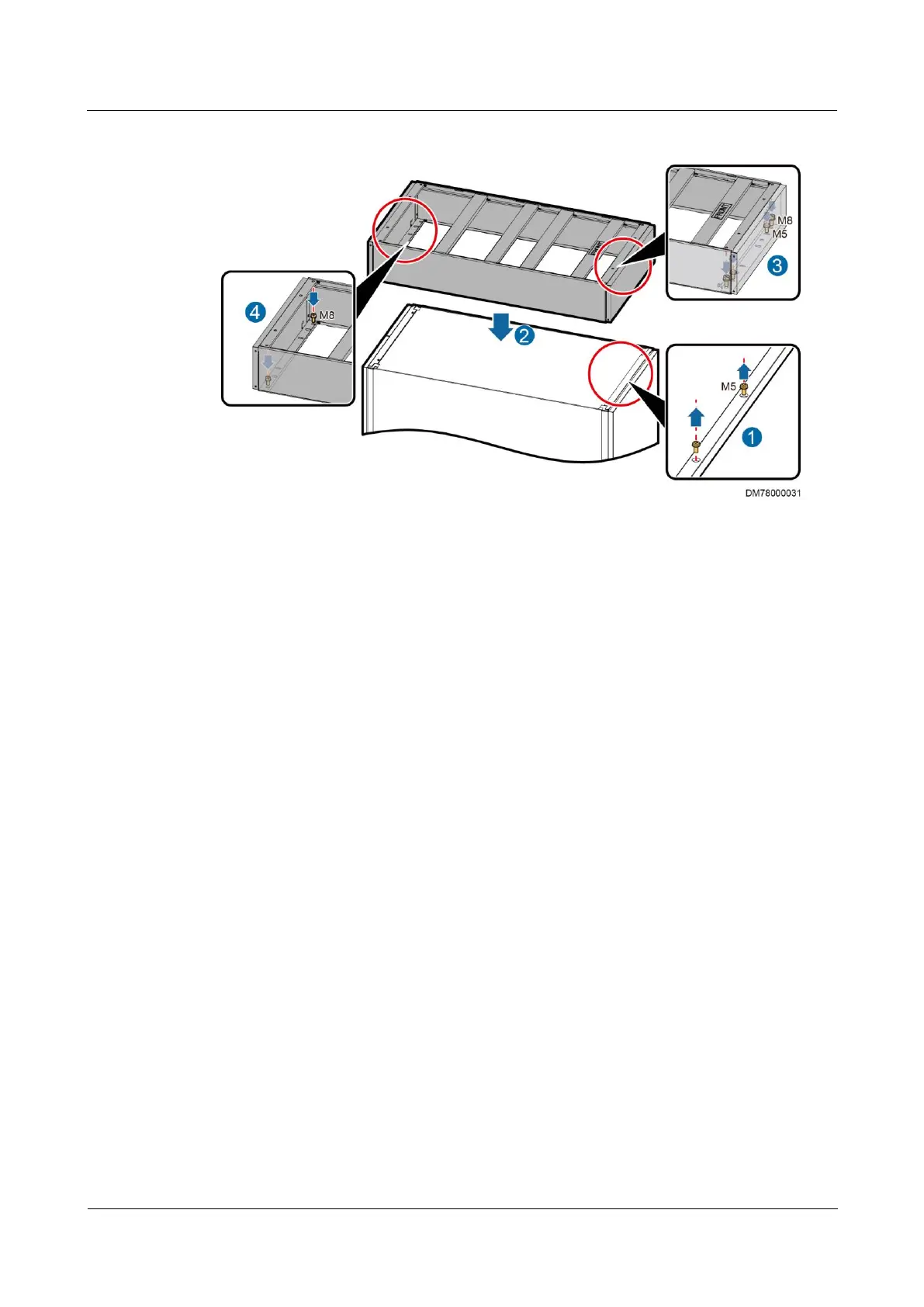
Figure 3-36 Installing a top frame
Step 2 Place the top frame, with the side with FRONT facing upwards and the end with FRONT
facing the cabinet front door, as shown by (2) in Figure 3-36.
Step 3 Secure the top frame.
1. Use the four M8x20 screw assemblies to secure the top frame to the cabinet, as shown by
(3) and (4) in Figure 3-36.
2. Install two M5x10 tapping screws at the front of the top frame to set up equipotential
bonding between the cabinet and the top frame, as shown by (3) in Figure 3-36.
----End
Overhead Pipe Routing
Step 1 Remove the two M5x10 tapping screws that secure the front door sealing plate on the top of
the cabinet, as shown by (1) in Figure 3-37.
Step 2 Remove the rear decorative plate for the top frame, and then remove the four M5x10 tapping
screws and the six M4x10 countersunk screws from the rear plate of the top frame, as shown
by (2) and (3) in Figure 3-37.
Step 3 Place the top frame, with the side with FRONT facing upwards and the end with FRONT
facing the cabinet front door, as shown by (4) in Figure 3-37.



 To Next Page