NetCol5000-A(025, 035) In-row Air Cooled Smart
Cooling Product
User Manual (600 mm)
Copyright © Huawei Technologies Co., Ltd.
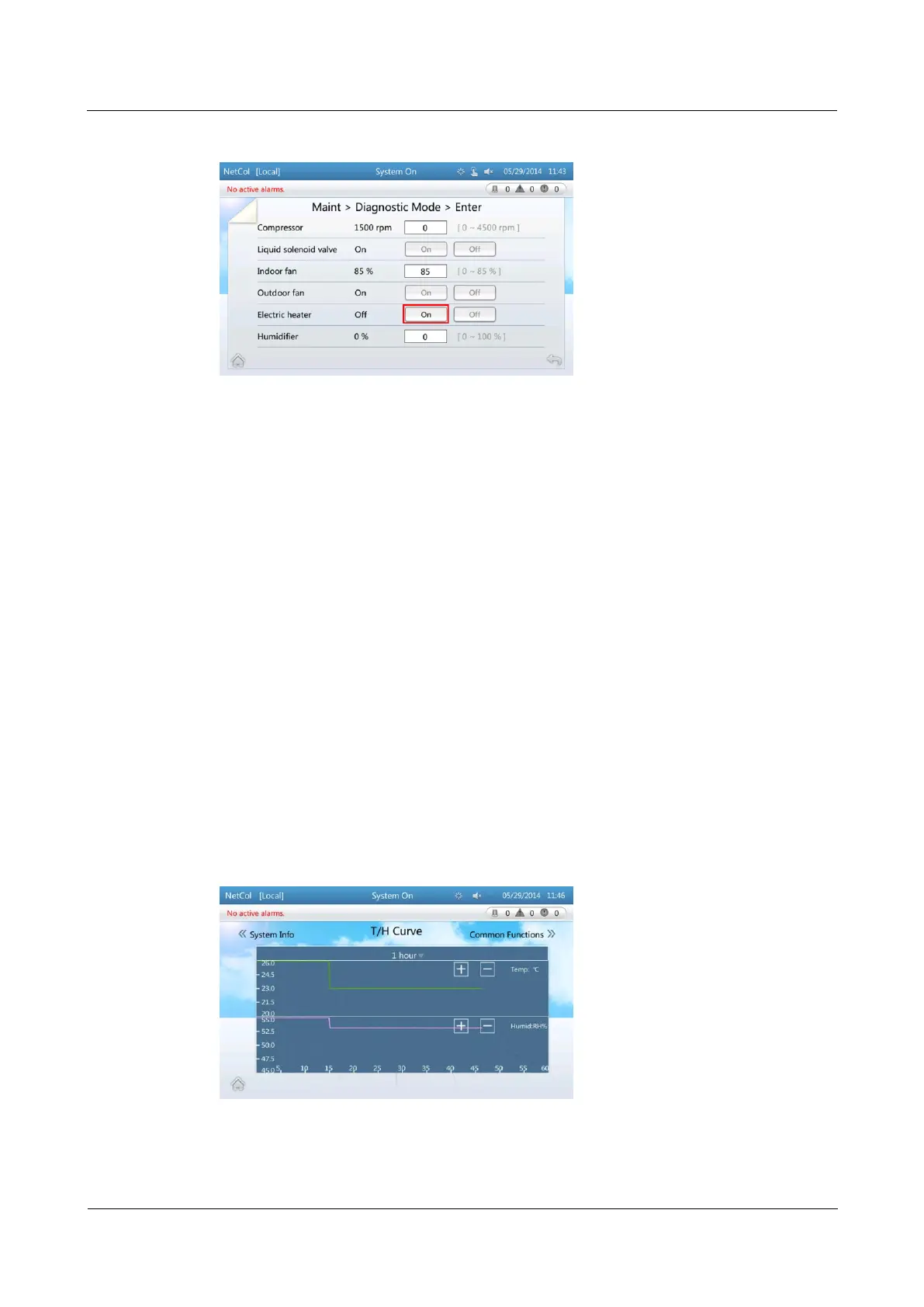
Figure 4-25 Starting up the electric heater
After the electric heater is started, the Off following the Electric heater turns into On.
----End
4.4 Maintenance Guide
4.4.1 Querying Parameters
4.4.1.1 Querying Temperature and Humidity Curves
Context
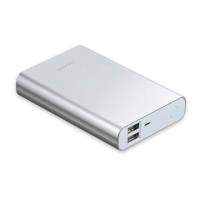
The T/H Curve screen displays temperature and humidity curves showing the recent
temperature and humidity changes. You can choose to display the curves showing data
changes of recent one hour, one day, seven days, or 30 days.
Procedure
Step 1 On the home screen, tap T/H Curve. Figure 4-26 is displayed.
Figure 4-26 T/H curve screen



 To Next Page