NetCol5000-A(025, 035) In-row Air Cooled Smart
Cooling Product
User Manual (600 mm)
Copyright © Huawei Technologies Co., Ltd.
4.5.2 How to Set the Language, Date, or Time
Context
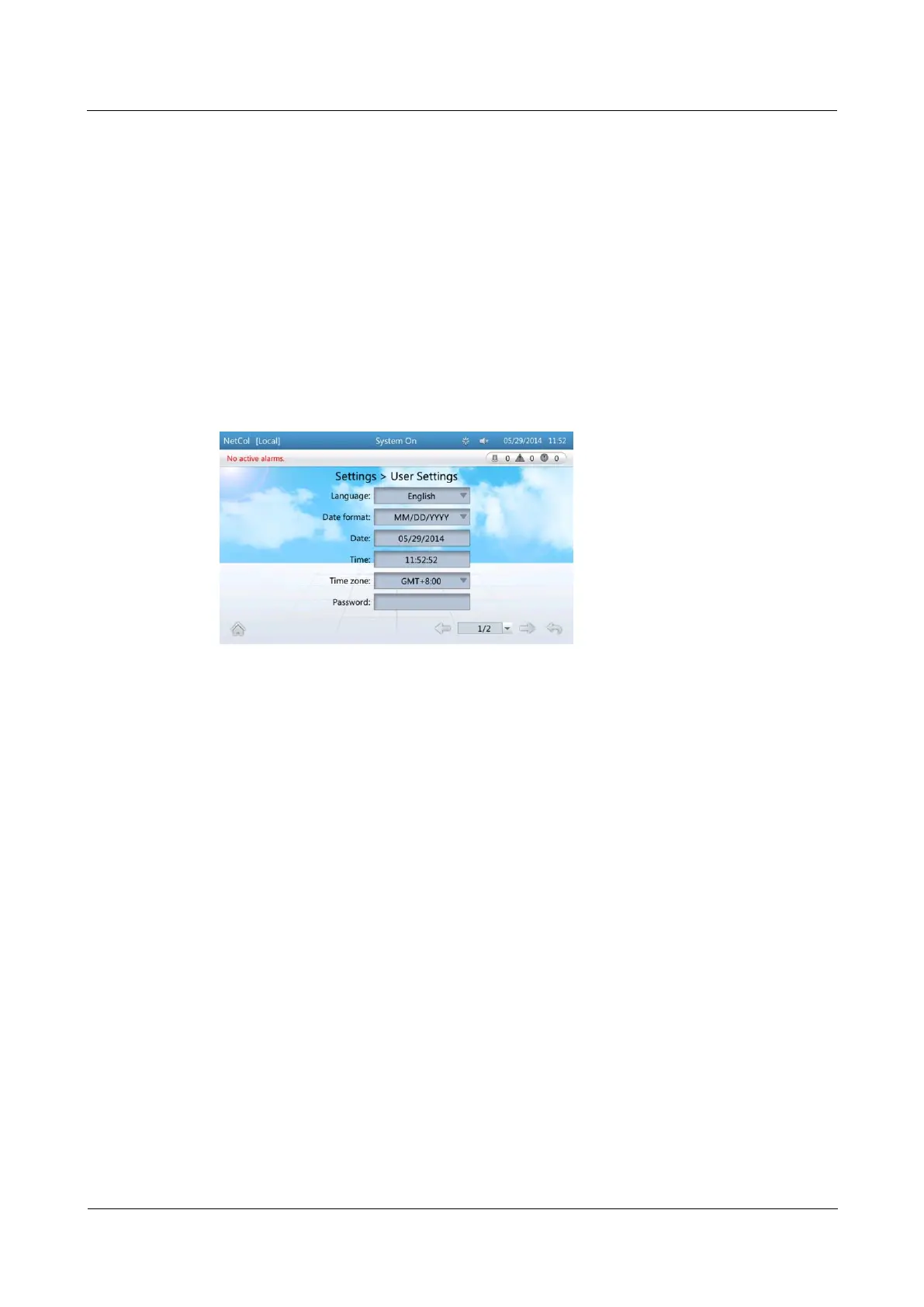
Enter the User Settings screen to set the Language, Date, or Time. You can also set
Time zone, Password, LCD contrast, LCD saturation, and LCD brightness on the
screen.
To set the preceding parameters, log in as the Admin, Engineer, or Operator user.
Procedure
Step 1 On the home screen, choose Settings > User Settings. Figure 4-47 is displayed.
Figure 4-47 User settings screen
Step 2 Tap the parameter to be set.
----End
4.5.3 How to Change a Password
Prerequisites
To change a password, log in as the Admin, Engineer, or Operator user.
You can only change the password of the current user.
Procedure
Step 1 On the home screen, choose Settings > User Settings to enter the User Settings screen, as
shown in Figure 4-48.



 To Next Page