EasyManua.ls Logo

Huawei NetCol5000-A-035 - Page 95

Huawei NetCol5000-A-035
223 pages
Print Icon
To Next Page IconTo Next Page
To Previous Page IconTo Previous Page
Loading...
NetCol5000-A(025, 035) In-row Air Cooled Smart
Cooling Product
User Manual (600 mm)
4 ACC Introduction
Copyright © Huawei Technologies Co., Ltd.
86
Procedure
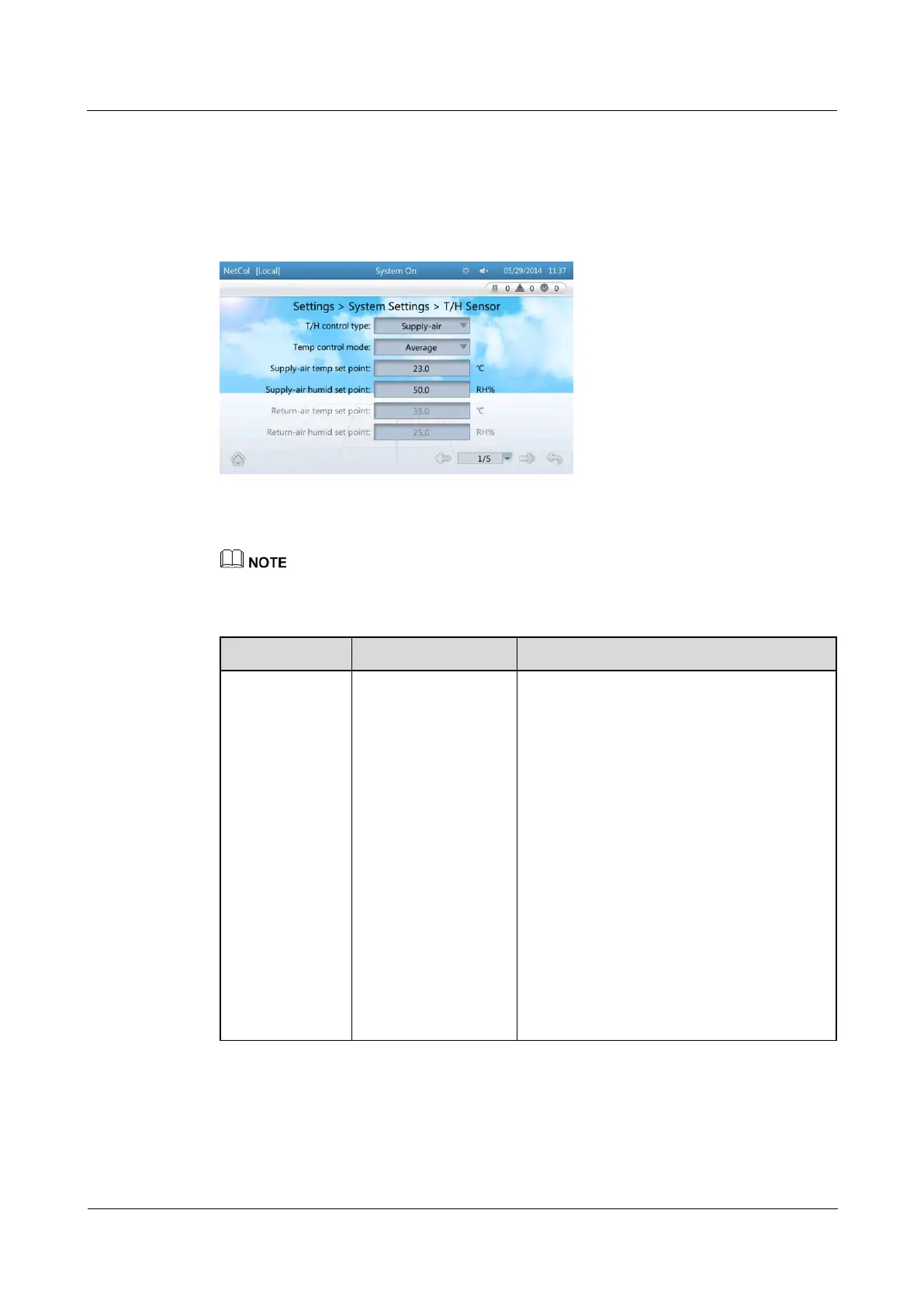
Step 1 On the home screen, choose Settings > System Settings > T/H Sensor. Figure 4-6 is
displayed.
Figure 4-6 Setting temperature and humidity values
Step 2 Set the parameters by referring to Table 4-2.
You are not recommended to modify the parameters not listed in Table 4-2.
Table 4-2 Parameter description
Parameter
Description
Configuration Principle
T/H control type
Sets Cold-aisle,
Hot-aisle,
Return-air, or
Supply-air as
required. The
temperature and
humidity set points
correspond to the
selected control type
can be set.
Return-air: For a hot aisle, select
Return-air to control the temperature and
humidity around the air return vent of the
smart cooling product.
Supply-air: For a cold aisle, select
Supply-air to control the temperature and
humidity around the air supply vent of the
smart cooling product.
Cold-aisle: For a cold aisle, select
Cold-aisle to control the temperature and
humidity of the aisle. The temperature and
humidity values come from the humidity
and temperature sensor in the aisle.

Hot-aisle: For a hot aisle, choose
Hot-aisle to control the temperature and
humidity of the aisle. The temperature and
humidity values come from the humidity
and temperature sensor in the aisle.


Table of Contents

Related product manuals