EasyManua.ls Logo

HunterDouglas UltraGlide - User Manual

Default Icon
41 pages
Print Icon
To Next Page IconTo Next Page
Loading...
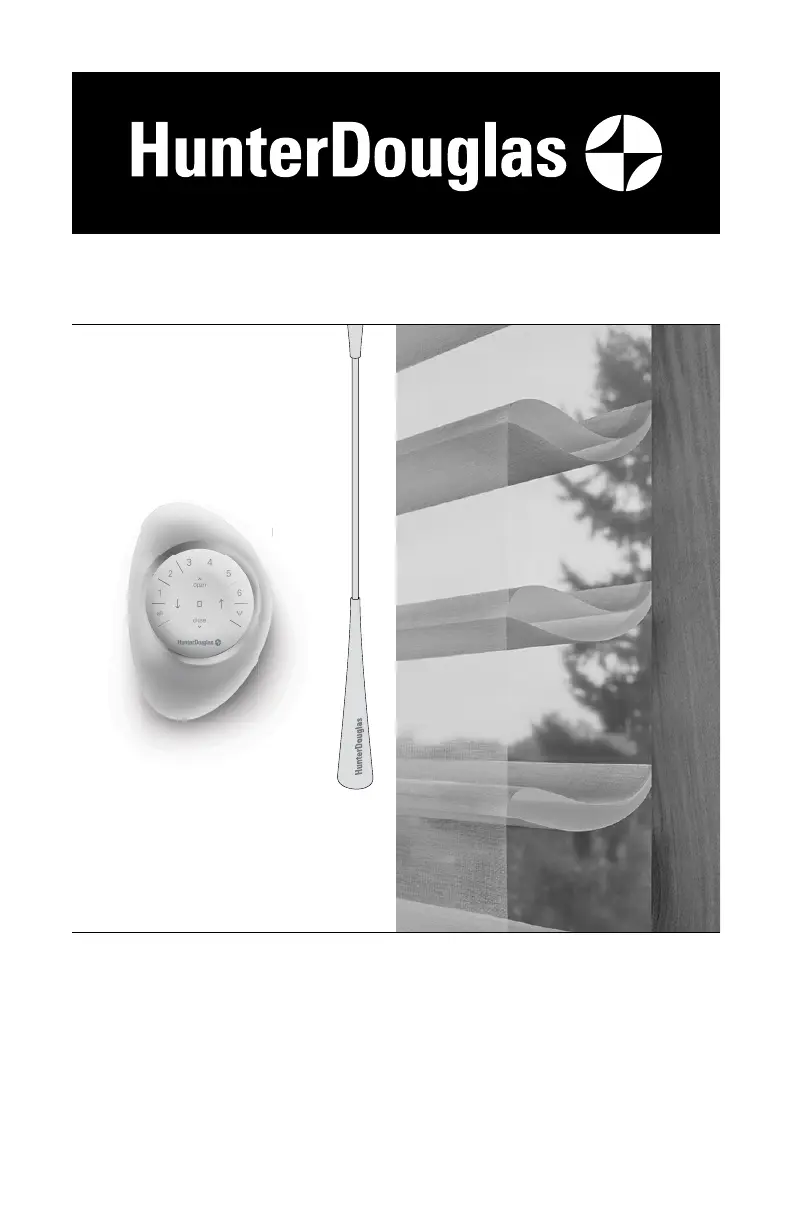
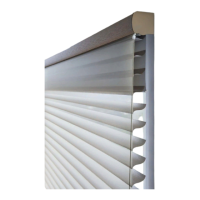
UltraGlide
®
U
ltraGl
i
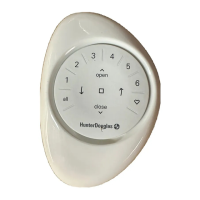
PowerView
®
Gen 3
Automation
Silhouette
®
Halo
Duolite
®
Window Shadings
PowerView
®
Gen 3 Automation and
UltraGlide
®
Operating Systems
Installation
Operation
Care

Other manuals for HunterDouglas UltraGlide

Questions and Answers

  • A
    Anita RogersAug 30, 2025
    What to do if my HunterDouglas Window Blind does not stay in place as the wand or cord retracts during raising?
    • F
      Felicia ChangAug 30, 2025
      If your UltraGlide HunterDouglas Window Blind does not stay in place as the wand or cord retracts during raising, the lowering mechanism has likely been engaged. Make sure you pull down on the pull wand or cord to raise the blind, instead of pulling out or across it.
  • J
    Joseph HansonSep 7, 2025
    What to do if HunterDouglas Indoor Furnishing EasyRise cord tensioner has climbed to the headrail?
    • B
      Brittany AlexanderSep 7, 2025
      If the universal cord tensioner has climbed to the headrail, pull down on the spring to relieve tension and pull the universal cord tensioner to the bottom of the cord loop. Properly mount the cord tensioner, referring to the Universal Cord Tensioner Installation Instructions included with your HunterDouglas shading.
  • B
    Brooke HartmanAug 29, 2025
    Why HunterDouglas Window Blinds UltraGlide don't stay in place when raising?
    • J
      Jon Simmons MDAug 29, 2025
      If your HunterDouglas UltraGlide blinds don't stay in place as the wand or cord retracts during raising, it's likely that the lowering mechanism has been engaged. Make sure you're pulling down on the pull wand or cord, and not out or across the blind.
  • S
    Samuel SmithSep 18, 2025
    What to do if the front sheer fabric of HunterDouglas Window Blinds clings to the rear sheer fabric?
    • S
      Samuel EdwardsSep 18, 2025
      If the front sheer fabric of your HunterDouglas Window Blinds is clinging to the rear sheer fabric, lightly apply a static spray designed for home furnishings, following the manufacturer's directions.
  • D
    Daniel HarperSep 8, 2025
    Why vanes do not align on side-by-side HunterDouglas UltraGlide Indoor Furnishing shadings?
    • P
      philip23Sep 9, 2025
      Vane alignment is only guaranteed within 1/4" when HunterDouglas shadings are ordered at the same time, at the same height, with the same colour and fabric, and when specified on the order form. Check that the windows are square and the same height.
  • S
    Susan BlankenshipSep 12, 2025
    What to do if the bottom rail of my HunterDouglas Window Blinds with PowerView® Gen 3 doesn't raise or lower completely?
    • M
      markbooneSep 12, 2025
      If the bottom rail of your HunterDouglas Window Blinds does not raise or lower completely, or its fully lowered position has changed, the batteries in the battery wand or satellite battery pack may be low. Try replacing the batteries. Also, make sure the power source is securely connected to the power cable and that the cables aren't pinched or caught in the headrail or installation brackets.
  • J
    josephrobinsonSep 17, 2025
    What to do if vanes on HunterDouglas Window Blinds do not open?
    • C
      Courtney ThomasSep 17, 2025
      If the vanes on your HunterDouglas Window Blinds don't open when you first operate the shading, make sure the front shading is completely lowered and the rear shade is fully raised. Try opening and closing the shading several times to help open the vanes.
  • L
    Laurie GreenAug 27, 2025
    How to install HunterDouglas Window Blinds if they don't fit into brackets?
    • W
      whitejenniferAug 27, 2025
      If the HunterDouglas Window Blind won't fit into the installation brackets, ensure the brackets are level and aligned, and the mounting surface is flat.
  • A
    Andrew MooreAug 26, 2025
    What to do if HunterDouglas Window Blinds do not tilt?
    • J
      Joshua VanceAug 26, 2025
      If your HunterDouglas Window Blinds don't tilt, check that the tilt cords aren't tangled or knotted. Also, make sure the ladders haven't become disengaged from the tape rolls and that the tilt rod is fully inserted into the tilt gear.
  • C
    Chad HermanAug 25, 2025
    How to fix HunterDouglas Window Blinds that don't raise or lower evenly?
    • P
      patrick68Aug 26, 2025
      If your HunterDouglas Window Blinds don't raise or lower evenly, check inside the headrail for any obstructions that might be preventing the mechanism from turning. Also, make sure the lift cords aren't pinched or tangled.

Summary

Installation

STEP 1: Mount the Installation Brackets

Guides on how to correctly attach the main support brackets to the window frame.

Inside Mount Bracket Installation

Specific instructions for mounting brackets within the window casement.

Outside Mount Bracket Installation

Specific instructions for mounting brackets to the exterior of the window frame.

STEP 2: Mount the Battery Wand (PowerView Gen 3)

Instructions for installing the battery wand for motorized operation.

Headrail-Mounted Rechargeable Battery Wand Installation

Steps for installing a rechargeable battery wand integrated into the headrail.

Satellite Battery Pack Installation

Guide for mounting and connecting a separate satellite battery pack.

STEP 3: Install the Shading

Procedures for physically attaching the shading to the installed brackets.

STEP 4: Connect the Power Source (PowerView Gen 3)

Final steps to connect the power source to the motorized shading system.

Operation

Operate the Shading

How to use the shading controls for different operating systems.

Resetting the Shading (If Necessary)

Procedures for recalibrating or resetting shading limits and programming.

Troubleshooting

Care

Cleaning Procedures

Guidelines for cleaning the shading and its components.

Child Safety

Window Blind Cord Strangulation Hazard

A critical warning about the strangulation hazard posed by blind cords.

Young Children Strangulation Hazard

Safety advisory concerning young children and accessible cords or loops.

HunterDouglas UltraGlide Specifications

General IconGeneral
MaterialHigh-quality fabrics, various options available
Light FilteringYes, varies by fabric selection
PrivacyVaries by shade/blind; from light filtering to room darkening
UV ProtectionYes, varies by fabric selection
CustomizationAvailable in a wide range of fabrics, colors, and styles

Related product manuals