v 1.0 — August 2018 Altanium Neo5
Page 74
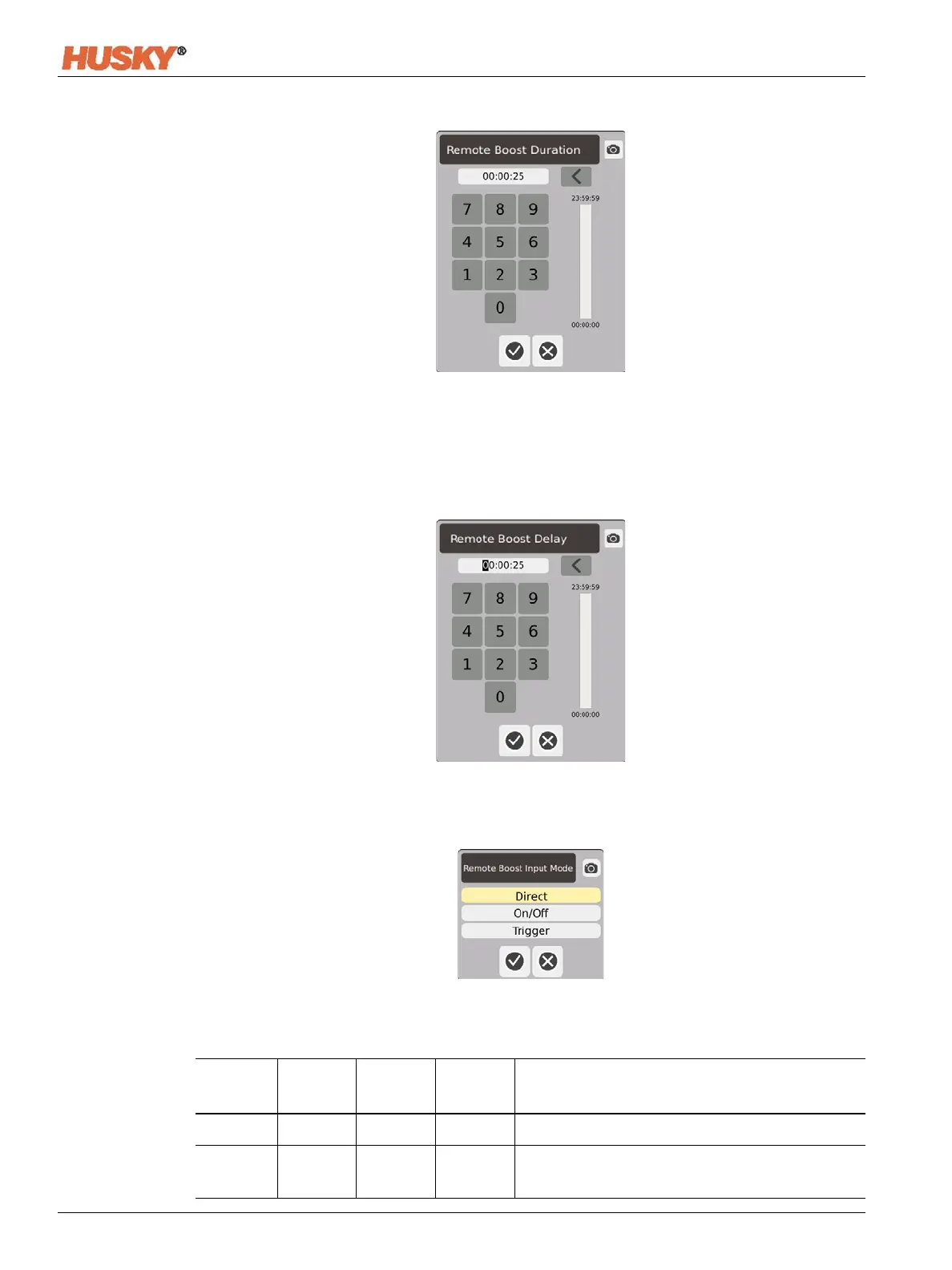
Duration Timer — In the dialog box, enter the time that the zones will stay in the remote
boost mode.
NOTE: The Duration Timer, Remote Boost Delay, and Remote Boost Input Mode are system
settings that apply to all zones.
Remote Boost Delay — In the dialog box, enter the time that you want the system to wait
from the time it receives the remote boost signal to when it enters the boost mode.
Remote Boost Input Mode — Set to one of the three modes.
Remote Boost Operational Description
Manual
Time
Delay
Time
Remote
Time
Input
Mode
Operation - Boost Button Select
---- 0:00:00 0:00:00 Trigger System will not enter Boost since no timers are set.
---- 0:00:00 X:XX:XX Trigger System immediately enters and remains in Boost
until the timer expires.


 To Next Page