42
8
DSC OPERATION
New2001
■ Sending a Non-Distress call (Continued)
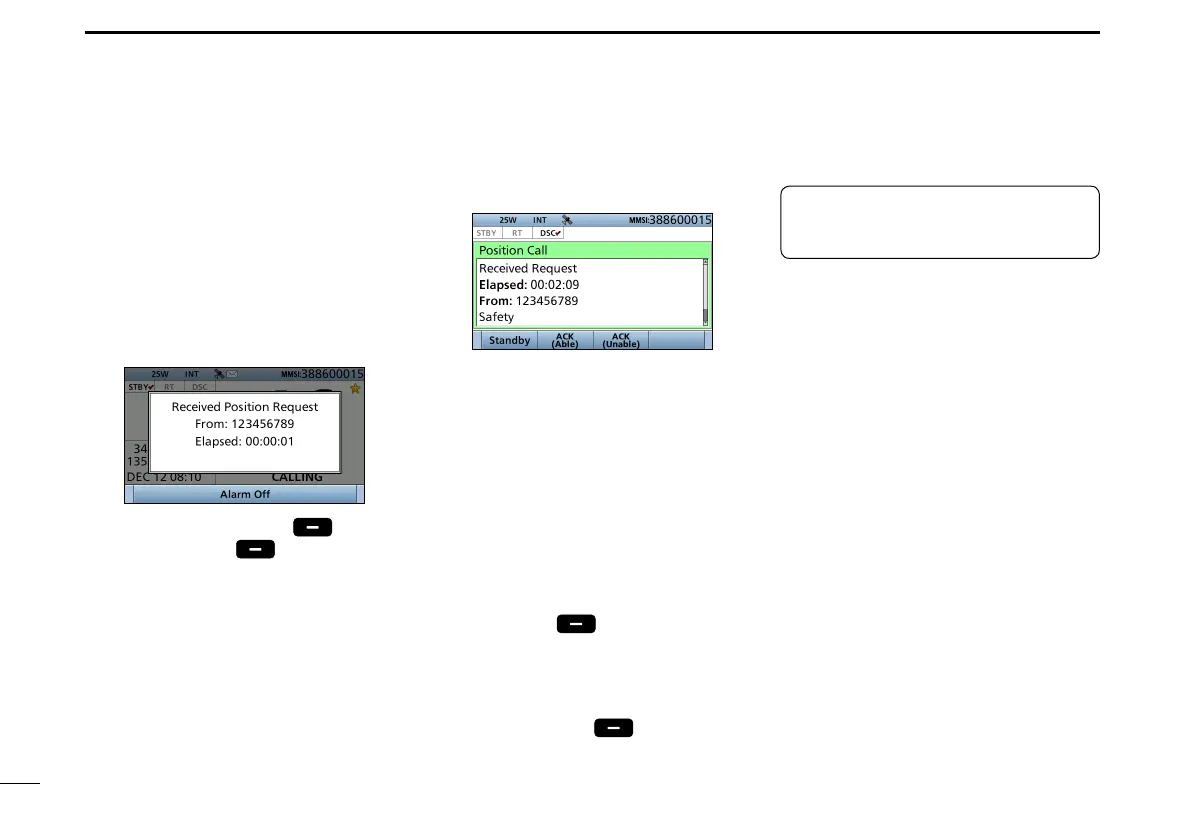
1. When a Position Request call is
received:
• Alarm sounds.
• The following screen is displayed.
2. Push any [Alarm Off] .
3. Push [Accept]
.
• Enters the DSC Task mode.
D Sending a Position Request acknowledgement
4. Select your action.
[ACK (Able)]:
Sends an acknowledgment with
position and time data.
[ACK (Unable)]:
Sends an acknowledgment with no
position and time data.
L The call contents screen is
displayed.
L
Rotate [CH/ENT] to view the call
contents.
• Change your position data, if the
displayed data is invalid. (p. 27)
5.
Push [Call]
to s
end the
acknowledgement
.
• When [ACK (Able)] is selected in step
5, your position and time data are
transmitted.
6. Push [Standby]
to r
eturn to
the Main screen.
TIP: When “Position ACK” is set to
Auto, the transceiver automatically
sends the acknowledgement. (p. 58)
When a Position Request call
is received, you can send an
acknowledgement.


 To Next Page