Part 2 - Conguration
36
Advanced Mode Options
Select to congure event types.
• Type: Event-specic and time recording icons are as
follows:
Time Lapse
(Time)
Video Loss
Alarm-In Video Blind
Motion
Detection
Text-In
Tripzone
Detection
• ips: Allow you to set the images per second for Time
and Event recording.
• Quality: Allow you to set the recorded image quality
for Time and Event recording. You can select from:
Very High, High, Standard and Basic.
• Resolution: Allow you to set the recorded image
resolution for Time and Event recording. You can
select from: Very High, High, and Standard.
• Dwell: Specify how long to record for after a
corresponding event occurs.
• Upper-tier schedule's settings apply to uncongured
channels.
• If multiple events take place on a specic channel
and dierent ips, Quality, Resolution, and Dwell
Time settings apply, highest settings apply to all
event-linked recordings.
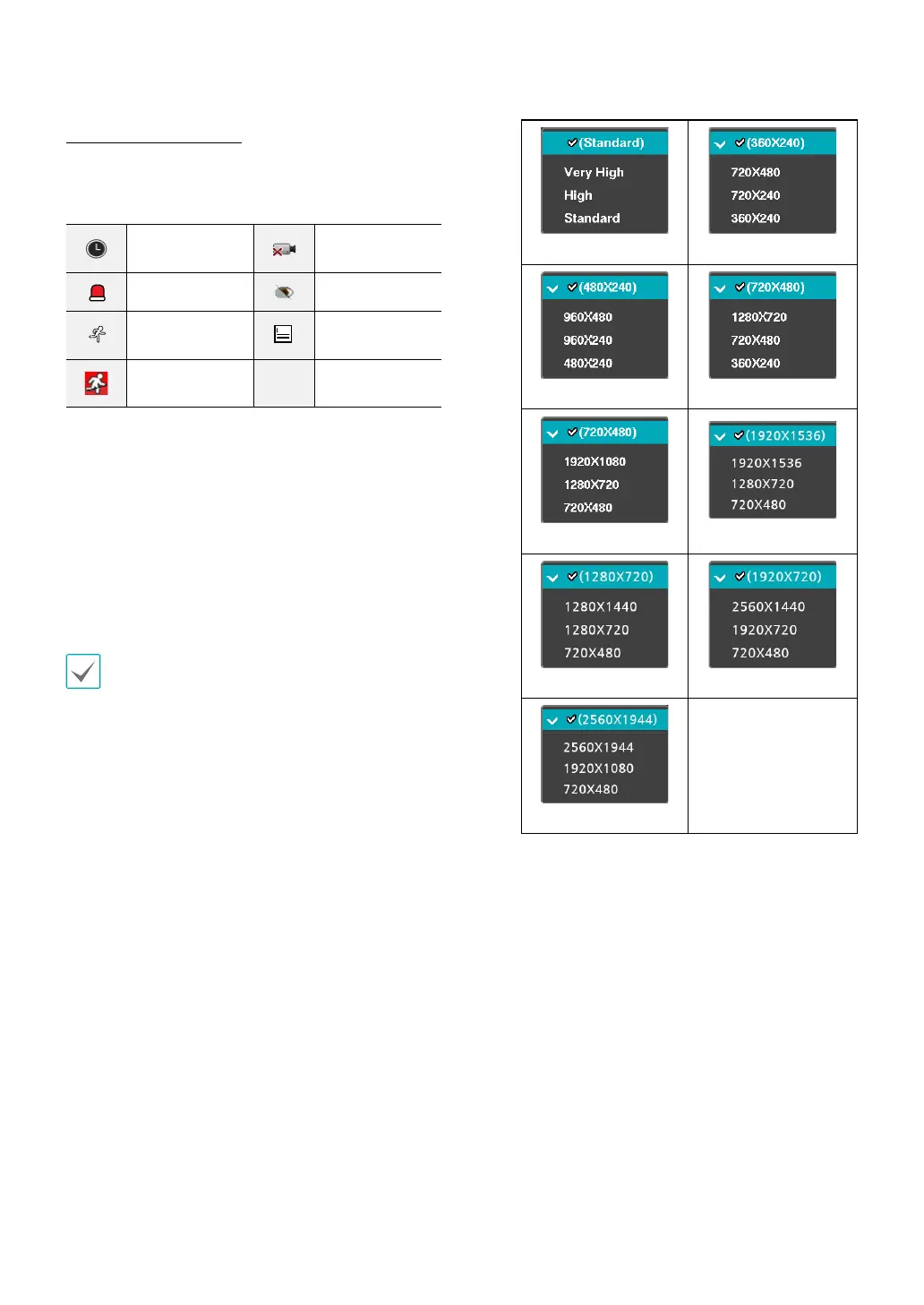
• The resolution can be set up at a time for each
event or separately for each channel of an event.
When setting up at a time for each event, the
following options are available: Very High, High
and Standard. Selecting Very High, the highest
resolution will be applied. Selecting Standard,
the lowest resolution, and selecting High, the
other resolution will be applied. When setting up
separately for each channel of an event, you can
select any resolution supported by the camera
mode (720, 960, HD, Full HD, 3MP, 4MP Half, 4MP or
5MP).
Event 720 Mode
960 Mode HD Mode
Full HD Mode
3MP Mode
4MP Half Mode 4MP Mode
5MP Mode



 To Next Page