Part 2 - Conguration
35
Schedule
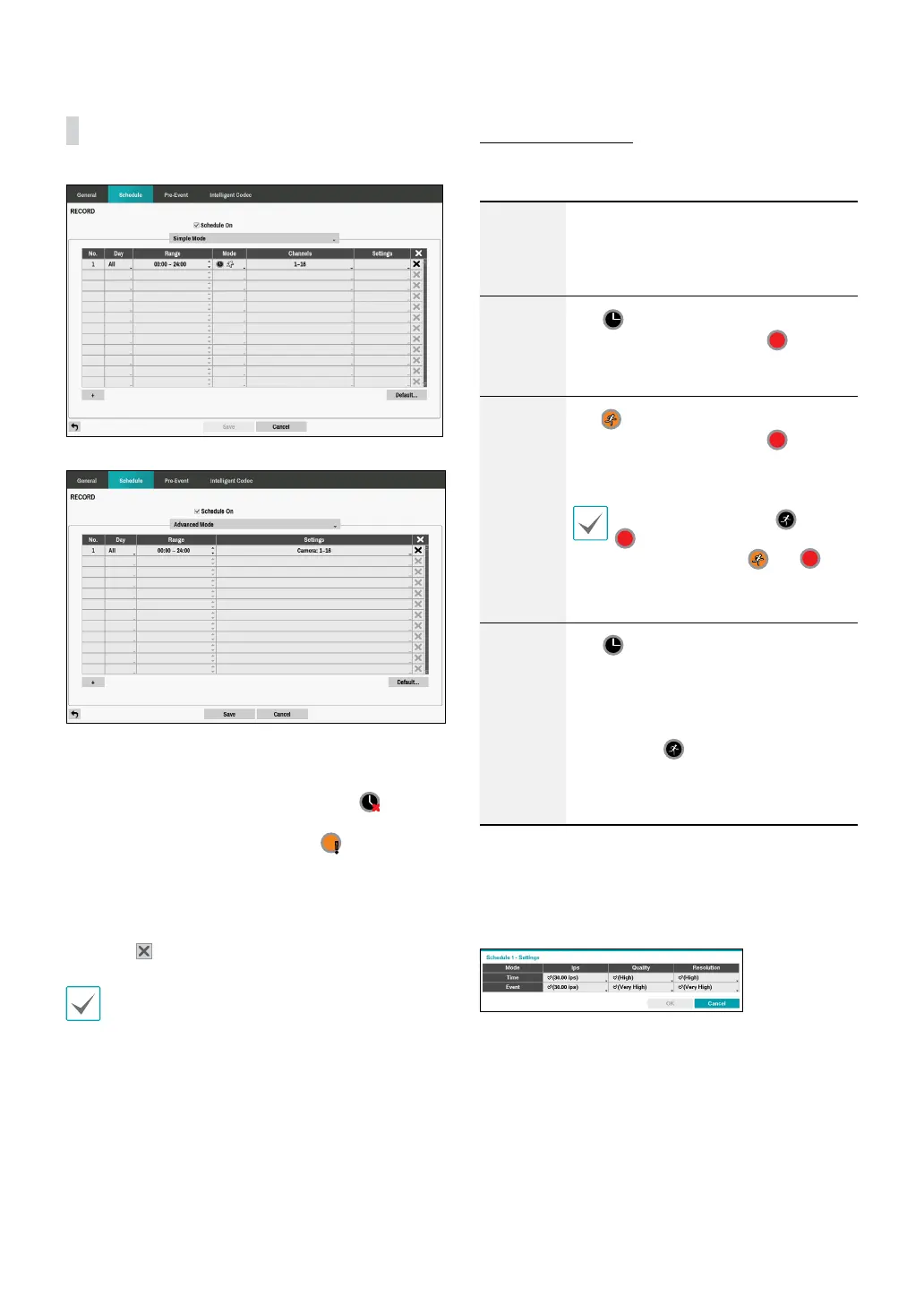
<Simple Mode>
<Advanced Mode>
Disabling Schedule On suspends schedule recording
regardless of the schedule and displays the
icon on
the upper left corner of each camera screen. Pressing
the Panic Record button displays the
icon and
commences panic recording.
Set Record Schedule mode as Simple Mode or
Advanced Mode. Advanced Mode allows you to
congure a unique recording schedule for each event.
Select the
icon to delete a schedule.
• Changing the recording schedule mode suspends
all active event-linked actions.
• Select the + button on the bottom left of the screen
to add a schedule. Select Day to specify the Day
setting or select All. Select Scope to specify the
time frame.
Simple Mode Options
• Mode: Select No Record, Time, Event, or Time &
Event.
No
Record
Unless the Panic Record button is
pressed, no recording will take place
during the scheduled time frames on the
scheduled days.
Time
The
icon appears on the upper
left corner of the screen. The
icon
appears at scheduled times to indicate
recording is in progress.
Event
The
icon appears on the upper
left corner of the screen. The
icon
appears when the specied event occurs
to indicate recording is in progress.
If Pre-Event is enabled, the and
icons appear when recording is
not in progress, or the and
icons appear when an event occurs
and recording is in progress.
Time &
Event
The
icon appears on the upper left
corner of the screen and recording
commences as per the ips, Quality,
Resolution selected for time under
Setup. When an event occurs, the icon
changes into
icon and recording
commences as per the ips, Quality,
Resolution selected for events under
Setup.
• Channel: Select which cameras to apply the schedule
to.
• Settings: Select to congure default values for Time
Lapse and Event Recording modes.



 To Next Page