Part 3 - Search
65
6 Playback Controls
Play and scan through video recordings. Playback
controls have the same functions as their remote
control counterparts.
%
Skips to the previous screen (while in paused
state).
"
Plays the video in normal speed and displays
r on the screen. Pressing the “qbutton during
playback pauses the video and displays
on
the screen.
&
Skips to the next screen (while in paused state).
Scans backward through the video at a fast
rate. (Press to cycle through
, , and
the speed)
!
Scans forward through the video at a fast rate.
(Press to cycle through
, , and the
speed)
Motion Search
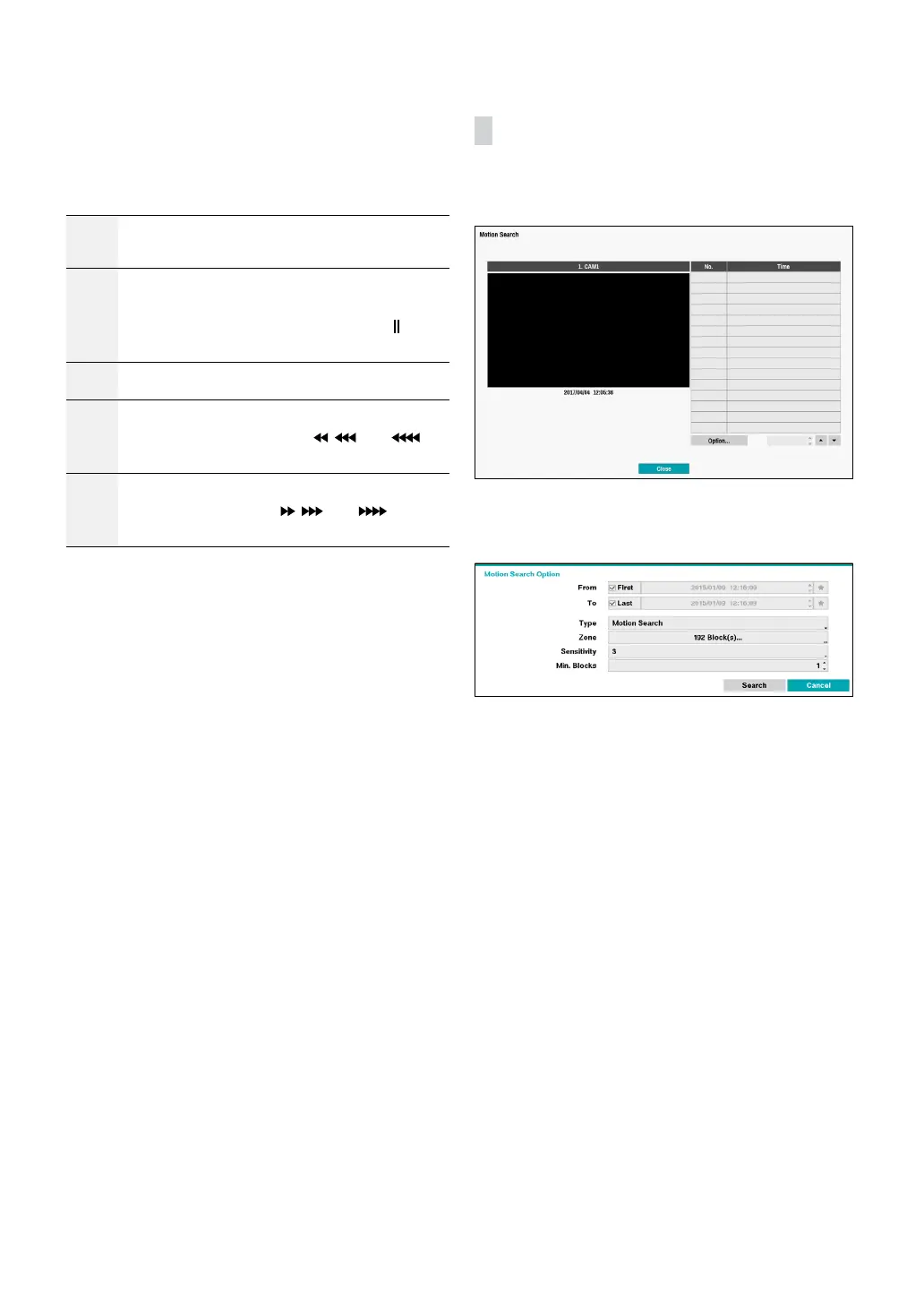
Select Motion Search from the Search menu to bring up
the Motion Search Setup window.
Motion Search cannot be performed while using a split
screen layout. Select Single Screen mode.
Select Option... to congure Motion Search options.
• Select First under From and Last under To to search
the recording from start to nish. Alternatively, you
can uncheck the First and Last options and specify the
search time frame manually.
• Type: Motion Search looks for motion in the selected
area by comparing individual frames against their
preceding frames. This means slow and gradual
movements, no matter how long they persist, will not
be recognized. In contrast, Museum Search looks for
changes in the specied area by using the From frame
as a reference. Museum Search, therefore, recognizes
even minute deviations from the original From frame.



 To Next Page