Part 2 - Conguration
49
Network Setup
Refer to the Menu Use on page 21 for basic
information on using the Setup menus.
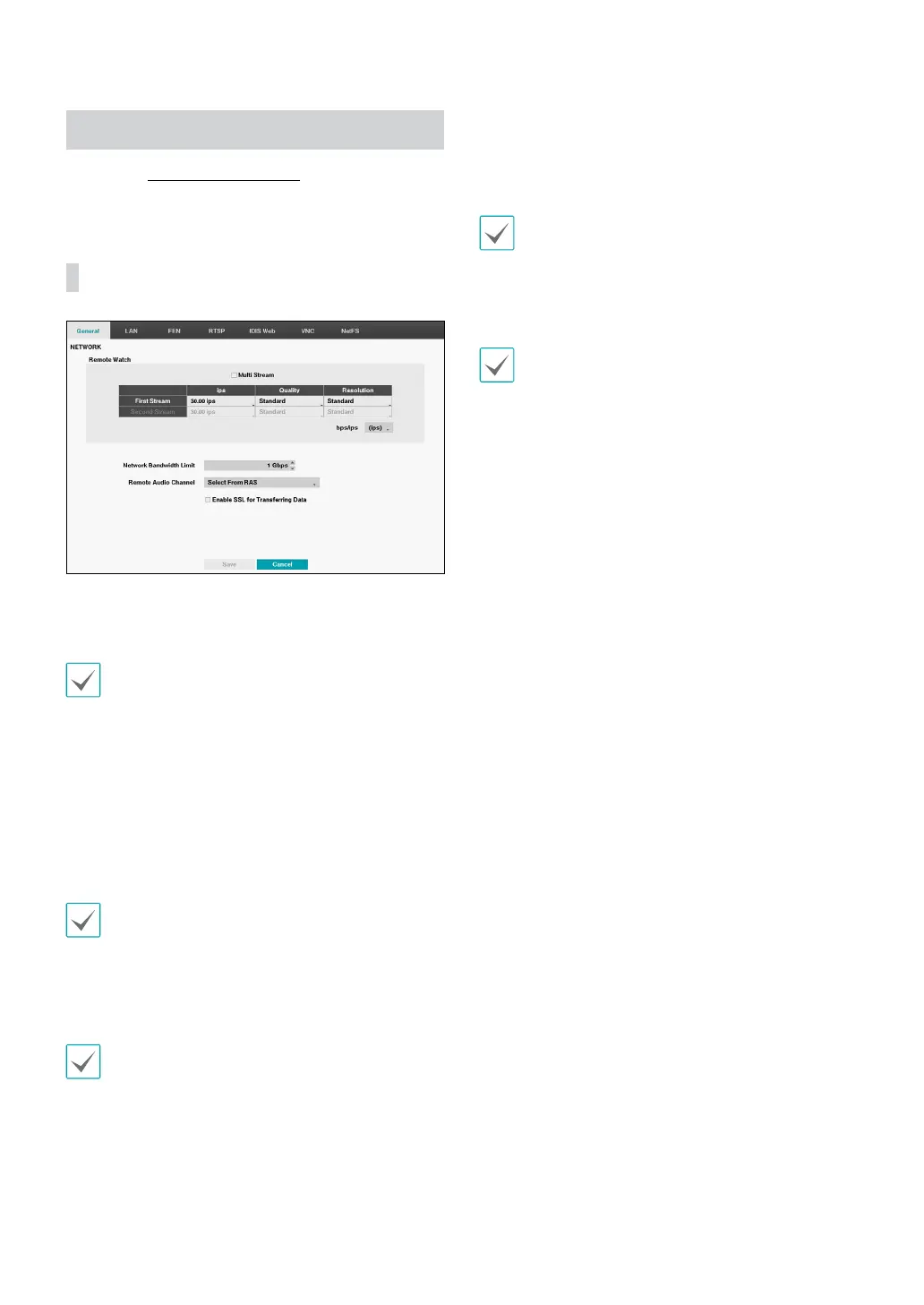
General
• Multi Stream: Supports more than one stream.
Congure to use dierent streams in layout mode or
channels in IDIS Center Client.
During playing, the transfer speed can be low.
• bps/ips: Select the Transfer Speed from 50Kbps to
1Gbps and the unit of measure for the transfer speed
between: bps and ips. The available value diers
depending on the quality and resolution settings.
• Quality: Select the Quality from: Very High, High,
Standard and Basic.
• Resolution: Select the Resolution from: Very High,
High and Standard.
The higher Quality and Resolution settings require
higher Transfer Speed settings. The transfer speed you
set is the maximum speed. Depending on the network
environment, this speed may not be achieved.
• Network Bandwidth Limit: Congure the bandwidth
to limit.
If you congured the Network Bandwidth Limit, the
live video may not be displayed smoothly in a remote
program.
• Remote Audio Channel: Transmits the selected
channel’s audio to the remote program. Select Select
From Client to stream audio of the channel selected
on the remote program.
Audio skipping and sync issues can occur under poor
network conditions.
• Enable SSL for Transferring Data: Applies SSL
(Secure Sockets Layer) protection on remote viewing
and recording data transmissions.
• If using the SSL feature, it will not be possible to
connect to the DVR from a remote program or a
network keyboard that does not support SSL.
• Changing the SSL setting temporarily severs all
remote connections to the DVR in order to apply the
change.
• This product contains content developed by
OpenSSL Project for use in Open SSL Toolkit (http://
www.openssl.org/).



 To Next Page