Part 2 - Conguration
48
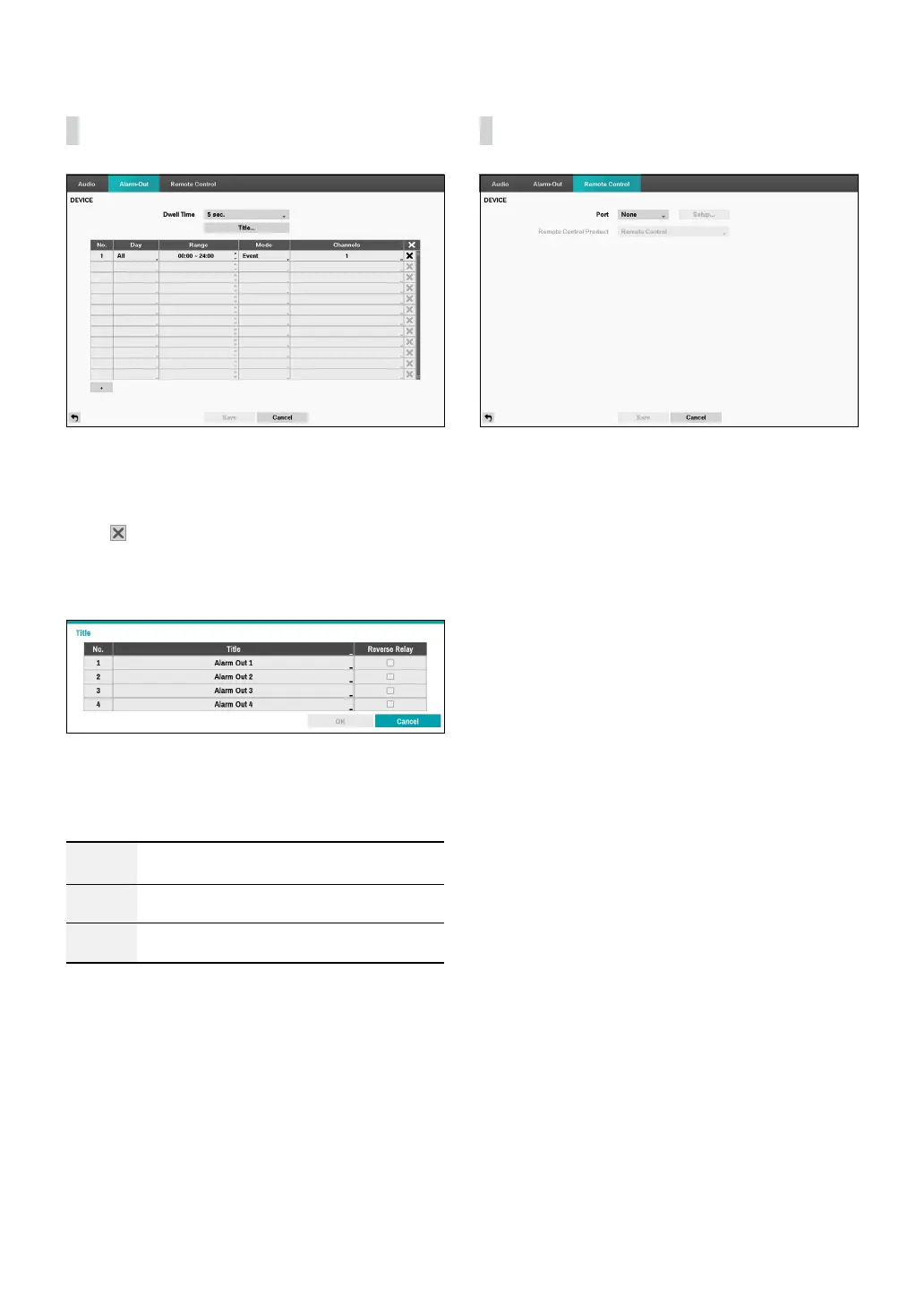
Alarm-Out
Select the + icon at the bottom left corner of the screen
to add a schedule.
You can apply dierent schedules for dierent Days of
the week.
Select
icon to delete the schedule.
• Dwell Time: Select a value between 5 secs and 15
mins as the alarm-out duration.
• Title: Designate a name for the alarm-out.
– Reverse Relay: Reverse the alarm-out type
connected to the DVR rear panel (NO→NC).
• Range: Change the schedule time frame.
• Mode: Select Event, On, or O.
Event
Generates an alarm-out when an event
occurs.
On Alarm-out is always on.
O
Alarm-out is always o.
• Channels: Congure alarm-out port and beep
settings.
Remote Control
• Port: Select None, RS232 or RS485 and then click
the Setup button and then select the correct Baud
Rate, Parity, Data Bits and Stop Bits for the device
you are connecting to the DVR. You can select the
device from the Remote Control Product list. If the
RS232 port and RS485 port are in use for PTZ control,
networking or text input, the remote keyboard cannot
be congured. In this case, the warning message
window will appear when other devices use the same
port such as PTZ control, networking or text input.
The message says that you cannot use other device
because the ports are overlapped.



 To Next Page