Part 2 - Conguration
58
• Uploade File: Select among CBF, JPG, and MP4. When
selecting CBF, the DVR will upload an event detected
video clip on the FTP site. When selecting JPG, the DVR
will attach the event detected image le (JPEG format)
on the FTP site. When selecting MP4, the DVR will
attach the event detected video clip (MP4 format) on
the FTP site.
• Site Information: Displays the FTP site information.
• For the FTP notication to work properly, the related
settings should be congured:
- Network menu - NetFS tab - Use setting
- Event menu - Actions - EventUpload setting
• When you delete the FTP site in the NetFS setup
screen on the Network menu, the FTP site in the
FTP setup screen on the Notication menu will be
deleted, too.
• If many event occurs during a short period, images
may not be uploaded on the FTP site.
• The FTP notication is not supported for system
events.
• If upload fails several times, it deletes the images or
video clips.
• When the DVR boots, it deletes all images and video
clips even if they were not uploaded yet.
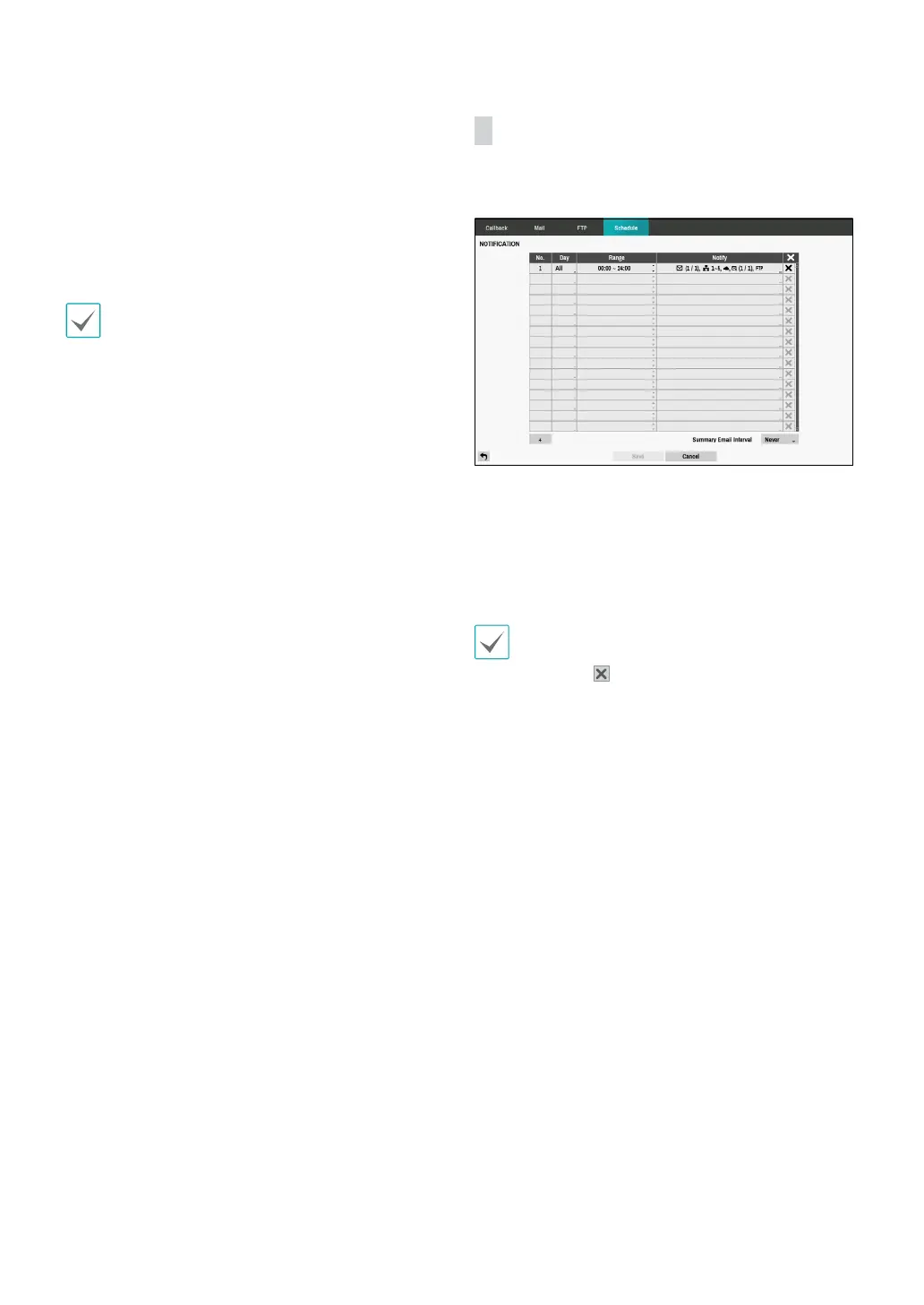
Schedule
Select the + icon at the lower left corner of the screen to
add a notication schedule.
• Day: Add dierent schedules for dierent days of the
week.
• Range: Change the event notication time frame.
• Notify: Select which notications to generate when an
event occurs. Select Mail, LAN 1 through 5, FTP, Push,
and/or Alert Window.
• In order to use the Notication (Callback) feature,
the DVR must be registered on the remote program.
• Select the
icon to delete the existing schedule.
• Summary Email Interval: Transmit event summary
emails to a remote destination at specied intervals.



 To Next Page