Part 2 - Conguration
60
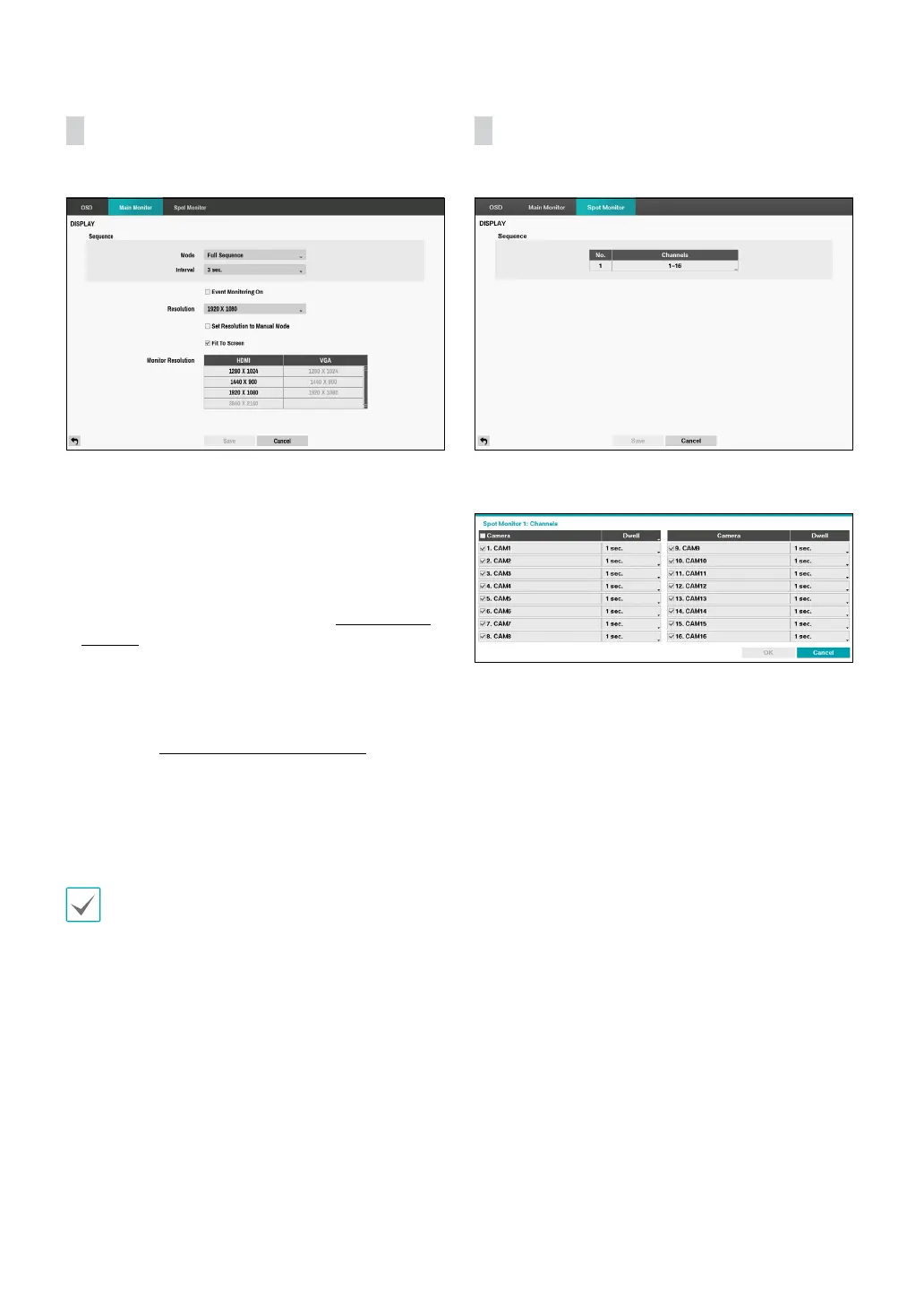
Main Monitor
Congure monitor-related settings.
• Mode: Select between Full Sequence and Cameo
Sequence. In the full sequence mode, the DVR
sequences through the cameras and displays them full
screen. In the cameo sequence mode, the bottom right
window in a multi-screen format sequences through
the cameras.
• Interval: Select between 1 secs and 1 mins. For more
information on Sequence, refer to the Sequence on
page 10.
• Event Monitoring On: With Event Monitoring
enabled, video feed from the camera congured to
start recording when an event occurs is shown on the
screen. For more information on Event Monitoring,
refer to the Event Monitoring on page 16.
• Resolution: Select 1920 x 1080, 1440 x 900, 1280 x
1024, 3840 x 2160.
• Set Resolution to Manual Mode: Set the resolution
manually regardless of the resolution supported by the
monitor.
• Supported resolutions may be restricted depending
on the monitor.
• We recommend that you use 1920 x 1080
resolution.
• Monitor Resolution: Displays the resolution
information of monitors currently connected to the
DVR.
Spot Monitor
Congure spot monitor-related settings.
Connect the Spot monitor using the BNC cable. Select
the box in the Channels column.
You can dene which cameras display sequentially on
the Spot Monitor when in the single-screen display
format. Selecting the box under the Camera toggles
between On and O. You can adjust the display dwell
time by selecting the box under the Dwell. You can
select dwell intervals ranging from 1 to 20 seconds.



 To Next Page