Part 2 - Conguration
56
Notication Setup
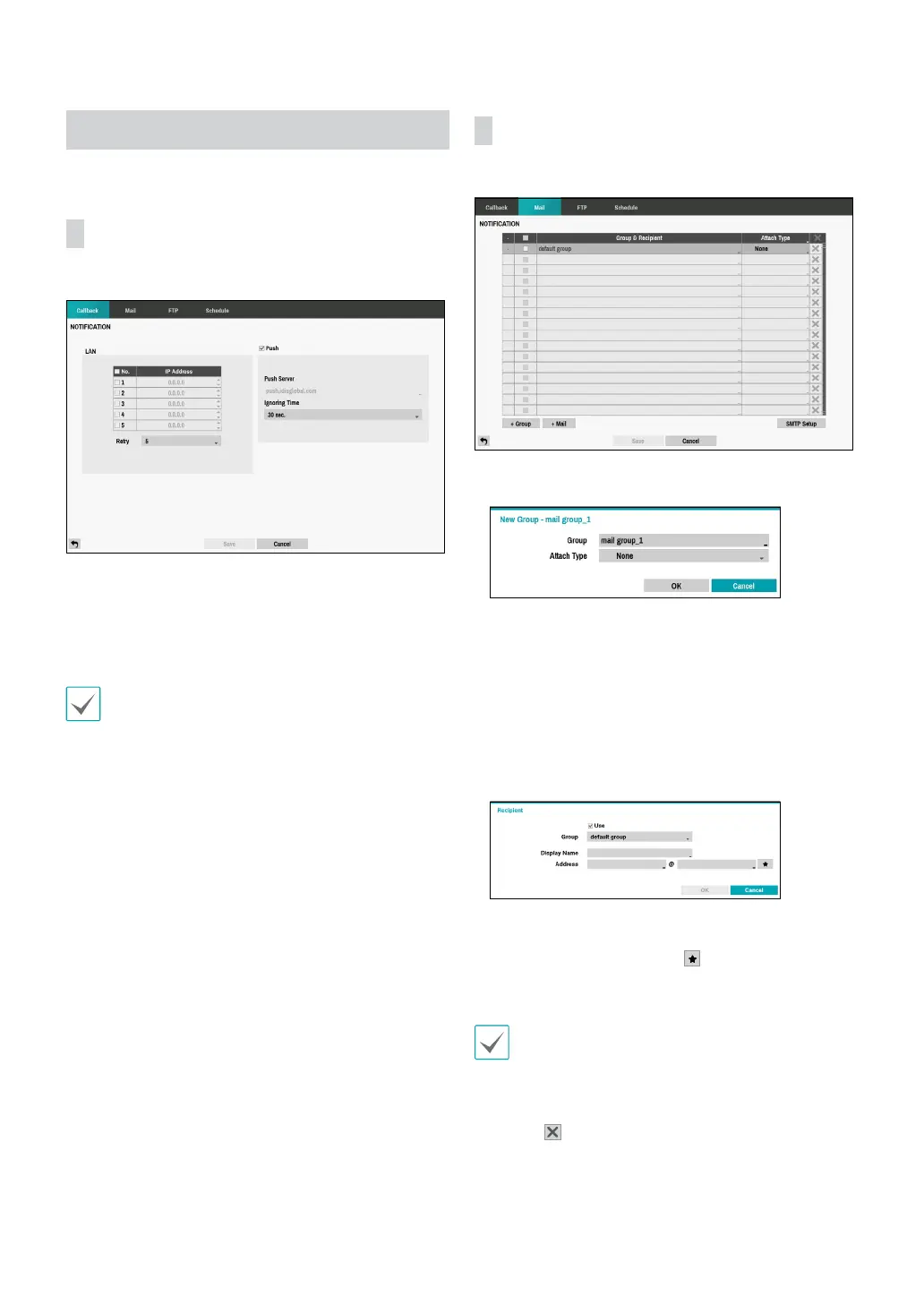
Callback
Congure Callback settings.
• LAN: Enter the IP address of the receiving server and
set Retry to between 1 and 10 in case of connection
failure.
• Push: Send out event-related messages to mobile
phone.
Enable to receive the event occured in DVR on the
mobile phone(Android, iOS). The DVR must be
registered and set in mobile phone.
Mail
Congure Mail settings.
• +Group: Add a recipient group and select the image
le format attached to an email.
A virtual keyboard appears allowing you to enter the
Group name. You can select among CBF, JPG, and
MP4. When selecting CBF, the DVR will attach an event
detected video clip to an email. When selecting JPG,
the DVR will attach the event detected image le (JPEG
format) to an email. When selecting MP4, the DVR will
attach the event detected video clip (MP4 format) to an
email.
• +Mail: Add a mail recipient.
Assign the Recipient to a Group and enter the Recipient’s
Display Name. Enter the recipient’s e-mail address and
mail server provider. Select the
icon to select the mail
server provider from a list of registered SMTP mail server
providers.
The recipient's mail address must be in the correct
email format and contain the @ symbol.
Select the Attach Type icon to attach event recordings
to outgoing mails.
Select the
icon to remove the account.



 To Next Page